From Pixels to Predictions: Building Patient-Specific Finite Element Models from CT Scans for Advanced Biomedical Research
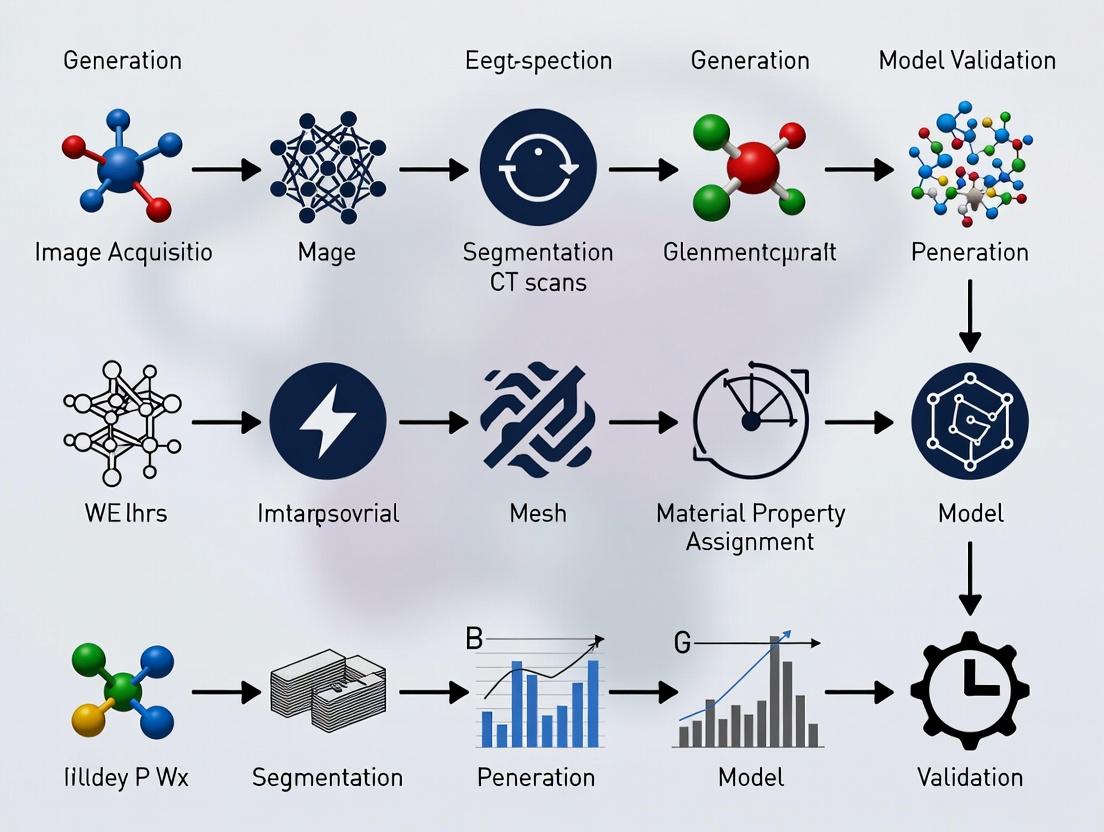
This article provides a comprehensive guide for researchers and drug development professionals on generating patient-specific finite element (FE) models from CT scans.
From Pixels to Predictions: Building Patient-Specific Finite Element Models from CT Scans for Advanced Biomedical Research
Abstract
This article provides a comprehensive guide for researchers and drug development professionals on generating patient-specific finite element (FE) models from CT scans. We explore the foundational principles of translating medical imaging data into computational meshes, detail the core methodological pipeline from segmentation to solving, address common challenges and optimization strategies for accuracy and efficiency, and examine critical validation protocols and comparative analyses against alternative modeling approaches. The content synthesizes current best practices to empower the creation of high-fidelity, clinically relevant biomechanical models for personalized medicine and in silico trials.
The Building Blocks: Understanding How CT Scans Translate into Computational Models
Patient-Specific Finite Element Analysis (FEA) is a computational modeling technique that converts medical imaging data, such as CT scans, into precise, subject-specific digital models. These models simulate the physical behavior (e.g., stress, strain, flow) of biological tissues and medical devices under various physiological and pathological conditions. Within a thesis on model generation from CT scans, this approach is foundational for translating patient anatomy into a predictive, quantitative framework for research and clinical decision-making.
Application Notes & Protocols
Application 1: Pre-Clinical Assessment of Orthopedic Implants
Objective: To evaluate the biomechanical performance and risk of periprosthetic fracture for a cementless hip stem in a specific patient's femur.
Quantitative Data Summary: Table 1: Key Material Properties Assigned in Bone-Implant FEA
| Material / Tissue | Young's Modulus (MPa) | Poisson's Ratio | Property Source |
|---|---|---|---|
| Cortical Bone | 17000 | 0.3 | CT Hounsfield Unit (HU) calibration |
| Cancellous Bone | Variable (100-1500) | 0.3 | Site-specific HU calibration |
| Titanium Alloy (Implant) | 110000 | 0.3 | Manufacturer specification |
| Bone-Implant Interface | Frictional (µ=0.3) | - | Experimental literature |
Experimental Protocol:
- Image Acquisition: Acquire high-resolution (slice thickness ≤ 0.625 mm) CT scan of the patient's proximal femur.
- Segmentation & 3D Reconstruction: Use thresholding and region-growing algorithms in software (e.g., Mimics, 3D Slicer) to segment bony anatomy from soft tissue. Generate a 3D surface model (STL file).
- Mesh Generation: Import the surface model into FEA pre-processor (e.g., ANSYS, Abaqus). Apply a volumetric tetrahedral mesh, refining elements in regions of expected high stress gradients (e.g., calcar femorale, implant edges).
- Material Property Assignment: Establish a site-specific relationship between CT Hounsfield Units (HU) and bone elastic modulus (E) using a validated density-elasticity relationship (e.g., E = 2017 * ρ^1.64, where ρ is apparent density derived from HU).
- Boundary Conditions & Loading: Fix the distal end of the femur. Apply a joint reaction force (≈ 250% body weight) at the femoral head center, corresponding to the stance phase of gait.
- Solver Execution & Validation: Run the nonlinear static analysis. Validate model predictions by comparing strain patterns with published ex vivo digital image correlation (DIC) experimental data on instrumented cadaveric femurs.
Diagram 1: Workflow for Patient-Specific Orthopedic FEA
Application 2: Drug Delivery & Aneurysm Hemodynamics
Objective: To model blood flow dynamics and drug (e.g., anti-thrombotic agent) residence time in a patient-specific cerebral aneurysm to assess treatment efficacy.
Quantitative Data Summary: Table 2: Parameters for Hemodynamic and Drug Transport FEA
| Parameter | Value / Description | Rationale |
|---|---|---|
| Blood Density | 1060 kg/m³ | Physiological constant |
| Blood Viscosity Model | Carreau non-Newtonian | Accounts for shear-thinning |
| Vessel Wall | Rigid (initial model) | Simplification for flow-focused study |
| Inlet Boundary Condition | Pulsatile Velocity Waveform | From phase-contrast MRI |
| Outlet Boundary Condition | Zero Pressure (or Windkessel) | Physiological outflow |
| Drug Diffusion Coefficient | 1e-10 m²/s | Molecular property of the agent |
Experimental Protocol:
- Angiography Imaging & Reconstruction: Obtain 3D rotational angiography (3DRA) or CTA data. Segment the lumen of the vasculature and aneurysm using level-set or model-based algorithms.
- Computational Fluid Dynamics (CFD) Mesh: Generate a high-quality, boundary-layer-refined volumetric mesh (hexahedral or polyhedral) within the vascular geometry using CFD pre-processors (e.g., STAR-CCM+, SimVascular).
- Physiological Boundary Conditions: Map a representative pulsatile cardiac waveform to the inlet. Apply lumped parameter (Windkessel) models at outlets to mimic downstream vascular resistance and compliance.
- Flow & Drug Transport Simulation: Solve the Navier-Stokes equations for transient blood flow. Couple with a convection-diffusion equation to model passive scalar transport of the drug from the catheter release point.
- Post-Processing & Analysis: Quantify key hemodynamic indices (Wall Shear Stress, Oscillatory Shear Index) and drug residence time. Correlate low WSS and high residence time with regions of thrombus risk in clinical follow-ups.
Diagram 2: Multiphysics FEA for Aneurysm Drug Delivery
The Scientist's Toolkit: Research Reagent Solutions
Table 3: Essential Resources for Patient-Specific FEA from CT
| Item / Solution | Function / Purpose | Example (Not Exhaustive) |
|---|---|---|
| Medical Imaging Software | DICOM viewer, segmentation, 3D model creation. | 3D Slicer (open-source), Mimics (Materialise) |
| Image Segmentation Tools | Isolate anatomical regions of interest from scans. | ITK-SNAP (active contour), Simpleware ScanIP |
| Meshing Software | Converts 3D surface models into volumetric finite elements. | ANSYS Meshing, Gmsh (open-source), Simplexare FE |
| FEA/CFD Solver | Performs the core computational physics simulation. | Abaqus, ANSYS Mechanical/Fluent, FEBio (biomechanics) |
| Material Property Library | Provides empirical relationships for tissue mechanics (e.g., bone density-elasticity). | Published literature databases, bmtk (Biomechanics ToolKit) |
| High-Performance Computing (HPC) | Provides computational power for solving large, nonlinear models. | Local clusters, cloud computing (AWS, Azure) |
| Validation Phantom | Physical model with known properties for model verification. | 3D-printed anatomical phantoms with compliant materials |
Computed Tomography (CT) is the foundational imaging modality for generating patient-specific finite element models. The accurate derivation of biomechanical properties hinges on a precise understanding of CT number fidelity (Hounsfield Units), spatial resolution, and artifact mitigation. This document outlines the critical principles and provides protocols for optimizing CT data acquisition for FEM generation in musculoskeletal and oncological research.
Core Principles & Quantitative Data
Hounsfield Units (HU): The Basis for Material Property Assignment
HU values are linearly related to the linear attenuation coefficient (μ) of tissues, calibrated against water and air. Accurate FEMs require stable and calibrated HU for tissue segmentation and density assignment.
Table 1: Standard Hounsfield Unit Ranges for Key Tissues
| Tissue / Material | Typical HU Range | Use in FEM Generation |
|---|---|---|
| Cortical Bone | 300 - 3000 | Assigns elastic modulus via density-power law relationships. |
| Trabecular Bone | 100 - 800 | Critical for modeling site-specific bone stiffness and failure. |
| Muscle | 10 - 40 | Defines soft tissue constraints and load distribution. |
| Fat | -150 to -50 | Differentiates mechanical properties from lean tissue. |
| Blood | 30 - 45 | Vascular modeling in tumor or organ FEMs. |
| Water (Reference) | 0 | Calibration standard. |
| Air (Reference) | -1000 | Calibration standard and cavity definition. |
Resolution: Spatial and Contrast
Resolution determines the geometric fidelity of the reconstructed 3D model.
Table 2: CT Resolution Metrics Impacting FEM Mesh Quality
| Metric | Typical Clinical Range | Impact on FEM |
|---|---|---|
| In-plane Spatial Resolution | 0.5 mm - 1.0 mm | Defines smallest discernible feature; limits element size. |
| Slice Thickness | 0.5 mm - 1.5 mm (isotropic preferred) | Affects z-axis accuracy; thicker slices cause staircase artifacts in 3D model. |
| Contrast Resolution (Low-contrast detectability) | < 5 HU difference | Critical for differentiating similar tissues (e.g., tumor vs. parenchyma). |
Artifacts: Threats to Model Accuracy
Artifacts introduce non-anatomical noise, corrupting geometry and density maps.
Table 3: Common CT Artifacts in FEM Context
| Artifact | Primary Cause | Consequence for FEM | Mitigation Strategy |
|---|---|---|---|
| Beam Hardening | Polychromatic X-ray spectrum | Cupping/streaking; inaccurate bone density/geometry. | Pre-patient filtration, calibration phantoms, iterative reconstruction. |
| Partial Volume | Voxel containing multiple tissues | Blurred interfaces, inaccurate HU at boundaries. | Use isotropic, high-resolution voxels (<0.5 mm). |
| Motion | Patient breathing, cardiac motion | Blurring, double contours, geometry errors. | Gating, fast acquisition, patient immobilization. |
| Metal | High-attenuation implants (e.g., prostheses) | Severe streaks, complete data loss. | Dual-energy CT, MAR algorithms, projection interpolation. |
| Scanner-specific Calibration Drift | Detector miscalibration | Global HU inaccuracy, corrupting density-power law. | Daily water phantom calibration. |
Application Notes & Protocols for FEM Research
Protocol A: Optimized CT Acquisition for Bone FEM Generation
Objective: Acquire CT data of a long bone (e.g., femur) for high-fidelity cortical and trabecular bone modeling. Materials: CT scanner (≥64 detector rows), calibration phantom (with known density inserts), immobilization devices.
Procedure:
- Phantom Scan: Prior to patient scanning, perform a daily quality assurance scan of a multi-material calibration phantom containing hydroxyapatite inserts (0-800 mg/cc).
- Patient Positioning: Immobilize the limb using a radiolucent support to eliminate motion.
- Acquisition Parameters:
- Voltage: 120 kVp (standardizes HU for bone).
- Tube Current: Use automated dose modulation (e.g., CARE Dose4D) with a quality reference mAs of 150-200.
- Rotation Time: ≤0.5 seconds.
- Pitch: ≤0.8 for overlapping reconstruction.
- Reconstruction Kernel: Use a "bone" or "sharp" kernel (e.g., B70s) to enhance edge detection.
- Field of View (FOV): Adjust to the limb only, maximizing matrix size.
- Reconstructed Slice Thickness: 0.5 mm, with 0.25 mm increment (isotropic voxels).
- Matrix: 512 x 512 (or 1024 x 1024 if available).
- Data Export: Export raw data (sinograms) and reconstructed images in DICOM format, ensuring HU integrity is preserved.
Protocol B: Mitigating Metal Artifacts for Implant-Tissue Interface Modeling
Objective: Acquire CT data of a pelvis with a metal hip implant for modeling bone-implant stress shielding. Materials: CT scanner with MAR software capability, gantry tilt functionality.
Procedure:
- Pre-Scan Planning: Use scout views to align the scan plane perpendicular to the long axis of the implant stem to minimize projected metal area.
- Acquisition Parameters:
- Voltage: Use high kVp (e.g., 140 kVp) to increase photon penetration.
- Tube Current: Increase substantially (e.g., 300-500 effective mAs) to improve signal-to-noise ratio.
- Pitch: Reduce to ≤0.6.
- Dual-Energy CT (if available): Acquire at 80/140 Sn kVp for virtual monoenergetic reconstructions and material decomposition.
- Reconstruction:
- Standard: Reconstruct images using the scanner's proprietary Metal Artifact Reduction (MAR) algorithm (e.g., SEMAR, iMAR).
- Dual-Energy: Generate virtual monoenergetic images at high keV (e.g., 140-190 keV) and material-specific images (water/calcium).
- Validation: Compare MAR-processed images to uncorrected images by measuring HU standard deviation in a region-of-interest adjacent to the implant.
Workflow for Patient-Specific FEM Generation from CT
Diagram Title: CT to FEM Workflow
The Scientist's Toolkit: Research Reagent Solutions
Table 4: Essential Materials for CT-FEM Research
| Item | Function in Research | Example/Specification |
|---|---|---|
| CT Calibration Phantom | Validates scanner HU linearity and provides density calibration for material property equations. | QCT Bone Mineral Density Phantom (Mindways) with hydroxyapatite inserts. |
| Anthropomorphic Phantom | Allows for protocol optimization and validation without patient exposure. | Pelvis or knee phantom with simulated cortical/trabecular bone and soft tissue. |
| Image Segmentation Software | Semi-automated segmentation of anatomical regions from CT DICOM data. | Mimics (Materialise), 3D Slicer (Open Source), Simpleware ScanIP (Synopsys). |
| Meshing Software | Converts segmented 3D surface models (.STL) into volumetric FE meshes. | ANSYS ICEM CFD, Gmsh (Open Source), Abaqus/CAE, Simpleware FE. |
| HU-Density-Elasticity Calibration Equations | Converts calibrated HU values to bone mineral density and elastic modulus for material assignment in FEM solver. | Rho = 1.067HU + 131 (mg/cc K2HPO4); E = c1(Rho)^c2 (c1, c2 from literature). |
| Finite Element Solver | Performs biomechanical simulation (stress, strain) on the generated model. | Abaqus (Dassault Systèmes), FEBio (Open Source), ANSYS Mechanical. |
Patient-specific finite element (FE) model generation from computed tomography (CT) scans is foundational for biomedical engineering applications, including surgical planning, implant design, and bone biomechanics research. The critical, value-determining step in this pipeline is image segmentation—the process of partitioning a digital image into distinct regions to isolate anatomical structures of interest. The fidelity of the subsequent 3D geometry and mesh directly dictates the accuracy of the FE simulation results. This document details application notes and protocols for the three predominant segmentation paradigms—manual, threshold-based, and AI-driven—within the context of generating biomechanically valid patient-specific bone models from clinical CT data.
Segmentation Methodologies: Protocols & Comparative Analysis
Manual Segmentation Protocol
Objective: To achieve expert-defined, high-precision segmentation of bone (e.g., femur, tibia) from clinical CT scans, serving as a "gold standard" for validating automated methods. Materials & Software: Clinical-grade workstation; DICOM viewer/segmentation software (e.g., 3D Slicer, Mimics); stylus/tablet (optional). Protocol:
- Data Import & Pre-processing: Import DICOM series into segmentation software. Confirm spatial calibration from metadata. Apply optional noise-reduction filters (e.g., Gaussian, median) if image quality is poor.
- Initial Mask Creation: Use a global threshold (e.g., 226–3071 HU for cortical bone) to create an initial, over-inclusive mask.
- Slice-by-Slice Correction: Navigate to each 2D axial slice. Manually refine the mask boundary using paint, erase, and interpolation tools to:
- Include trabecular bone and thin cortices.
- Exclude adjacent bones, calcifications, or metal artifacts.
- Ensure smooth, anatomically plausible contours.
- 3D Review & Edit: Generate a preliminary 3D model. Use clipping planes and rotation to inspect for topological errors (holes, spikes). Manually correct in 2D or 3D as needed.
- Export: Export the final segmentation as a binary label map and as a 3D surface mesh (STL format).
Threshold-Based (Semi-Automated) Segmentation Protocol
Objective: To efficiently segment bone using intensity-based techniques, often combined with morphological operations. Materials & Software: Image processing software (e.g., ImageJ, ITK-SNAP, Mimics). Protocol:
- Intensity Calibration: Ensure Hounsfield Unit (HU) calibration is applied. Segment based on known HU ranges for bone tissue.
- Global/Local Thresholding: Apply a threshold within the typical range for cortical bone. For better accuracy in heterogeneous regions, use adaptive local thresholding (e.g., Otsu's method per slice or region).
- Region of Interest (ROI) Definition: Manually draw a bounding region to separate the bone of interest from adjacent structures.
- Morphological Operations:
- Closing (dilation then erosion): To fill small holes within the bone.
- Opening (erosion then dilation): To remove small, isolated islands of noise.
- Apply 1-2 iterations with a 1-2 pixel spherical or cross kernel.
- Connected Component Analysis: Select the largest connected 3D component to isolate the target bone.
- Mask Smoothing: Apply a 3D median or Gaussian filter to the binary mask to reduce surface aliasing. Alternatively, apply smoothing directly to the subsequent mesh.
- Export: Export binary mask and STL file.
AI-Driven (Deep Learning) Segmentation Protocol
Objective: To automatically segment bone structures with high accuracy and reproducibility using a trained convolutional neural network (CNN). Materials & Software: GPU-equipped workstation; deep learning framework (e.g., PyTorch, TensorFlow); specialized software (e.g., MONAI, nnU-Net, commercial cloud services). Protocol:
- Model Selection/Preparation: Employ a state-of-the-art architecture like a 3D U-Net or its variants, pre-trained on medical imaging datasets if available.
- Data Preparation for Inference:
- Input: Resample the clinical CT volume to the isotropic resolution the model was trained on (e.g., 1.0 mm³).
- Normalization: Clip HU values to a relevant range (e.g., -200 to 1500 HU) and normalize to zero mean and unit variance.
- Patch-based Processing: For high-resolution volumes, use a sliding window approach if the model uses fixed-size patches.
- Inference: Feed the pre-processed volume through the trained network to obtain a probabilistic segmentation map.
- Post-processing: Apply a threshold (e.g., 0.5) to the probability map to create a binary mask. Perform standard morphological cleanup (closing, largest component selection).
- Export: Export final binary mask and STL file.
Quantitative Comparison of Segmentation Methodologies
Table 1: Comparative Analysis of Segmentation Methodologies for Bone from CT
| Metric | Manual Segmentation | Threshold-Based | AI-Driven |
|---|---|---|---|
| Primary Basis | Expert anatomical knowledge | Pixel/voxel intensity (HU) | Learned hierarchical features |
| Time Investment | High (1–4 hours/bone) | Medium (10–30 minutes) | Low (< 2 minutes post-training) |
| Reproducibility | Low (Inter-operator variability ~5-15%) | Medium (Depends on parameter tuning) | High (Deterministic output) |
| Key Strength | Gold standard accuracy; handles complex cases | Simple, transparent, controllable | High speed & consistency; scalable |
| Key Limitation | Labor-intensive; subjective | Fails with poor contrast/artifacts | Requires large, labeled training set |
| Typical Dice Score* | 1.00 (Reference) | 0.85 – 0.94 | 0.92 – 0.98 |
| Role in FE Pipeline | Creating validation benchmarks | Rapid prototyping; educational use | Production-scale model generation |
*Dice Similarity Coefficient (DSC) compared to manual ground truth. Ranges from literature and typical results.
Integrated Workflow: From CT to FE Mesh
This diagram illustrates the logical progression from raw image data to a simulation-ready mesh, highlighting decision points for segmentation method selection.
Diagram Title: Segmentation-Driven FE Model Generation Workflow
The Scientist's Toolkit: Essential Research Reagents & Materials
Table 2: Key Reagents & Computational Tools for Segmentation & FE Modeling
| Item / Solution | Function / Role in Research |
|---|---|
| Clinical CT Dataset | Raw input data. Must have appropriate resolution (e.g., slice thickness < 1mm), contrast, and ethical approval for research use. |
| Manual Segmentation Software (e.g., 3D Slicer) | Provides interactive tools for expert contouring, serving as the platform for creating ground truth data. |
| Image Processing Library (e.g., SimpleITK, scikit-image) | Enables implementation of thresholding, filtering, and morphological operations for semi-automated pipelines. |
| Deep Learning Framework (e.g., PyTorch with MONAI) | Provides environment to develop, train, and deploy 3D CNN models for automated segmentation. |
| Labeled Training Dataset | Set of CT scans with expertly segmented bones (ground truth). Essential for training and validating AI models. |
| Mesh Generation Tool (e.g., CGAL, MeshLab, ANSYS ICEM CFD) | Converts binary masks to surface meshes and enables critical geometry repair, smoothing, and remeshing. |
| FE Meshing Software (e.g., ABAQUS, FEBio, ANSYS) | Generates volumetric (tetrahedral/hexahedral) meshes from surface geometry, assigns material properties, and defines boundary conditions. |
| High-Performance Computing (HPC) Cluster | Accelerates training of AI models and solves computationally intensive non-linear FE simulations. |
Experimental Protocol: Validation of Segmentation Accuracy for FE Modeling
Title: Protocol for Validating the Biomechanical Impact of Segmentation Method Choice. Objective: To quantify how errors from different segmentation methods propagate to errors in FE-predicted mechanical stress. Materials: One representative clinical CT scan of a proximal femur. Software for all three segmentation methods and an FE solver (e.g., FEBio). Procedure:
- Generate Ground Truth: Create a reference segmentation (
S_manual) using the Manual Protocol (2.1). Generate a high-quality surface mesh and volumetric FE mesh (M_manual). - Generate Test Models: Using the same CT scan, create segmentations via the Threshold Protocol (2.2) (
S_thresh) and AI Protocol (2.3) (S_ai). Generate corresponding FE meshes (M_thresh,M_ai). Ensure identical meshing parameters (element type, size) where possible. - Spatial Accuracy Metrics: Calculate Dice Score, Hausdorff Distance, and Mean Surface Distance between
S_thresh/S_aiand the referenceS_manual. - FE Simulation Setup: For all three models (
M_manual,M_thresh,M_ai):- Assign identical, homogeneous, linear elastic material properties (E=10 GPa, ν=0.3).
- Apply identical boundary conditions: fix distal end, apply a 2000N compressive load on the femoral head at 15° from vertical.
- Solve for von Mises stress and displacement fields.
- Biomechanical Error Analysis: In a standardized region of interest (e.g., femoral neck), compare peak von Mises stress and total displacement between
M_thresh/M_aiandM_manual. Calculate percentage error. - Analysis: Correlate spatial accuracy metrics (Step 3) with biomechanical error metrics (Step 5) to establish sensitivity.
Diagram Title: Segmentation Validation Experiment Flow
This document provides Application Notes and Protocols for the material property assignment phase within a broader thesis on Patient-specific finite element model (FEM) generation from CT scans. The accurate mapping of image intensity (grayscale) to biomechanical parameters is a critical step in creating clinically relevant computational models for surgical planning, implant design, and drug development (e.g., for osteoporosis).
Core Principles and Quantitative Relationships
The Hounsfield Unit (HU) from clinical CT scans is the primary grayscale metric. It is linearly related to the apparent density (ρ_app) of tissues. For bone, this density is then non-linearly converted to elastic modulus (E) and other mechanical properties.
Table 1: Standard Grayscale-to-Property Relationships for Musculoskeletal Tissues
| Tissue Type | CT Hounsfield Unit (HU) Range | Apparent Density ρ_app (g/cm³) | Elastic Modulus E (MPa) | Primary Empirical Relationship (Source) |
|---|---|---|---|---|
| Cortical Bone | > 600 | 1.8 - 2.0 | 12,000 - 20,000 | E = 10,500 * ρ_app^2.29 (Rho et al., 1995) |
| Trabecular Bone | 100 - 600 | 0.2 - 1.0 | 50 - 2000 | E = 2,349 * ρ_app^1.57 (Morgan et al., 2003) |
| Fatty Marrow | -150 to -50 | ~0.93 | ~1 | Often modeled as a nearly incompressible fluid. |
| Muscle | 40 - 100 | ~1.06 | ~0.1 - 0.5 | Often modeled as a hyperelastic material (Mooney-Rivlin). |
| Cartilage | Not directly visible | 1.0 - 1.2 | 5 - 15 | Requires specialized sequences (μCT, MRI) for mapping. |
Table 2: Key Calibration Parameters for QCT-Based Finite Element Analysis (FEA)
| Parameter | Symbol | Typical Value/Function | Notes |
|---|---|---|---|
| Calibration Phantom Density | ρ_phantom | 0, 50, 200 mg/cc K₂HPO₄ | Converts HU to equivalent mineral density. |
| Density-Modulus Coefficient | C | 2,349 - 10,500 | Material-specific constant from regression. |
| Density-Modulus Exponent | m | 1.57 - 2.29 | Material-specific exponent from regression. |
| Poisson's Ratio (Bone) | ν | 0.3 - 0.4 | Often assumed constant due to low sensitivity. |
| Yield Stress Exponent | b | ~1.7 | Used in plasticity models: σy = Cy * ρ^b. |
Experimental Protocols
Protocol 3.1: Calibration of CT Scanner for Bone Mineral Density (BMD)
Objective: To establish a linear relationship between Hounsfield Units (HU) and equivalent bone mineral density (BMD) using a phantom.
- Preparation: Place a calibrated reference phantom (e.g., Mindways QCT phantom, European Spine Phantom) containing known concentrations of hydroxyapatite (HA) or K₂HPO₄ in the scanner field of view with the subject.
- Scanning: Acquire the CT scan using a standardized clinical protocol (e.g., 120 kVp, slice thickness ≤ 1.5 mm).
- ROI Sampling: In the reconstructed image, define Regions of Interest (ROIs) within each insert of the phantom.
- Data Extraction: Record the mean HU value for each ROI.
- Calibration Curve: Plot known insert density (mg HA/cc) versus measured mean HU. Perform linear regression:
HU = a * BMD + b. The coefficientsa(slope) andb(intercept) are scanner-specific.
Protocol 3.2: Direct Mechanical Testing for Validation
Objective: To empirically derive and validate the density-modulus relationship for a specific bone type (e.g., human femoral trabecular bone).
- Specimen Extraction: Obtain cylindrical bone cores (e.g., Ø 8mm, height 12mm) from cadaveric donors, ensuring alignment with principal trabecular orientation.
- Micro-CT Scanning: Scan each specimen using a high-resolution micro-CT scanner (voxel size ~20-30μm). Calculate the mean bone volume fraction (BV/TV) and apparent density (ρ_app = BV/TV * 1.92 g/cm³).
- Mechanical Testing: Perform unconfined, uniaxial compression test on a materials testing system at a quasi-static strain rate (0.005 s⁻¹). Extract the apparent elastic modulus (E) from the linear region of the stress-strain curve.
- Empirical Fitting: For the set of specimens, perform a power-law regression:
E = C * ρ_app^m. Document the coefficients C, m, and the coefficient of determination (R²).
Protocol 3.3: Implementation in Finite Element Software (Abaqus Python Script)
Objective: To automate the assignment of heterogeneous material properties to a meshed bone geometry from a registered CT scan.
- Input: A meshed bone geometry (e.g., .inp file) and its corresponding calibrated CT scan volume.
- Registration: Spatially register the mesh nodal/element coordinates to the CT image coordinates using an affine transformation.
- Mapping Algorithm:
a. For each element, find its centroid in image space.
b. Sample the calibrated HU value from the CT volume at that location (using trilinear interpolation).
c. Convert HU to BMD using the calibration curve from Protocol 3.1:
BMD = (HU - b) / a. d. Convert BMD to apparent densityρ_app(may require tissue-specific scaling). e. Calculate elastic modulus:E = C * ρ_app^m. - Output: Generate an Abaqus input file with material assignments (
*ELASTIC) defined per element or per element set based on density.
Diagrams
Title: Workflow for Patient-Specific FE Model Generation from CT
Title: Material Property Mapping Pathway for Bone
The Scientist's Toolkit
Table 3: Essential Research Reagents and Materials for Mapping Validation
| Item/Category | Function & Rationale | Example/Details |
|---|---|---|
| Calibration Phantom | Converts scanner-specific HU to standardized mineral density. Critical for multi-site studies. | Mindways QCT Phantom, European Spine Phantom (ESP). |
| Cadaveric Tissue Specimens | Provide gold-standard biological material for deriving and validating empirical relationships. | Human femoral/tibial heads, vertebral bodies. Stored at -20°C. |
| Micro-CT Scanner | Provides high-resolution 3D images for calculating precise bone morphology and apparent density of test specimens. | Scanco μCT 50, Bruker Skyscan 1272. |
| Materials Testing System | Empirically measures mechanical properties (E, σ_y) of tissue specimens under controlled loading. | Instron 5944, Bose ElectroForce. Requires small-load cells. |
| Image Segmentation Software | Isolates the tissue of interest (e.g., bone) from the surrounding anatomy in the CT scan. | Mimics, Simpleware ScanIP, ITK-SNAP (open source). |
| FE Solver with Scripting API | Enables automated, voxel-based assignment of heterogeneous material properties. | Abaqus (Python), FEBio (Python/C++), ANSYS (APDL). |
| Spectral CT Scanner (Emerging) | Provides multi-energy data to decompose materials (e.g., calcium, water, fat), improving specificity beyond HU. | Philips IQon, Siemens Dual Source CT. |
The generation of patient-specific finite element (FE) models from CT scans is a cornerstone of computational biomechanics in biomedical research. This process, critical for advancing personalized medicine, surgical planning, and medical device/drug development, relies on a multi-stage pipeline. Each stage is supported by specialized software tools and platforms, ranging from open-source to commercial. This note details the current landscape, providing application protocols and a comparative analysis of key platforms within the context of a thesis on automating and validating patient-specific FE model generation.
Comparative Analysis of Core Software Platforms
The following table summarizes the primary tools used across the standard pipeline of Image Segmentation → Geometry Reconstruction → Meshing → FE Solving → Post-processing.
Table 1: Core Software Tools in the Patient-Specific FE Modeling Pipeline
| Software | Type | Primary Role in Pipeline | Key Strength | Typical Application in Thesis Research |
|---|---|---|---|---|
| 3D Slicer | Open-Source | Image Segmentation, Initial 3D Reconstruction | Extensible platform with vast module library (e.g., Segment Editor), excellent for clinical image data. | Semi-automatic segmentation of bony structures/soft tissue from clinical CT; initial STL surface generation. |
| SimVascular | Open-Source | Cardiovascular-specific Pipeline: Segmentation to Simulation. | Integrated workflow for blood flow (CFD) and FSI; patient-specific hemodynamics. | Generating subject-specific aortic or coronary models for vascular biomechanics studies. |
| FEBio | Open-Source | FE Solver & Pre/Post-processing (FEBio Studio). | Specialized in nonlinear, quasi-static biomechanics (contact, materials like Mooney-Rivlin). | Solving soft tissue mechanics, bone-implant interaction, cartilage contact. |
| Abaqus/CAE | Commercial | Integrated Pre-processing, FE Solver, Post-processing. | Robust, high-performance solver; advanced material models and element types; scripting via Python. | Gold-standard validation of simpler models; complex multi-physics or large-deformation problems. |
| MeshLab | Open-Source | Geometry Processing & Lightweight Meshing. | Cleaning, simplifying, and repairing surface meshes from segmented STLs. | Preparing watertight geometry for volume meshing. |
| Gmsh | Open-Source | Automatic 3D Volume Meshing. | Scriptable (via .geo) for parameterized, high-quality tetrahedral mesh generation. | Creating the volumetric FE mesh from cleaned surface geometry; mesh sensitivity studies. |
| Python (VTK, PyVista, scikit-image) | Open-Source Libraries | Custom Scripting & Pipeline Automation. | Full control to automate steps between platforms; develop custom algorithms. | Bridging tools (e.g., Slicer→Gmsh→FEBio); batch processing; developing novel segmentation/meshing methods. |
Application Notes & Protocols
Protocol 1: Generation of a Patient-Specific Tibial Bone FE Model from CT for Implant Analysis
Objective: Create a FE model of a human tibia from a clinical CT scan to analyze strain distributions under load.
Workflow Diagram:
Diagram Title: Workflow for Patient-Specific Tibia FE Model Generation
Detailed Methodology:
- Image Segmentation (3D Slicer):
- Load DICOM series into 3D Slicer.
- Use the Segment Editor module. Apply a
Thresholdtool (range ~250-3000 HU) to isolate cortical and cancellous bone. - Use
PaintandErasetools for manual correction. ApplyIslandstool to remove disconnected voxels. - Use the
Smoothing(Median) filter to reduce pixelation. Export segmentation as a binary labelmap.
Surface Mesh Generation (3D Slicer):
- Use the Model Maker module. Input: labelmap from Step 1.
- Parameters: use
Smoothingon,Decimateto 0.5 to reduce triangle count. Output: surface mesh as an STL file.
Geometry Cleaning (MeshLab):
- Import STL. Apply
Filters → Cleaning and Repairing → Remove Duplicate Vertices. - Apply
Filters → Cleaning and Repairing → Remove Isolated Pieces (wrt diameter)to remove tiny artifacts. - Export cleaned, watertight STL.
- Import STL. Apply
Volumetric Meshing (Gmsh):
- Write a
.geoscript to: a) import the cleaned STL, b) create aSurface LoopandVolume, c) define a meshing size field (finer at surfaces), d) generate a 3D tetrahedral mesh. - Command line:
gmsh -3 tibia_model.geo -o tibia_mesh.inp. Export format: Abaqus INP or FEBio XML.
- Write a
Material Assignment & FE Setup (FEBio Studio/Python):
- Import mesh into FEBio Studio. Assign a linear elastic material model.
- For homogeneous model: Use literature values (E=17 GPa, ν=0.3 for cortical bone).
- For heterogeneous model: Use a Python script to map CT Hounsfield Units (HU) in the original DICOM to element elastic moduli using an empirical relationship (e.g., E = a * ρ^b, where ρ is density derived from HU), and assign material IDs accordingly.
- Apply boundary conditions: Fix distal end. Apply a compressive load (~700N) distributed on the proximal plateau.
Solving & Post-processing (FEBio):
- Run the solver (
febio2 -i tibia_model.feb). - Visualize results (stress, strain, displacement) in FEBio Studio. Quantify peak von Mises stress in regions of interest.
- Run the solver (
Protocol 2: Patient-Specific Aortic Hemodynamics Simulation with SimVascular
Objective: Simulate blood flow in a patient-specific aorta to assess wall shear stress (WSS), a biomarker relevant in vascular drug delivery studies.
Workflow Diagram:
Diagram Title: SimVascular Pipeline for Aortic Hemodynamics
Detailed Methodology:
- Image Import & Path Planning (SimVascular):
- Import DICOM series. Use the Path Planning tool to manually place seeds at the aortic root and descending aorta to generate a centerline path.
Segmentation & Modeling (SimVascular):
- In the Segmentations module, use the
Level Setmethod along the path to grow the lumen contour. Adjust parameters (e.g., curvature, propagation scaling) to fit the image boundaries. - Create lofted surface from segmentations to generate a smooth, tubular surface model.
- In the Segmentations module, use the
Model Preparation & Meshing (SimVascular):
- Use the Model module to cap the inlets/outlets.
- Use the Mesh module to generate a boundary layer mesh. Set global edge size (~0.6 mm) and boundary layer parameters (3-5 layers, thickness ~0.3 mm). Run the TetGen-based mesher.
Solver Setup (SimVascular):
- In the Simulations module, select the
svSolver(incompressible Navier-Stokes). - Assign boundary conditions: Inlet - prescribed flow waveform (from literature or PC-MRI); Outlets - use a 3-element Windkessel (RCR) model for resistance and compliance.
- Set fluid properties: density = 1060 kg/m³, viscosity = 0.04 Poise.
- In the Simulations module, select the
Running & Post-processing:
- Run the simulation on a local cluster or workstation. SimVascular produces results in VTK format.
- Visualize and quantify time-averaged WSS (TAWSS), oscillatory shear index (OSI) in Paraview (open-source) using built-in calculators and streamtracers.
The Scientist's Toolkit: Research Reagent Solutions
Table 2: Essential Materials & Digital "Reagents" for Patient-Specific FE Modeling
| Item | Category | Function in Research |
|---|---|---|
| Clinical CT/MRI DICOM Datasets | Input Data | The raw material. Public repositories (e.g., The Cancer Imaging Archive - TCIA) or institutional PACS provide patient-specific anatomical geometry. |
| Segment Editor Module (3D Slicer) | Software Module | The "digestion enzyme" for images. Provides thresholding, region-growing, and AI-assisted tools to isolate tissues of interest from medical images. |
| TetGen (via Gmsh/SimVascular) | Meshing Algorithm | The "scaffold builder." Converts smooth surfaces into a tetrahedral volumetric mesh suitable for FE/CFD analysis. |
| FEBio's Mooney-Rivlin Material Model | Constitutive Model | The "biochemical" for soft tissue. Defines the nonlinear, nearly incompressible stress-strain behavior of materials like arterial wall or cartilage. |
| Python Scripts (NumPy, SciPy, pyFEBio) | Automation Tool | The "robotic pipettor." Automates repetitive tasks, connects software tools, and implements custom material mapping or batch processing pipelines. |
| Abaqus Python Scripting Interface | Commercial API | Enables programmatic control of Abaqus/CAE for validation studies, complex model generation, and design of experiments. |
| Paraview | Visualization Software | The "microscope" for results. Enables advanced visualization, quantitative analysis, and generation of publication-quality figures from simulation data. |
Step-by-Step Pipeline: A Practical Guide to Generating Your FE Model from DICOM Data
Within the research pipeline for generating patient-specific finite element (FE) models from CT scans, the initial step of image acquisition and pre-processing is foundational. The accuracy of subsequent segmentation, geometry reconstruction, and ultimately, the biomechanical predictions of the FE model, is critically dependent on the quality and consistency of the input CT data. This protocol details the acquisition parameters and pre-processing methods—specifically noise reduction and image alignment/registration—required to ensure standardized, high-fidelity input for automated model generation.
CT Acquisition Protocol for FE Modeling
A standardized acquisition protocol is essential to minimize variability. Key parameters are summarized below.
Table 1: Recommended CT Acquisition Parameters for Patient-Specific FE Modeling
| Parameter | Recommended Setting | Rationale for FE Modeling |
|---|---|---|
| Voltage (kVp) | 120-140 kVp | Optimal for bone mineral density (BMD) calibration and soft tissue contrast. |
| Tube Current (mA) | ≥200 mA (Dose modulated) | Balances low image noise with ALARA radiation dose principles. |
| Slice Thickness | ≤0.625 mm (isotropic voxels target) | Essential for high-resolution 3D reconstruction and accurate geometry capture. |
| Reconstruction Kernel | Bone/Sharp (for geometry) & Soft/Standard (for tissue) | Dual reconstruction may be necessary: sharp for edges, standard for noise. |
| Field of View (FOV) | Minimal to encompass anatomy of interest | Maximizes in-plane resolution; critical for small anatomical features. |
| Gantry Tilt | 0° | Simplifies subsequent registration and alignment steps. |
Pre-processing: Noise Reduction (Denoising)
Raw CT images contain quantum noise that can adversely affect automatic segmentation and material property assignment. Denoising must preserve edges critical for geometry definition.
Experimental Protocol: Non-Local Means (NLM) Denoising
Objective: To reduce noise while preserving anatomical edges for segmentation.
Software: Open-source (e.g., 3D Slicer with Simple Filters module) or commercial (e.g., Mimics).
Input: Original DICOM series (e.g., CT_Original).
Steps:
- Load Data: Import DICOM series into pre-processing software.
- Parameter Calibration:
- Set search radius to 3-5 voxels.
- Set comparison window to 1-2 voxels.
- Adjust smoothing parameter (h) iteratively. Start at
h = 0.1 * standard deviation of image noise.
- Application: Apply the 3D NLM filter to the entire volume.
- Output: Save denoised volume (e.g.,
CT_Denoised_NLM). - Validation:
- Calculate Signal-to-Noise Ratio (SNR) and Contrast-to-Noise Ratio (CNR) in homogeneous regions (e.g., muscle) and at bone-soft tissue interfaces before and after.
- Visually inspect edge sharpness.
Table 2: Quantitative Comparison of Denoising Algorithms for FE Modeling
| Algorithm | Primary Mechanism | SNR Improvement | Edge Preservation | Suitability for FE |
|---|---|---|---|---|
| Gaussian Filter | Linear smoothing | High | Poor | Low - over-smoothes edges. |
| Median Filter | Non-linear, rank-based | Moderate | Good | Moderate for soft tissue. |
| Non-Local Means (NLM) | Patch-based similarity | High | Excellent | High - optimal balance. |
| Deep Learning (CNN-based) | Learned from data | Very High | Excellent | High - requires trained model. |
Pre-processing: Alignment (Registration)
For longitudinal studies or multi-modal fusion (e.g., CT with pre-op MRI), precise spatial alignment is required to establish a consistent coordinate system for the FE model.
Experimental Protocol: Rigid Registration to a Reference Atlas
Objective: To align a subject's CT scan (Moving Image) to a standard anatomical atlas or baseline scan (Fixed Image).
Software: 3D Slicer (General Registration (BRAINS) module) or Elastix.
Input: CT_Denoised (Moving), Atlas_CT (Fixed).
Steps:
- Initialization: Use manual or landmark-based initialization for coarse alignment.
- Metric Selection: Select Mean Squares for mono-modal (CT-to-CT) registration.
- Optimizer: Use Regular Step Gradient Descent.
- Parameters: Gradient Magnitude Tolerance
1e-4, Min/Max Step0.001/4.0, Iterations500.
- Parameters: Gradient Magnitude Tolerance
- Interpolator: Use Linear Interpolation for final resampling.
- Execution: Run the multi-resolution registration (typically 3 levels).
- Output: Save the transformed
Aligned_CTvolume and the transformation matrix (transform.tfm). - Validation: Calculate the Dice Similarity Coefficient (DSC) of a segmented bone (e.g., femur) between the aligned image and the atlas. Target DSC > 0.90.
The Scientist's Toolkit
Table 3: Key Research Reagent Solutions & Materials
| Item | Function in CT Pre-processing for FE | Example Product/Software |
|---|---|---|
| Phantom for Calibration | Converts CT Hounsfield Units (HU) to bone mineral density (BMD) for FE material properties. | QRM-BDC, Mindways Calibration Phantom |
| Denoising Algorithm Library | Provides state-of-the-art filters for image quality improvement. | ITK (Insight Toolkit), PyTorch for DL models |
| Registration Toolbox | Performs spatial alignment of image volumes. | Elastix, ANTs, 3D Slicer BRAINS |
| DICOM Viewer/Processor | Core platform for viewing, processing, and scripting the workflow. | 3D Slicer, MITK, Horos |
| High-Performance Workstation | Enables processing of high-resolution 3D volumes with GPU acceleration. | NVIDIA GPU (e.g., RTX A5000), 64GB+ RAM |
Visualization of Workflows
Title: CT Image Pre-processing Workflow for FE Model Generation
Title: Detailed Denoising and Alignment Experimental Protocols
Within patient-specific finite element model (FEM) generation from CT scans, anatomical segmentation is the critical step that transforms raw imaging data into distinct, label-specific volumetric masks. This step defines the geometry and material assignment domains for subsequent meshing and biomechanical simulation. Accurate segmentation of bone, soft tissue, and vasculature is paramount for generating models that reliably predict biomechanical behavior, implant performance, or drug delivery dynamics.
Key Segmentation Techniques
Thresholding & Region-Based Methods
Protocol: Multi-Threshold Otsu Segmentation for Bone
- Objective: Isolate cortical and trabecular bone from a clinical CT scan (e.g., femoral head).
- Materials: DICOM CT series (slice thickness ≤ 1.0 mm), ITK-SNAP or 3D Slicer software.
- Methodology:
- Preprocessing: Apply a non-local means filter to reduce noise while preserving edges.
- Global Thresholding: Use the Otsu multi-threshold algorithm to automatically identify up to three intensity clusters corresponding to background, soft tissue/marrow, and bone.
- Morphological Operations: Perform a 3D closing (dilation followed by erosion) with a spherical structuring element (radius=1 voxel) to smooth the bone mask and fill small voids.
- Connected Component Analysis: Retain the largest 3D connected component to eliminate isolated noise.
- Validation: Compare segmented volume against manual segmentation by an expert radiologist using Dice Similarity Coefficient (DSC).
Atlas & Multi-Atlas Label Fusion (MALF)
Protocol: Whole-Pelvis Segmentation for Pre-operative Planning
- Objective: Segment pelvis, femur, and major muscle groups from a preoperative CT.
- Materials: Target patient CT, a curated atlas library of 30-50 manually segmented CT scans, Elastix or ANTs software for registration.
- Methodology:
- Atlas Library Preparation: Ensure all atlas images are isotropically resampled and aligned to a common coordinate system (e.g., based on anatomical landmarks).
- Target Preprocessing: Normalize the target scan's intensity histogram to match the atlas population.
- Deformable Registration: Non-rigidly register each atlas to the target scan using a B-spline transformation model with mutual information as the similarity metric.
- Label Fusion: Apply the resulting deformation fields to atlas labels. Use a locally weighted voting scheme (e.g., Local Weighted Voting) to fuse the propagated labels into a final consensus segmentation for each structure.
- Post-processing: Apply structure-specific logical rules (e.g., femur cannot intersect pelvis) to refine labels.
Deep Learning-Based Segmentation (U-Net & Variants)
Protocol: nnU-Net for Automatic Segmentation of Vasculature and Soft Tissue
- Objective: Segment the abdominal aorta, iliac arteries, and surrounding fat/muscle from contrast-enhanced CT angiography (CTA).
- Materials: Annotated CTA dataset (~100 scans), NVIDIA GPU (≥8GB VRAM), PyTorch, nnU-Net framework.
- Methodology:
- Data Preparation: Split data into training (70%), validation (15%), and test (15%) sets. nnU-Net automatically configures preprocessing (resampling to median voxel spacing, intensity normalization via z-scoring).
- Network Training: Train a 3D full-resolution U-Net with deep supervision. Use a combination of Dice and cross-entropy loss. Employ on-the-fly data augmentation (rotation, scaling, Gaussian noise).
- Inference: Apply the trained model to unseen test scans. Use a sliding window approach with overlap-tile strategy to handle large volumes.
- Post-processing: Apply a 3D connected components analysis to remove predicted voxel clusters below a physiologically plausible volume threshold.
Level Set & Active Contour Methods
Protocol: Level Set Segmentation of the Left Ventricle Myocardium
- Objective: Accurately segment the dynamic myocardium wall from 4D cardiac CT data.
- Materials: 4D Cardiac CT scan, SimpleITK or MITK software.
- Methodology:
- Initialization: Manually or automatically place a seed sphere within the ventricular blood pool in the first time frame.
- Evolution: Implement a geodesic active contour level set function. The speed function is governed by image gradients (to stop at edges) and regional intensity statistics (to leverage intensity homogeneity inside the chamber).
- Temporal Propagation: Use the final contour of frame t as the initialization for frame t+1 to track the myocardial boundary through the cardiac cycle.
- Constraint: Incorporate a penalty term to maintain a consistent wall thickness within physiological bounds.
Quantitative Comparison of Segmentation Techniques
Table 1: Performance and Application Suitability of Segmentation Techniques in Patient-Specific FEM Generation
| Technique | Typical Dice Score (Reported Range) | Speed | Primary Application in FEM Context | Key Advantage | Key Limitation |
|---|---|---|---|---|---|
| Thresholding | Bone: 0.92-0.97 | Very Fast | Initial bone mask extraction; creating density-based maps. | Simple, computationally inexpensive. | Fails with intensity overlap (e.g., bone/contrast). |
| Atlas-Based (MALF) | Complex Structures: 0.85-0.92 | Slow (Registration) | Segmenting multiple anatomical structures simultaneously. | Robust for structures with consistent topology. | Performance degrades with high anatomical variation. |
| Deep Learning (3D U-Net) | Vasculature: 0.88-0.94; Soft Tissue: 0.86-0.91 | Fast (after training) | High-throughput, automatic segmentation of all tissue types. | State-of-the-art accuracy; learns complex features. | Requires large, high-quality annotated datasets. |
| Level Sets | Myocardium: 0.85-0.90 | Medium | Refining boundaries of smooth structures; tracking deformation. | Provides smooth, closed surfaces; can handle topology changes. | Sensitive to initialization; may leak through weak edges. |
The Scientist's Toolkit: Research Reagent Solutions
Table 2: Essential Software Tools for Anatomical Segmentation in FEM Research
| Item (Software/Package) | Primary Function | Application in Segmentation Workflow |
|---|---|---|
| 3D Slicer | Open-source platform for medical image informatics, visualization, and analysis. | Interactive manual correction, multi-atlas segmentation, and result visualization. |
| ITK-SNAP | Interactive software for semi-automatic segmentation using active contour methods. | Specifically used for detailed manual and level-set based delineation. |
| nnU-Net | Self-configuring framework for deep learning-based biomedical image segmentation. | "Out-of-the-box" training and inference for custom datasets with minimal configuration. |
| SimpleITK | Simplified layer built on the Insight Segmentation and Registration Toolkit (ITK). | Provides programmable access to filters (thresholding, morphological ops) and level sets in Python. |
| Elastix | Open-source toolbox for rigid and non-rigid image registration. | Core engine for deformably registering atlas images to a target patient scan. |
| PyTorch / MONAI | Deep learning frameworks with medical imaging-specific extensions. | Developing and training custom deep learning segmentation architectures. |
| MeshLab/3-Matic | Mesh processing software. | Converting segmentation labels (STL files) into surface meshes for FEM. |
Visualized Workflows
Title: FEM Generation and Segmentation Workflow
Title: nnU-Net Protocol for CTA Segmentation
Application Notes
In the pipeline for generating patient-specific finite element (FE) models from CT scans, the conversion of a segmented 3D volume into a high-quality surface mesh is a critical step. This "Surface Mesh Generation and Geometry Cleanup" phase directly dictates the accuracy, stability, and computational efficiency of subsequent FE analyses. A poor-quality mesh containing non-manifold edges, irregular triangles, or high-frequency surface noise can lead to solver divergence or physiologically implausible results, undermining the predictive value of the model for surgical planning or drug development research.
Recent methodologies emphasize a hybrid approach combining automatic algorithms with expert-guided intervention. Iso-surface extraction algorithms, such as Marching Cubes, are first applied to the segmented label map to generate an initial triangulated surface. This raw mesh is invariably contaminated by imaging artifacts and staircase aliasing effects from the discrete voxel grid. Subsequent remeshing techniques, including edge collapse/split, local reconnection, and vertex redistribution, are employed to create a more uniform and regular triangulation. Concurrently, smoothing algorithms must be applied judiciously; while they reduce surface noise, excessive smoothing can shrink the model and erode critical anatomical features. Laplacian and Taubin smoothing filters are commonly used, often with constrained or weighted parameters to preserve geometric fidelity at key landmarks. The ultimate goal is a watertight, manifold surface mesh suitable for volumetric meshing, with triangle quality metrics (e.g., aspect ratio, skewness) within acceptable thresholds for FE simulation.
Experimental Protocols
Protocol 1: Multi-Stage Surface Mesh Generation and Cleanup for Cortical Bone
Objective: To generate a denoised, topology-corrected surface mesh of a femoral cortex from a segmented CT dataset for subsequent FE analysis of strain.
Materials:
- Segmented 3D binary mask of femoral cortex (output from Step 2: Image Segmentation).
- Software: 3D Slicer (v5.6.0) with MeshLabServer extension or standalone MeshLab (2024.02).
Procedure:
- Iso-surface Extraction: Input the binary mask into the
Marching Cubesmodule. Set the threshold value to 0.5. Generate the initial surface mesh (.stl file). - Topology Cleanup: Import the .stl into MeshLab. Apply the filter
Filters -> Cleaning and Repairing -> Remove Duplicate Vertices(tolerance: 1e-5). Then, applyFilters -> Cleaning and Repairing -> Remove Duplicate Faces. - Remeshing for Uniformity: Apply the
Filters -> Remeshing, Simplification and Reconstruction -> Uniform Mesh Resampling. SetTarget number of samplesto 200,000. EnableMerge close verticesandMultisampleoptions. - Feature-Preserving Smoothing: Apply
Filters -> Smoothing, Fairing and Deformation -> Laplacian Smooth(3 iterations,1D Boundarycheckbox UNCHECKED). Follow withFilters -> Smoothing, Fairing and Deformation -> Taubin Smooth(λ=0.5, μ=-0.53, 10 iterations) to mitigate shrinkage. - Quality Check: Apply
Filters -> Quality Measures and Computations -> Compute Geometric Measures. Record the face count and mesh volume. ApplyFilters -> Selection -> Select Faces with Aspect Ratio greater than...set to 10. If selected faces > 2% of total, revisit remeshing parameters.
Table 1: Mesh Quality Metrics Pre- and Post-Cleanup
| Metric | Raw Marching Cubes Mesh | After Remeshing & Smoothing | Target (Typical) |
|---|---|---|---|
| Number of Faces | 1,542,891 | 201,447 | 150,000 - 300,000 |
| Non-Manifold Edges | 124 | 0 | 0 |
| Self-Intersections | 67 | 0 | 0 |
| Average Aspect Ratio | 4.8 | 1.7 | < 2.0 |
| Mesh Volume (mm³) | 64,512 | 64,488 | < 0.5% change |
Protocol 2: Vessel Wall Surface Preparation for Computational Fluid Dynamics (CFD)
Objective: To create a smooth, luminal surface mesh of a coronary artery for CFD simulations in drug transport studies.
Materials:
- Segmented lumen mask (e.g., .nrrd file).
- Software: Vascular Modeling Toolkit (VMTK, v1.5).
Procedure:
- Centerline Extraction & Surface Generation: Use
vmtkcenterlineson the segmented volume. Then, generate an initial surface withvmtkmarchingcubes. - Surface Remeshing: Execute
vmtksurfaceremeshingwithtargetlengthset to 0.15 (mm). This uses a constrained Voronoi tessellation approach to create size-adaptive, isotropic triangles. - Geometric Smoothing: Apply
vmtksurfacesmoothingusingmethodset totaubin(iterations=50, passband=0.01). This preserves high-frequency geometric features critical for wall shear stress calculations. - Mesh Quality Assessment: Run
vmtksurfacemeshqualityto compute and output statistics on triangle quality and edge ratios.
Visualization
Surface Mesh Generation and Cleanup Workflow (82 characters)
The Scientist's Toolkit: Research Reagent Solutions
Table 2: Essential Software Tools for Surface Mesh Processing
| Tool / Solution | Primary Function | Relevance to Patient-Specific FE Model Generation |
|---|---|---|
| 3D Slicer | Open-source platform for medical image informatics. | Integrated environment for segmentation, initial mesh generation via Marching Cubes, and basic mesh cleanup modules. |
| MeshLab | Open-source system for processing and editing 3D triangular meshes. | Extensive toolbox for non-manifold repair, remeshing, smoothing, and detailed geometric quality assessment. |
| Vascular Modeling Toolkit (VMTK) | Open-source library for 3D reconstruction, analysis, and mesh generation for blood vessels. | Specialized algorithms for robust lumen surface extraction, centerline-based remeshing, and preparation of vascular geometries for CFD. |
| CGAL (Python Bindings) | Computational Geometry Algorithms Library. | Provides robust, state-of-the-art algorithms for surface mesh simplification, remeshing, and deformation in automated pipelines. |
| Autodesk Meshmixer | Proprietary software for 3D mesh manipulation. | Intuitive tool for interactive repair of mesh holes, extraneous artifacts, and manual smoothing of regions of interest. |
| PyVista / VTK | Python interfaces to the Visualization Toolkit (VTK). | Enables programmatic, scriptable control over the entire mesh processing pipeline, ideal for batch processing and reproducibility. |
Within the context of patient-specific finite element model (FEM) generation from CT scans, volumetric mesh generation is a critical step. The choice between tetrahedral (Tet) and hexahedral (Hex) elements directly impacts the accuracy, computational cost, and stability of biomechanical simulations used in surgical planning, implant design, and drug development research.
Element Characteristics: A Quantitative Comparison
The fundamental properties of tetrahedral and hexahedral elements are summarized below.
Table 1: Tetrahedral vs. Hexahedral Element Properties
| Property | Tetrahedral Elements (Tets) | Hexahedral Elements (Hexes) |
|---|---|---|
| Basic Geometry | 4 nodes, 4 triangular faces | 8 nodes, 6 quadrilateral faces |
| Automated Generation | Excellent for complex anatomy. Fully automatic algorithms (Delaunay, Advancing Front) are robust. | Challenging for complex geometries. Often requires semi-automatic multiblock sweeping or decomposition. |
| Mesh Density Control | Easy to refine locally using edge splitting. | More complex refinement often requires re-meshing the blocking structure. |
| Interpolation/Accuracy | Linear (4-node) or quadratic (10-node) shape functions. Can suffer from "volumetric locking" in nearly incompressible materials (e.g., soft tissue). | Trilinear (8-node) or triquadratic (20-node) shape functions. Generally more accurate per degree of freedom, less prone to locking. |
| Computational Cost | Lower cost per element, but requires more elements to achieve similar accuracy to hexes. | Higher cost per element, but fewer elements may be needed for target accuracy. |
| Aspect Ratio Sensitivity | Can tolerate larger aspect ratios without severe penalty. | Highly sensitive to element distortion, leading to Jacobian errors. |
| Dominant Application in Biomechanics | Complex anatomical structures (bones, aneurysms, lungs). | Structures with regular geometry (long bones, arterial segments) and explicit dynamics. |
Table 2: Performance Comparison in a Representative Biomechanical Study (Cortical Bone Simulation)
| Metric | Tetrahedral Mesh | Hexahedral Mesh |
|---|---|---|
| Number of Elements | ~1,200,000 | ~250,000 |
| Convergence Stress (MPa) | 148.5 ± 12.3 | 152.1 ± 5.8 |
| Relative Error vs. Benchmark | 6.8% | 2.1% |
| Simulation Runtime | 42 minutes | 28 minutes |
| Mesh Generation Time | 3 minutes (automatic) | 65 minutes (semi-automatic blocking) |
Experimental Protocols for Mesh Generation & Evaluation
Protocol 3.1: Patient-Specific Tetrahedral Mesh Generation from Segmented CT Data
Objective: To generate a conforming tetrahedral mesh of a femur from a segmented 3D binary image (STL file). Materials:
- Segmented 3D model (STL format)
- Mesh generation software (e.g., TetGen, ANSYS Meshing, 3D Slicer) Procedure:
- Import & Surface Preparation: Import the STL file. Run surface mesh repair tools to fix holes, non-manifold edges, and intersecting triangles.
- Define Mesh Parameters: Set global maximum tetrahedron volume (e.g., 1.0 mm³) to control density. Define local mesh refinement regions (e.g., around stress concentrators) using spatial functions.
- Generate Volume Mesh: Execute a constrained Delaunay tetrahedralization algorithm. Ensure the "–YY" flag (in TetGen) or equivalent is used to preserve the original surface.
- Mesh Quality Check: Calculate element quality metrics: Aspect Ratio (<3 optimal), Jacobian (>0.1), and Skewness (<0.7). Apply smoothing or optimization if needed.
- Export: Export the mesh in a solver-ready format (e.g., .inp, .msh, .cdb).
Protocol 3.2: Patient-Specific Hexahedral Mesh Generation via Image-Based Sweeping
Objective: To generate a structured hexahedral mesh for a tibial segment from a stack of CT images. Materials:
- Segmented image stack (DICOM or binary mask)
- Mesh generation software with blocking tools (e.g., ANSYS ICEM CFD, ScanIP+FE) Procedure:
- Image Stack Alignment: Ensure the image stack is aligned with the global Cartesian axes.
- Create Bounding Block: Define a single hexahedral block that encompasses the entire tibial segment.
- Associate Geometry: Project the edges of the block onto the outer contours of the bone in each principal plane. Use "curve to surface" association.
- Split & Subdivide Blocks: Split the initial block to better capture anatomical features. Create O-grids or Y-blocks around cylindrical sections.
- Define Edge Parameters: Specify the number of elements and bias factor along each block edge to grade the mesh.
- Generate Pre-Mesh: Compute the hexahedral mesh based on the defined blocking structure and parameters.
- Check & Smooth Mesh: Verify element quality (Jacobian > 0.3, Skewness < 0.5). Apply Laplacian smoothing to internal nodes.
- Export: Export the structured hex mesh in the required format.
Protocol 3.3: Protocol for Comparative Element Performance Testing
Objective: To evaluate the convergence and accuracy of Tet vs. Hex meshes for a simulated vertebroplasty. Materials: Two meshes (Tet and Hex) of the same lumbar vertebral body, finite element solver (e.g., Abaqus, FEBio). Procedure:
- Model Setup: Assign identical homogeneous, linear elastic material properties (E=500 MPa, ν=0.3) to both meshes. Apply identical boundary conditions (fixed inferior surface) and loads (uniform pressure on superior surface).
- Convergence Study: For each mesh type, create 4 series with increasing density (coarse to very fine). Perform linear static analysis for each.
- Data Collection: Record the maximum principal stress at a specific node and the total strain energy of the model for each simulation.
- Analysis: Plot the target metrics against the number of degrees of freedom. Determine the converged solution by identifying the point where the change between successive refinements is <2%.
- Benchmark Comparison: Compare the converged results from both element types to an analytical solution or a highly refined benchmark mesh. Calculate relative error.
Visualizing the Mesh Generation Decision Workflow
Title: Decision Workflow for Tet vs. Hex Mesh Selection
The Scientist's Toolkit: Key Reagents & Software
Table 3: Essential Research Reagent Solutions for Volumetric Meshing
| Item | Function/Description | Example Product/Software |
|---|---|---|
| Medical Image Segmentation Suite | Converts DICOM CT scans into 3D label maps and surface models for meshing. | 3D Slicer, ITK-SNAP, Mimics (Materialise) |
| Surface Mesh Repair Tool | Fixes gaps, overlaps, and irregularities in the segmented surface before volume meshing. | MeshLab, Netfabb, Blender 3D |
| Tetrahedral Mesh Generator | Creates unstructured tetrahedral volume meshes from surface models automatically. | TetGen, Gmsh, ANSYS Meshing |
| Hexahedral Mesh Generator | Creates structured or semi-structured hex meshes, often requiring blocking. | ANSYS ICEM CFD, Hexpress (Numeca), Cubit |
| Finite Element Solver | Performs the biomechanical simulation using the generated volumetric mesh. | Abaqus, FEBio, ANSYS Mechanical |
| Mesh Quality Analyzer | Calculates Jacobian, aspect ratio, skewness, and other critical element metrics. | Verdict Library (integrated), MeshChecker tools |
| High-Performance Computing (HPC) Node | Provides the computational resources for generating dense meshes and running simulations. | Local clusters, Cloud computing (AWS, Azure) |
Application Notes
This section details the critical step of transforming a geometric mesh into a solvable biomechanical system within the context of patient-specific finite element model (FEM) generation from CT scans for applications in orthopedic and cardiovascular drug/device development. The accuracy of simulated mechanical responses—such as bone fracture risk, stent deployment, or implant stability—hinges on the precise definition of boundary conditions (BCs), physiological loads, and constitutive material models.
Boundary Conditions in Patient-Specific Models
Boundary conditions constrain the model to represent in vivo physiological fixation. Common types include:
- Dirichlet (Displacement) BCs: Fix degrees of freedom (e.g., zero displacement at bone ligamenti connections or rigidly fixed distal femur).
- Neumann (Force/Traction) BCs: Apply distributed or concentrated loads representing muscle forces, articular contact pressures, or vascular pressure.
- Symmetry and Cyclic BCs: Used to reduce computational cost or simulate repetitive loading.
Physiological Loads from Clinical Data
Loads are derived from in vivo measurements, gait analysis, or population-based studies, scaled using morphometric parameters from the CT scan (e.g., muscle attachment areas, bone density).
Material Model Assignment Based on Hounsfield Units (HU)
The key innovation in patient-specific modeling is the spatial mapping of heterogeneous material properties directly from CT attenuation (Hounsfield Units). This process is fundamentally non-linear and often anisotropic, especially for tissues like cortical bone and annulus fibrosus.
Table 1: Common Material Models for Biological Tissues in Patient-Specific FEM
| Tissue Type | Common Constitutive Model | Key Parameters (Typical Source) | Linear/Non-Linear | Isotropic/Anisotropic |
|---|---|---|---|---|
| Trabecular Bone | Elastic-Plastic or Crushable Foam | Elastic Modulus (E) derived from HU-density-elasticity regression (e.g., ( E = aρ^b )). Yield stress. | Non-Linear | Isotropic (common assumption) |
| Cortical Bone | Orthotropic Linear Elastic | E1, E2, E3, G12, G13, G23, ν. From micro-CT or literature. | Linear (for small strains) | Anisotropic (Transversely isotropic or orthotropic) |
| Intervertebral Disc | Hyperelastic (e.g., Mooney-Rivlin) for matrix; Fiber-reinforced for annulus. | C10, C01 (matrix). Fiber stiffness & orientation from DTI or histology. | Non-Linear | Anisotropic (due to collagen fibers) |
| Blood Vessel / Soft Tissue | Fung-elastic or Ogden Hyperelastic | Material constants from biaxial testing, often fitted to patient cohort data. | Non-Linear | Isotropic or Anisotropic |
Table 2: Protocol for Assigning Bone Properties from CT Hounsfield Units
| Step | Parameter | Formula/Protocol | Data Source |
|---|---|---|---|
| 1. Calibration | Phantom-equivalent Density (ρ_eq) | ( ρ_{eq} = a * HU + b ) | Scan-specific calibration using phantom. |
| 2. Conversion | Apparent Density (ρ_app) | ( ρ{app} = ρ{eq} * (BV/TV) ) (BV/TV from literature if not μCT). | Literature values for bone type. |
| 3. Assignment | Elastic Modulus (E) | ( E = c * ρ_{app}^d ) (c, d from empirical studies). | Key et al., Bone, 1998; Morgan et al., J Biomech, 2003. |
| 4. Mapping | Elemental Property Assignment | Direct voxel-to-element mapping via registration or sampling at Gauss points. | FE Meshing Software (e.g., Abaqus, FEBio). |
Experimental Protocols
Protocol: Non-Linear, Anisotropic Material Characterization for Cortical Bone
Objective: To derive patient-specific orthotropic elastic constants for cortical bone from high-resolution peripheral quantitative CT (HR-pQCT) data. Workflow:
- Image Acquisition: Obtain HR-pQCT scan of bone segment (e.g., distal tibia). Resolution: ~61 μm isotropic.
- Micro-FE Mesh Generation: Directly convert image voxels to hexahedral elements (voxel-conversion technique).
- Virtual Testing: Apply uniaxial strain in three principal anatomical directions (axial, medial-lateral, anterior-posterior) separately via displacement BCs on the mesh surface.
- Homogenization: Compute the average stress tensor within the region of interest for each load case.
- Parameter Calculation: Solve the orthotropic Hooke's law system of equations to extract the 9 independent elastic constants (E1, E2, E3, G12, G13, G23, ν12, ν13, ν23). Validation: Compare predicted apparent stiffness with results from ex vivo mechanical testing of the same bone (if available).
Protocol: Applying Physiological Loads to a Femur Model for Fracture Risk Assessment
Objective: To simulate a sideways fall loading scenario on a patient-specific proximal femur model. Workflow:
- BCs: Fully constrain all nodes on the distal-most 5% of the femur.
- Load Application:
- Map the force vector from a standardized fall configuration (e.g., 70° from horizontal, load applied to the greater trochanter).
- Apply the resultant force (magnitude scaled by patient body weight from CT metadata) as a distributed pressure over a representative contact area on the greater trochanter.
- Material Assignment: Use Table 2 protocol to assign heterogeneous, elastic-plastic material properties from the QCT scan.
- Solution: Run a quasi-static, non-linear analysis with large deformation.
- Output: Extract principal strains/stresses and identify regions exceeding yield criteria to predict fracture location.
Visualizations
Title: Patient-Specific FEM Property Assignment & Solving Workflow
Title: Material Model Selection Logic for Biological Tissues
The Scientist's Toolkit: Research Reagent Solutions
Table 3: Essential Materials & Software for Patient-Specific FEM Development
| Item | Function/Description | Example Product/Software |
|---|---|---|
| QCT/HR-pQCT Scanner | Provides 3D patient anatomy and density data (Hounsfield Units). | Siemens SOMATOM, Scanco Medical XtremeCT. |
| Calibration Phantom | Essential for converting scanner-specific HU values to equivalent bone mineral density. | Mindways QCT Bone Density Phantom, European Spine Phantom. |
| Segmentation Software | Isolates the region of interest (e.g., femur, vertebra) from the CT scan. | 3D Slicer, Mimics (Materialise), Simpleware ScanIP. |
| FE Meshing Software | Generates volumetric mesh from segmented geometry, enables property mapping. | ANSYS ICEM, FEBio Mesh, Abaqus CAE, 3-matic (Materialise). |
| FE Solver | Performs linear/non-linear analysis with complex material models and contact. | Abaqus, FEBio, ANSYS Mechanical, CalculiX. |
| Material Property Fitting Tool | Optimizes hyperelastic/anisotropic constants from experimental test data. | FEBio PreView & Fit, Abaqus/CAE Material Calibration. |
| In Silico Load Database | Provides population-based physiological load vectors and magnitudes for simulation. | Orthoload (for knee/hip loads), literature from gait labs. |
| High-Performance Computing (HPC) Cluster | Enables solving large, non-linear, patient-specific models in feasible time. | Local clusters, cloud computing (AWS, Azure). |
Application Notes
This section details the critical considerations for configuring finite element (FE) solvers and leveraging HPC resources in the context of patient-specific biomechanical modeling from CT data. The transition from model generation to solution is computationally demanding, requiring robust, scalable, and efficient numerical strategies.
Core Solver Considerations:
- Solver Type: Implicit solvers are typically required for static or quasi-static analyses common in bone mechanics (e.g., stress analysis under load). Explicit solvers may be necessary for dynamic events (e.g., impact). Nonlinear solvers are essential to capture material nonlinearity (e.g., plastic deformation) and contact mechanics between anatomical structures.
- Iterative vs. Direct Methods: For large-scale models (often >10 million degrees of freedom), iterative solvers (like Conjugate Gradient) with advanced preconditioning (e.g., Algebraic MultiGrid - AMG) are preferred on HPC systems due to their lower memory footprint and better parallel scalability compared to direct solvers.
- Contact Modeling: Defining accurate contact interfaces (e.g., between articular surfaces in a knee joint) is crucial. Penalty-based or augmented Lagrangian methods require careful selection of penalty parameters to balance accuracy and convergence.
- Material Model Implementation: Patient-specific material properties, often derived from CT Hounsfield Units, must be efficiently mapped to element integration points. User-defined material subroutines (e.g., UMAT for Abaqus) may be needed for complex constitutive laws.
HPC System Considerations:
- Parallel Scaling: FE solvers exhibit parallel scaling across three domains: Shared Memory (OpenMP) across CPU cores, Distributed Memory (MPI) across compute nodes, and Hybrid (MPI+OpenMP). Optimal configuration is system-dependent.
- Memory Architecture: High memory bandwidth (e.g., NVLink) is critical for iterative solver performance. Memory-per-core must be sufficient for the domain decomposition.
- I/O and Data Management: Reading input files and writing result files for massive models can become a bottleneck. Use of parallel file systems (e.g., Lustre, GPFS) and solver-specific restart/binary output is essential.
Data Presentation
Table 1: Comparative Performance of Solver Configurations for a Representative Femur Model (~5M Elements)
| Solver Configuration | Hardware (Nodes x Cores/Node) | Wall-clock Time (min) | Parallel Efficiency | Max Memory per Node (GB) |
|---|---|---|---|---|
| Direct (MUMPS) | 1 x 32 | 142 | 100% (baseline) | 384 |
| Iterative (CG + AMG) | 1 x 32 | 89 | 100% (baseline) | 192 |
| Iterative (CG + AMG) | 2 x 32 (64 cores) | 48 | 93% | 96 |
| Iterative (CG + AMG) | 4 x 32 (128 cores) | 27 | 82% | 48 |
| Iterative (CG + AMG) | 8 x 32 (256 cores) | 16 | 70% | 24 |
Table 2: HPC Resource Requirements for Different Patient-Specific Model Fidelities
| Model Type | Approx. Elements | Degrees of Freedom | Estimated RAM Requirement | Recommended Min. Cores | Estimated Solution Time (Iterative Solver) |
|---|---|---|---|---|---|
| Vertebra (L4) | 1.2 million | 3.6 million | 50 GB | 16 | 25 min |
| Proximal Femur | 5 million | 15 million | 200 GB | 32 | 90 min |
| Full Knee Joint | 8 million | 24 million | 320 GB | 64 | 4 hours |
| Mandible with Implants | 12 million | 36 million | 480 GB | 128 | 8 hours |
Experimental Protocols
Protocol 1: Benchmarking Solver Performance and Parallel Scaling on an HPC Cluster Objective: To determine the optimal solver configuration and core count for efficient solution of patient-specific FE models.
- Model Preparation: Export a representative, large-scale model (e.g., the meshed femur from Step 5) in a solver-neutral format (e.g., INP, BDF).
- Job Script Generation: Create a series of batch job scripts for the target HPC system (e.g., SLURM, PBS). Each script should configure:
- Number of MPI tasks.
- Number of OpenMP threads per task.
- Solver type and parameters (e.g., convergence tolerance, preconditioner).
- Parameter Sweep: Submit jobs sweeping through configurations (e.g., pure MPI: 32, 64, 128, 256 tasks; Hybrid: 4 MPI tasks x 8 OpenMP threads).
- Execution & Monitoring: Launch jobs and monitor using system utilities (e.g.,
sacct,htop). Ensure output includes detailed timing breakdowns. - Data Analysis: Extract wall-clock time, initialization time, and solver iteration time from output logs. Calculate parallel efficiency:
E = (T_base * N_base) / (T_N * N). - Optimal Point Identification: Plot scaling curves (Time vs. Cores, Efficiency vs. Cores). The optimal point is typically just before the efficiency drop-off (<70%).
Protocol 2: Implementing Patient-Specific Heterogeneous Material Properties Objective: To map spatially varying material properties from CT data to the FE mesh and verify the implementation within the solver.
- Property Mapping: Using custom scripts (e.g., Python), read the mesh nodal/element list and the registered CT intensity field. Apply a calibrated density-elasticity relationship (e.g.,
E = a * ρ^b) to assign a Young's modulus to each integration point. - Solver Input Deck Modification: Write the material property array into the format required by the solver. For Abaqus, this may involve a
*ELASTICdefinition withDEPENDENCIESor using a*INITIAL CONDITIONStype=HETEROGENOUS. - Verification Simulation: Run a simplified verification case (e.g., uniaxial compression of a small bone block). Apply homogeneous and heterogeneous properties from the same average value.
- Result Comparison: Compare the global force-displacement response and the local strain fields. The heterogeneous model should predict a more compliant and variable response, verifying the successful mapping.
Mandatory Visualization
HPC Solver Parallel Workflow
The Scientist's Toolkit
Table 3: Essential Research Reagent Solutions for FE Solver Setup on HPC
| Item | Function/Description | Example/Note |
|---|---|---|
| Commercial FE Solver with HPC License | Provides robust, validated numerical engines for implicit/explicit analysis. Essential for translational research. | Abaqus, ANSYS Mechanical, LS-DYNA (MPP version). |
| Open-Source FE Solver | Offers flexibility and customization for algorithm development. Can be more easily deployed on large HPC clusters. | FEniCS, CalculiX, Code_Aster. |
| HPC Job Scheduler | Manages resource allocation and job queues on shared computing clusters. | SLURM, PBS Pro, IBM Platform LSF. |
| MPI Library | Enables distributed-memory parallelization across multiple compute nodes. | OpenMPI, Intel MPI, MVAPICH2. |
| Performance Profiling Tools | Identifies bottlenecks (CPU, memory, I/O) in the solver workflow for optimization. | Intel VTune, Scalasca, TAU Performance System. |
| Parallel File System | High-speed, shared storage system that allows all compute nodes to simultaneously read/write large model and result files. | Lustre, IBM Spectrum Scale (GPFS). |
| Scientific Visualization Software | Post-processing of large result datasets for analysis and visualization of 3D fields (stress, strain). | ParaView, EnSight. |
| Custom Python/Matlab Scripts | For automating pre-processing (material mapping), job submission, and post-processing result extraction. | Using libraries like numpy, scipy, meshio. |
Within the broader thesis on patient-specific finite element model (FEM) generation from CT scans, this document details specific application notes and experimental protocols. The integration of biomechanics with imaging enables the transition from population-based to truly individualized predictive medicine. These protocols underpin research for developing safer implants, optimizing interventional procedures, and understanding cancer progression.
Application Note 1: Orthopedics – Pre-surgical Planning for Total Hip Arthroplasty
Background
Patient-specific FEMs generated from CT scans of the pelvis and proximal femur are used to predict bone-implant interaction, stress shielding, and risk of periprosthetic fracture. This guides implant selection and positioning.
Table 1: Comparative Stress and Strain Data from Patient-Specific Hip FEM Studies
| Metric | Healthy Femur (Cortical Bone) | Post-Implant Femur (Stem Region) | Clinical Threshold/Implication |
|---|---|---|---|
| Von Mises Stress (MPa) | 80-120 | 40-70 (stress shielding) | >150 MPa risk of bone yield |
| Strain Energy Density (J/m³) | 0.02-0.05 | <0.01 in proximal region | Low SED leads to bone resorption |
| Bone-Implant Micromotion (µm) | N/A | 20-50 | >150 µm inhibits osseointegration |
| Predicted Bone Loss (Densitometry) | N/A | 15-25% in proximal-medial zone Year 1 | Correlates with clinical DEXA data |
Experimental Protocol: Generation and Validation of a Pre-operative Hip FEM
Objective: To create a validated, patient-specific FEM of a hip joint from CT data for pre-surgical implant stress analysis.
Materials & Workflow:
- CT Image Acquisition: Obtain high-resolution pelvic CT scan (slice thickness ≤ 1 mm, voltage 120 kVp, DICOM format).
- Segmentation & 3D Reconstruction:
- Import DICOM into segmentation software (e.g., Mimics, 3D Slicer).
- Apply Hounsfield Unit (HU) thresholding (200-2000 HU) to isolate bony anatomy.
- Manually correct segmentation errors at articular surfaces and thin cortices.
- Generate 3D surface mesh (STL file) of pelvis and femur.
- FE Mesh Generation & Material Assignment:
- Convert surface mesh to volumetric tetrahedral mesh using meshing software (e.g., ANSYS, Abaqus, Simvascular).
- Assign heterogeneous, isotropic elastic material properties based on local HU values using empirical relationship: Elastic Modulus, E (MPa) = 0.001 * HU^1.56 (Keyak et al., 1998). Assign Poisson's ratio of 0.3.
- Boundary Conditions & Loading:
- Fix the distal end of the femur.
- Apply joint reaction force (~3x body weight, ~2100 N for 70kg patient) on the femoral head, decomposed into components for gait cycle peak loading.
- Apply muscle forces (abductors, tensor fascia latae) based on anatomical landmarks.
- Solving & Analysis:
- Solve linear static analysis in FE solver.
- Output: von Mises stress distribution, strain energy density, bone-implant interface micromotion (if implant model is placed).
- Validation:
- Experimental: Compare model-predicted strains with digital image correlation (DIC) measurements from a corresponding 3D-printed synthetic bone model under identical loading in a biomechanical tester.
- Clinical: Correlate predicted areas of high stress shielding with post-operative DEXA scan bone mineral density loss at 12-month follow-up (retrospective cohort).
Diagram Title: Patient-Specific Hip FEM Workflow
Application Note 2: Cardiovascular Stenting – Predicting In-Stent Restenosis
Background
Patient-specific FEMs of stented coronary arteries, derived from intravascular imaging (IVUS/OCT) and coronary CT angiography (CCTA), simulate wall stress, stent malapposition, and drug-elution kinetics to predict risks of restenosis and thrombosis.
Table 2: Biomechanical Predictors of Stent Failure from FEM Studies
| Parameter | Optimal/Healthy Range | High-Risk Range | Pathophysiological Link |
|---|---|---|---|
| Arterial Wall Stress (kPa) | <300 | >500 | Promotes neointimal hyperplasia |
| Stent Malapposition Distance (mm) | 0 | >0.2 | Increases thrombogenicity |
| Drug (e.g., Sirolimus) Concentration (ng/mg) | 1.5-3.0 at 28 days | <0.5 at 28 days | Ineffective suppression of SMC proliferation |
| Oscillatory Shear Index (OSI) | Low (<0.1) | High (>0.3) | Endothelial dysfunction, inflammation |
Experimental Protocol: FEM for Stent Apposition and Drug Delivery Analysis
Objective: To model drug elution and arterial wall biomechanics in a patient-specific stented coronary artery.
Materials & Workflow:
- Image Fusion & Geometry Reconstruction:
- Fuse pre-stent CCTA (for overall anatomy) with post-stent intravascular optical coherence tomography (OCT) for precise lumen/stent strut geometry.
- Segment lumen, external elastic lamina (EEL), and stent strut positions to create a 3D reconstructed artery model with implanted stent.
- Multiphysics FEM Setup:
- Create fluid domain (lumen) and solid domain (arterial wall, plaque, stent).
- Solid Mechanics: Assign hyperelastic material models (e.g., Mooney-Rivlin) to arterial layers. Model stent as cobalt-chromium alloy. Apply cyclic diastolic pressure (80-120 mmHg) to inner wall.
- Fluid Dynamics: Apply pulsatile coronary inflow boundary condition (from measured waveforms). Calculate wall shear stress (WSS).
- Drug Transport: Model drug release from polymer coating as a time-dependent boundary condition. Simulate drug diffusion and advection in the arterial wall.
- Solving & Output:
- Run a coupled fluid-structure interaction (FSI) analysis, followed by a drug transport simulation.
- Output maps of wall stress, stent-artery contact pressure, WSS, and spatial-temporal drug concentration.
- Validation:
- Compare predicted regions of malapposition with post-procedural OCT findings.
- Validate drug distribution predictions against pharmacokinetic data from explained animal arteries (porcine model) using mass spectrometry imaging.
Diagram Title: Biomechanical Pathways to In-Stent Restenosis
Application Note 3: Tumor Biomechanics – Modeling Solid Stress in Pancreatic Ductal Adenocarcinoma
Background
Patient-specific FEMs from contrast-enhanced CT scans quantify solid stress and mechanical strain within and surrounding pancreatic tumors. This informs on vascular compression, drug delivery barriers, and tumor-immune cell interaction.
Table 3: Mechanical Properties in Pancreatic Tumor FEMs
| Component | Elastic Modulus (kPa) | Estimated Solid Stress (mmHg) | Biological Consequence |
|---|---|---|---|
| Normal Pancreas | 0.5 - 1.5 | 2-5 | Homeostatic tissue pressure |
| Pancreatic Tumor Core | 4.0 - 12.0 | 50-120 | Collagen fibrosis, compressed vasculature |
| Desmoplastic Stroma | 2.0 - 8.0 | 20-75 | Physical barrier to drug perfusion |
| Adjacent Vein (SMA) | N/A | Collapse if External Stress > 20 | Compromised chemotherapy delivery |
Experimental Protocol: Quantifying Solid Stress and Predicting Drug Perfusion
Objective: To model the mechanical microenvironment of a pancreatic tumor and predict regions of poor chemotherapeutic agent perfusion.
Materials & Workflow:
- Multi-Phase CT & Segmentation:
- Use arterial and venous phase CT scans.
- Segment tumor core, surrounding stroma, normal pancreas, and critical adjacent vessels (SMA, SMV).
- Hyperelastic Tumor Growth Model:
- Model tumor and stroma as a growing, hyperelastic material (e.g., Neo-Hookean).
- Apply a "growth tensor" within the tumor region to simulate expansion against confinement.
- Assign properties: Tumor (E=8 kPa), Stroma (E=5 kPa), Normal tissue (E=1 kPa).
- Constrain outer boundaries of the pancreas and fix surrounding anatomy.
- Solve for Solid Stress:
- Run a large-deformation static analysis to compute the resulting stress field from the simulated growth.
- Identify regions of high compressive stress causing vessel compression.
- Couple to Drug Transport (Simplified):
- Map computed stress field onto a fluid transport model of the interstitial space.
- Model stress-dependent hydraulic conductivity (reduced in high-stress regions).
- Simulate diffusion and convection of a chemotherapeutic agent (e.g., gemcitabine) from vasculature assumed to be patent only in low-stress zones.
- Validation:
- Correlate FEM-predicted high-stress regions with histology from resected specimens (Masson's Trichrome for collagen/fibrosis).
- Validate predicted low-perfusion zones against dynamic contrast-enhanced MRI (DCE-MRI) data from the same patient.
Diagram Title: Solid Stress Drives Tumor Delivery Barriers
The Scientist's Toolkit: Key Research Reagent Solutions
Table 4: Essential Materials for Patient-Specific FEM Research
| Item | Function in Protocol | Example Product/Specification |
|---|---|---|
| Clinical CT/DICOM Data | Source geometry for 3D reconstruction. | Requires ethical approval; slice thickness <0.625 mm ideal for vasculature, <1 mm for orthopedics. |
| Medical Image Segmentation Software | Convert imaging data to 3D surface models. | 3D Slicer (open-source), Mimics (Materialise), Simpleware ScanIP (Synopsys). |
| Finite Element Analysis Software | Meshing, solving, and post-processing biomechanical simulations. | Abaqus (Dassault), FEBio (open-source), ANSYS Mechanical, COMSOL Multiphysics. |
| Materialise Mimics Innovation Suite | Integrated platform for medical image-based engineering. | Includes Mimics (segmentation), 3-matic (design), and Simplex (FE pre-processing). |
| Hyperelastic Material Model Library | Represents non-linear, large-strain behavior of soft tissues. | Neo-Hookean, Mooney-Rivlin, Ogden models (built into major FEA solvers). |
| 3D Printer & Biomimetic Materials | Fabrication of physical phantoms for experimental validation. | Polyjet printer with materials mimicking bone (RGD875) or soft tissue (Agilus30). |
| Digital Image Correlation (DIC) System | Non-contact measurement of full-field strain on phantom surfaces. | Aramis (GOM) or VIC-3D (Correlated Solutions) systems. |
| Patient-Specific Boundary Condition Data | Realistic loading inputs for models. | Instrumented implants (ortho), pressure wires (cardio), wearable gait sensors. |
Overcoming Common Pitfalls: Strategies for Efficient and Accurate Model Creation
In the broader research of generating patient-specific finite element models (FEMs) from CT scans for applications like implant design, surgical planning, or drug delivery device testing, computational cost is a critical constraint. High-fidelity models demand significant computational resources. Mesh sensitivity analysis and convergence studies are therefore essential, systematic protocols to determine the optimal balance between model accuracy and computational expense, ensuring reliable results without prohibitive cost.
Foundational Concepts and Quantitative Benchmarks
Mesh sensitivity refers to how changes in mesh density (element size/number) affect solution outputs. Convergence is achieved when further mesh refinement yields negligible change in key output variables, indicating a mesh-independent solution. The table below summarizes typical quantitative benchmarks for convergence in biomechanical FEMs.
Table 1: Common Convergence Criteria and Benchmarks for Biomechanical FEMs
| Output Variable | Typical Convergence Criterion (Δ between successive refinements) | Common Target in Bone/Implant Studies | Reference/Standard |
|---|---|---|---|
| Maximum Von Mises Stress | < 2-5% | < 5% | Huiskes et al., J. Biomech. |
| Maximum Displacement | < 1-3% | < 2% | ASTM F2996-13 (Guide for FEAA) |
| Strain Energy Density | < 5% | < 5% | Common Academic Practice |
| Reaction Force | < 2% | < 2% | ISO/TS 18137:2016 (Cardiac implants) |
| Critical Element Strain | < 3-10% (context-dependent) | < 5% for cortical bone | Viceconti et al., J. Biomech. |
Experimental Protocols for Mesh Convergence Studies
Protocol 3.1: Hierarchical h-Refinement Study
- Objective: To determine the globally converged mesh for a patient-specific bone/implant model.
- Materials: Segmented 3D geometry from CT (e.g., .stl file), FE pre-processor (e.g., ANSYS, Abaqus, FEBio).
- Methodology:
- Initial Mesh Generation: Generate an initial coarse tetrahedral or hexahedral mesh with a defined global element size (e.g., 3.0 mm).
- Simulation Setup: Apply consistent material properties (e.g., isotropic elastic, assigned via CT Hounsfield Units), boundary conditions, and loads representative of the physiological scenario (e.g., joint loading).
- Baseline Solution: Solve the FE model and extract key outputs (Oi): maximum stress in a region of interest (ROI), maximum displacement, and strain energy.
- Systematic Refinement: Refine the mesh globally by reducing the average element size by a factor (e.g., 1.5x more elements per iteration). Repeat the simulation.
- Convergence Calculation: For each output variable, calculate the relative difference: Δ = \|(O{i+1} - Oi) / O{i+1}\| * 100%.
- Termination Criteria: The study concludes when Δ for all key variables falls below the predefined thresholds (see Table 1) for two consecutive refinements. The penultimate mesh is considered converged.
Protocol 3.2: Localized Sensitivity Analysis for Stress Concentrations
- Objective: To efficiently achieve convergence in regions of high stress gradients (e.g., around implant edges, fracture sites) without globally refining the mesh.
- Methodology:
- Initial Global Solve: Use a moderately refined mesh from Protocol 3.1.
- ROI Identification: Identify regions where stress gradients exceed a threshold (e.g., > 50 MPa/mm).
- Local Refinement: Apply mesh refinement only within these ROIs, using sphere or box-based seeding tools to create a smooth transition to coarser regions.
- Iterative Local Solution: Re-solve and check convergence of peak stress values within the ROI. Iterate local refinement until convergence criteria are met.
- Validation: Compare global outputs (e.g., reaction forces) to ensure local changes did not adversely affect overall model equilibrium.
Visualization of Workflows
Title: Global Mesh Convergence Study Workflow
Title: Localized Mesh Sensitivity Analysis Workflow
The Scientist's Toolkit: Essential Research Reagents & Materials
Table 2: Key Computational Tools for Mesh Convergence Studies
| Item / Software Solution | Function in Mesh Sensitivity Analysis |
|---|---|
| Medical Image Segmentation Software (e.g., 3D Slicer, Mimics) | Generates the initial 3D surface model from CT DICOM data for meshing. |
| FE Pre-processor with Meshing Tools (e.g., ANSYS Meshing, Abaqus/CAE, Simvascular) | Creates and hierarchically refines volumetric finite element meshes (tetrahedral/hexahedral). |
| Automated Scripting Interface (e.g., Python, MATLAB with APDL/FEBio API) | Automates the iterative process of mesh refinement, job submission, and result extraction. |
| High-Performance Computing (HPC) Cluster or Cloud Computing Credits | Provides the necessary computational power to run multiple iterations of large, patient-specific models in parallel. |
| Result Processing & Visualization Tool (e.g., ParaView, Ensight) | Analyzes and compares output fields (stress, strain) across different mesh refinements. |
| Convergence Monitoring Script (Custom) | Calculates percentage differences (Δ) between successive simulations and checks against criteria. |
The generation of patient-specific finite element (FE) models from Computed Tomography (CT) scans is a cornerstone of personalized biomechanics, surgical planning, and drug development research. However, the fidelity of these models is critically dependent on the quality of the input imaging data. Three pervasive artifacts—metal streaks, low resolution, and partial volume effects—directly compromise the accuracy of tissue segmentation, material property assignment, and subsequent FE analysis. This application note provides detailed protocols and analyses for researchers to mitigate these artifacts within the context of FE model generation.
Quantitative Impact of Imaging Artifacts on FE Models
The following table summarizes the quantitative effects of imaging artifacts on key parameters in FE model generation, based on recent literature.
Table 1: Quantitative Impact of Artifacts on FE Model Generation
| Artifact Type | Primary Effect on CT Data | Impact on Segmentation (Error %) | Impact on Predicted Strain (Error %) | Key Mitigation Strategy |
|---|---|---|---|---|
| Metal Streaks | Localized hyper- & hypo-dense streaks, CT number corruption. | Bone boundary error: 15-40% | In proximal bone: Up to 200% | Iterative Metal Artifact Reduction (iMAR) algorithms. |
| Low Resolution | Increased slice thickness, blurred edges, loss of fine detail. | Trabecular bone volume fraction error: 20-35% | Apparent cortical bone stiffness error: 25-50% | Isotropic super-resolution convolutional neural networks (SRCNN). |
| Partial Volume Effect | Voxel intensity averaging at tissue interfaces. | Cortical bone thickness overestimation: 10-30% | Surface strain concentration error: 15-25% | Sub-voxel classification and mesh-morphing techniques. |
Experimental Protocols
Protocol 1: Iterative Metal Artifact Reduction (iMAR) for FE-Ready Scans
Objective: To reconstruct CT data of orthopedic implant sites with minimized streak artifacts for accurate bone segmentation.
- Acquisition: Acquire clinical CT scan (e.g., 120 kVp, modulated mAs) of the region of interest (e.g., hip with prosthesis).
- Sinogram Completion:
- Segment metal implants using a simple global threshold.
- Project the metal segmentation into sinogram space to identify corrupted projections (
metal trace). - Replace corrupted projection data via linear interpolation from neighboring uncorrupted data.
- Iterative Reconstruction & Fusion:
- Reconstruct an initial "prior" image from the interpolated sinogram using Filtered Back Projection (FBP).
- Forward project this prior image to re-synthesize data for the
metal traceregions. - Reinsert original uncorrupted data outside the
metal trace. - Reconstruct a new image using FBP.
- Repeat steps 3b-3d for 5-7 iterations to converge on a stable solution.
- Validation: Compare bone Hounsfield Unit (HU) accuracy and contour sharpness in iMAR-processed images versus standard FBP images using a calibrated phantom with metal inserts.
Protocol 2: Super-Resolution CNN for Resolution Enhancement
Objective: To generate high-resolution (HR) isotropic voxel data from clinical low-resolution (LR) CT scans for trabecular bone feature identification.
- Dataset Preparation:
- Acquire paired LR and HR CT scans of ex vivo bone specimens. HR scans serve as ground truth (e.g., μCT at 50μm isotropic).
- Downsample and re-slice HR data to simulate clinical LR data (e.g., 0.5mm x 0.5mm x 1.0mm).
- Normalize HU values to a [0, 1] range. Split dataset into training/validation/test sets (e.g., 70/15/15%).
- Model Training:
- Implement a 3D SRCNN architecture with convolutional, non-linear mapping, and reconstruction layers.
- Use Mean Squared Error (MSE) between predicted HR and ground truth HR patches as the loss function.
- Train using Adam optimizer for ~50 epochs.
- Application & FE Integration:
- Apply the trained model to clinical LR scans to predict isotropic HR volumes (e.g., 0.5mm³).
- Segment the enhanced image using a standard thresholding or region-growing algorithm.
- Generate FE meshes directly from the segmented HR output and compare mechanical properties (e.g., apparent modulus) to those from models based on LR data.
Protocol 3: Sub-Voxel Mesh Morphing to Counteract Partial Volume Effects
Objective: To create anatomically accurate FE mesh surfaces that correct for blurred boundaries caused by partial volume averaging.
- Initial Segmentation and Meshing:
- Segment the target tissue (e.g., femoral cortex) from a clinical CT scan using a multi-threshold region-growing algorithm. Generate an initial surface mesh (ISO-surface extraction).
- Gradient-Based Boundary Localization:
- Calculate the 3D intensity gradient magnitude at each voxel in the original CT volume.
- Identify the steepest gradient position along the surface normal direction of the initial mesh for each vertex. This position represents a more probable true tissue boundary.
- Mesh Morphing:
- Define a cost function penalizing vertex displacement from the initial position while attracting it toward the high-gradient boundary.
- Iteratively adjust vertex positions to minimize the cost function, resulting in a "morphed" mesh that conforms to sub-voxel edge evidence.
- Validation: Apply synthetic blur to a high-resolution μCT-derived "ground truth" mesh, apply the morphing protocol, and compare the morphed mesh's volume and surface strain under simulated load to the ground truth.
Visualization of Workflows
Diagram 1: Iterative Metal Artifact Reduction (iMAR) Workflow
Diagram 2: Super-Resolution CNN Protocol for FE Model Enhancement
The Scientist's Toolkit: Research Reagent Solutions
Table 2: Essential Materials for Artifact Mitigation in FE Research
| Item / Solution | Function in Protocol | Example / Specification |
|---|---|---|
| Reference Phantom | Validates HU accuracy post-artifact correction. | Catphan or custom phantom with known density inserts and metal objects. |
| Ex Vivo Bone Specimens | Provides ground truth HR data for training SR models. | Human femoral heads/tibiae from tissue banks, scanned via μCT. |
| Iterative Reconstruction Software | Implements iMAR and related algorithms. | Siemens SAFIRE, O-MAR; or open-source (e.g., CONRAD). |
| Deep Learning Framework | Platform for developing and training SRCNN. | PyTorch or TensorFlow with 3D convolutional layer support. |
| Mesh Morphing Library | Provides algorithms for gradient-based surface deformation. | CGAL, VTK, or custom Python scripts using SciPy. |
| Finite Element Software | Endpoint for generating and solving models from corrected images. | Abaqus, FEBio, or ANSYS with image-based meshing plugins. |
1. Introduction & Context within Patient-Specific FE Model Generation This document details application notes and protocols for optimizing the segmentation-to-mesh workflow, a critical sub-process within the broader thesis research on generating patient-specific finite element (FE) models from CT scans. The reproducibility crisis in computational biomechanics often stems from ad-hoc, operator-dependent workflows for converting medical images into FE meshes. This protocol establishes a standardized, semi-automated pipeline to enhance robustness, minimize inter-operator variability, and ensure repeatability in model generation for applications such as implant design, surgical planning, and drug development in musculoskeletal diseases.
2. Quantitative Data Summary: Impact of Workflow Parameters
Table 1: Comparison of Segmentation Methods for Cortical Bone (Femur CT Dataset, n=10)
| Method | Mean Dice Similarity Coefficient (±SD) | Mean Surface Distance (mm) (±SD) | Average User Time (min) (±SD) | Key Software/Tool |
|---|---|---|---|---|
| Manual Thresholding | 0.91 (±0.03) | 0.21 (±0.08) | 45.0 (±12.5) | ITK-SNAP, Mimics |
| Region Growing + Level Set | 0.94 (±0.02) | 0.15 (±0.05) | 22.5 (±5.2) | SimpleITK (Python) |
| Atlas-Based | 0.96 (±0.01) | 0.12 (±0.03) | 15.0 (±2.1) | Elastix, 3D Slicer |
| Deep Learning (U-Net) | 0.98 (±0.01) | 0.08 (±0.02) | 3.5 (±0.5)* | PyTorch, MONAI |
*Inference time only, excluding model training. SD: Standard Deviation.
Table 2: Mesh Quality Metrics for Tetrahedral vs. Hexahedral Meshes (Proximal Tibia Model)
| Metric | Tetrahedral Mesh (Linear) | Tetrahedral Mesh (Quadratic) | Hexahedral Mesh (Linear) | Ideal/Threshold Value |
|---|---|---|---|---|
| Element Count | 312,450 | 312,450 | 89,120 | Minimize for efficiency |
| Jacobian (>0.7) | 99.4% | 99.9% | 100% | 100% |
| Skewness (<0.7) | 0.55 (±0.12) | 0.52 (±0.10) | 0.38 (±0.08) | < 0.7 |
| Aspect Ratio (<5) | 3.2 (±1.1) | 3.1 (±1.0) | 2.1 (±0.6) | < 5 |
3. Experimental Protocols
Protocol 3.1: Robust Multi-Threshold Segmentation with Morphological Cleaning Objective: To consistently segment heterogeneous tissues (e.g., bone with varying density) from a CT scan. Materials: Clinical CT DICOM stack (slice thickness ≤ 1.0 mm), workstation with 3D Slicer or Python (SimpleITK, scikit-image). Procedure:
- Import & Calibration: Load DICOM series. Convert Hounsfield Units (HU) to calibrated density using a phantom-based or literature-based calibration curve (e.g., ρ = a*HU + b).
- Initial Mask Generation: Apply a global threshold (e.g., HU > 300 for bone). Use connected component analysis to retain the largest 3D object.
- Morphological Operations: Perform 3D binary closing (kernel: 2 voxels) to fill small cavities. Perform 3D binary opening (kernel: 1 voxel) to remove isolated speckle noise.
- Hole Filling: Apply a 3D flood-fill algorithm to any internal voids in the binary mask.
- Validation: Compare the resulting mask to a manually refined gold standard segmentation from an expert using Dice Similarity Coefficient and Hausdorff Distance (see Table 1).
Protocol 3.2: Surface Mesh Generation and Laplacian Smoothing Objective: To create a watertight, manifold surface mesh suitable for volumetric meshing. Materials: Segmented binary label map from Protocol 3.1, MeshLab, PyVista, or CGAL. Procedure:
- Iso-surface Extraction: Apply the Marching Cubes algorithm to the binary volume to generate an initial triangular surface mesh (STL format).
- Mesh Cleaning: Remove duplicate vertices and non-manifold edges. Apply a filter to invert faces if normals are oriented inward.
- Laplacian Smoothing (Controlled): Apply 5 iterations of Laplacian smoothing with a relaxation factor of 0.5. Critical: After each iteration, compute the maximum vertex displacement relative to the original surface. If displacement exceeds 0.2 mm, reduce the relaxation factor. This prevents shrinkage and loss of anatomical detail.
- Decimation (Optional): If the triangle count is excessively high (>1M), apply quadratic edge collapse decimation to reduce count by 50-70% while preserving boundary edges.
Protocol 3.3: Convergent Hexahedral Meshing via Voxel Conversion Objective: To generate a high-quality, structured hexahedral mesh directly from the segmented image data, ensuring convergence for FE analysis. Materials: Segmented binary label map, custom Python script (NumPy, HexaLab.NET library) or commercial software (ScanIP, Simpleware). Procedure:
- Grid Alignment: Ensure the binary volume dimensions are even and aligned to a Cartesian grid. Pad the volume by 2 voxels in all directions.
- Voxel-to-Hex Conversion: Assign each foreground voxel an 8-node hexahedral element, using the voxel corners as nodes. This creates a 1-to-1 correspondence between image voxels and mesh elements.
- Graded Mesh Generation: Apply a Gaussian filter to the binary volume's distance map. Use the filtered values to guide local mesh refinement in regions of complex geometry (e.g., trabecular bone). Coarsen the mesh in regions of simple, flat geometry.
- Quality Assurance: Export the mesh in ABAQUS (.inp) or NASTRAN (.bdf) format. Calculate Jacobian, aspect ratio, and skewness for all elements (see Table 2). Elements failing thresholds must be locally repaired or the segmentation boundary slightly adjusted.
4. Mandatory Visualization: Workflow Diagrams
Diagram Title: Core Segmentation-to-Mesh Workflow for FE Models
Diagram Title: Segmentation Validation and Parameter Refinement Loop
5. The Scientist's Toolkit: Essential Research Reagent Solutions
Table 3: Key Software and Computational Tools for the Workflow
| Item Name | Category | Function/Benefit | Example (Open Source) | Example (Commercial) |
|---|---|---|---|---|
| Medical Image Viewer/Segmenter | Segmentation | Primary tool for manual correction, visualization, and basic thresholding. | 3D Slicer, ITK-SNAP | Mimics (Materialise), Amira |
| Image Processing Library | Segmentation/Analysis | Enables scripting of custom segmentation algorithms (Level Sets, RG) and batch processing. | SimpleITK, ITK (Python/C++) | MATLAB Image Processing Toolbox |
| Deep Learning Framework | Segmentation | Training and deployment of CNN models (U-Net) for highly automated, robust segmentation. | PyTorch, TensorFlow, MONAI | NVIDIA Clara |
| Computational Geometry Library | Surface Processing | Provides algorithms for mesh repair, smoothing, decimation, and quality checks. | CGAL, VTK, MeshLab | - |
| Volumetric Mesher | Meshing | Converts surface mesh to high-quality tetrahedral or hex-dominant volumetric mesh. | Gmsh, FEniCS (Mesh) | ANSYS Mesher, Simulia Abaqus/CAE |
| Mesh Quality Analyzer | Verification | Calculates critical metrics (Jacobian, Aspect Ratio) to ensure mesh suitability for FE solvers. | Verdict Library (PyVista) | ANSYS Meshing, HyperMesh |
| Version Control System | Reproducibility | Tracks every change to scripts, parameters, and data, enabling full workflow repeatability. | Git, DVC | - |
Handling Complex, Heterogeneous Materials and Interfaces (e.g., Bone-Cartilage)
Within the broader thesis on Patient-Specific Finite Element Model (FEM) Generation from CT Scans, accurately modeling complex, heterogeneous biological materials and their interfaces presents a paramount challenge. This is exemplified by the bone-cartilage unit, a composite structure where a hard, porous tissue (bone) seamlessly integrates with a soft, hydrated, fiber-reinforced solid (cartilage). The mechanical and biochemical synergy at this interface is critical for joint function. Generating patient-specific FEMs from clinical CT scans requires not only segmentation of distinct tissues but also the assignment of spatially varying, anisotropic material properties and the definition of interfacial constitutive laws. This document provides application notes and detailed protocols for the multi-scale experimental characterization necessary to inform and validate such advanced computational models.
Application Notes: Data for Model Parameterization
The following tables summarize quantitative data essential for defining material properties in FEMs of the osteochondral unit. Data is synthesized from recent literature.
Table 1: Mechanical Properties of Bone and Cartilage Constituents
| Tissue/Component | Young's Modulus (MPa) | Poisson's Ratio | Ultimate Tensile Strength (MPa) | Key Notes & Source (Year) |
|---|---|---|---|---|
| Cortical Bone | 17,000 - 20,000 | 0.3 - 0.35 | 50 - 150 | Highly anisotropic; modulus varies with direction. (Nazarian et al., 2023) |
| Trabecular Bone | 50 - 500 | 0.15 - 0.30 | 2 - 10 | Porosity (~75-95%) dependent; modeled as porous foam. (Morgan et al., 2022) |
| Articular Cartilage (Healthy) | 0.5 - 1.5 (Aggregate) | 0.0 - 0.1 (Instantaneous) | 10 - 25 | Biphasic (solid/fluid); properties are strain-rate dependent. (Chen et al., 2024) |
| Calcified Cartilage | 200 - 400 | 0.25 - 0.30 | N/A | Thin layer; critical for stress transfer at the interface. (Willett et al., 2023) |
| Subchondral Bone Plate | 1,000 - 2,000 | 0.25 | 40 - 80 | Dense cortical layer beneath cartilage. (Morgan et al., 2022) |
Table 2: Key Interface Properties & Biochemical Markers
| Parameter/Interface | Value/Range | Measurement Technique | Relevance to FEM |
|---|---|---|---|
| Bone-Cartilage Interface Shear Strength | 5 - 15 MPa | Push-out Test (e.g., Thambyah et al., 2023) | Defines failure criterion for delamination models. |
| Cartilage Permeability (k) | 0.5 - 5.0 x 10⁻¹⁵ m⁴/Ns | Confined Compression (e.g., Chen et al., 2024) | Critical for biphasic poroelastic/viscoplastic FEM. |
| Cartilage Proteoglycan Content (GAGs) | 40 - 100 µg/mg dry weight | DMMB Assay / µCT with contrast | Correlates with compressive modulus; informs spatial mapping. |
| Subchondral Bone Density (from CT) | 500 - 1200 mg HA/cm³ | Clinical QCT Calibration | Directly used to spatially map elastic modulus (via density-elasticity relationships). |
| Tidemark Integrity (Histology Score) | 0 (Disrupted) to 3 (Intact) | Modified OARSI Scoring | Qualitative validation of interface modeling in pathological models. |
Experimental Protocols
Protocol 3.1: Multi-Modal Tissue Segmentation and Property Mapping from Clinical CT
Objective: To segment bone and cartilage from a patient's knee CT scan and assign spatially heterogeneous material properties to the subchondral bone for FEM input.
Materials:
- Clinical knee CT scan (in-plane resolution ≤ 0.5 mm, slice thickness ≤ 0.625 mm, 120 kVp).
- Medical image processing software (e.g., 3D Slicer, Mimics, Simpleware ScanIP).
- Quantitative CT (QCT) calibration phantom data (if available).
Procedure:
- Import and Calibrate: Import DICOM series into software. If a QCT phantom is present in the scan, use it to convert Hounsfield Units (HU) to equivalent bone mineral density (BMD) in mg hydroxyapatite (HA)/cm³.
- Segmentation: a. Bone: Apply a global threshold (typically 200-300 HU) to isolate bone. Use region-growing and manual editing to separate femur/tibia. Apply a morphological closing operation to smooth surfaces. b. Cartilage (Partial): Due to low soft-tissue contrast in CT, cartilage is often not directly segmentable. Instead, generate a 1.5-2.5 mm thick layer over the bone's articular surface based on anatomical atlases or statistical shape models registered to the patient's bone geometry.
- Property Mapping (for Bone):
a. Apply the calibration curve (
BMD = a * HU + b) to the segmented bone volume to create a BMD map. b. Convert BMD to elastic modulus (E) using a validated empirical relationship (e.g.,E = 6,850 * (BMD)^1.49for trabecular bone, orE = 10,500 * (BMD)^2.29for cortical bone [Morgan et al., 2022]). c. Export the segmented geometry (as an STL file) and the spatially varying modulus map (as a nodal or elemental field in a text file) for import into FEM software (e.g., Abaqus, FEBio).
Protocol 3.2: Ex Vivo Mechanical Characterization of the Osteochondral Interface
Objective: To measure the shear strength of the bone-cartilage interface for use as a failure parameter in cohesive zone models within the FEM.
Materials:
- Osteochondral plugs (e.g., 6-8 mm diameter) from bovine or human donor tissue.
- Low-speed diamond saw or coring tool.
- Bi-axial mechanical testing system with a 500 N load cell.
- Custom push-out fixture: A metal plate with an aperture slightly larger than the bone core but smaller than the cartilage cap.
- Phosphate-buffered saline (PBS) for hydration.
- Digital calipers.
Procedure:
- Sample Preparation: Core osteochondral plugs perpendicular to the articular surface. Trim the subchondral bone base to a uniform thickness (~3 mm). Measure plug diameter and cartilage thickness.
- Fixture Setup: Place the plug in the fixture so the cartilage cap rests on the aperture's rim, and the bone core is suspended freely below.
- Testing: Pre-load to 0.5 N. Apply a constant displacement rate (0.5 mm/min) to the bone core from below using a cylindrical indenter, pushing it upwards relative to the fixed cartilage cap. Record force vs. displacement until complete detachment.
- Analysis: Calculate the ultimate shear stress (
τ_max) as the peak force (F_max) divided by the interfacial cross-sectional area (π * (bone_core_radius)²). Report mean and standard deviation from n ≥ 5 samples.
Diagrams
Title: FEM Generation Workflow from CT Scan
Title: Signaling in Bone-Cartilage Interface Homeostasis
The Scientist's Toolkit
Table 3: Research Reagent Solutions for Osteochondral Interface Studies
| Item | Function/Application in Research |
|---|---|
| Micro-CT Scanner (e.g., SkyScan, µCT 40) | High-resolution 3D imaging of bone micro-architecture, cartilage (with contrast agents), and tissue mineral density for geometric and property input to FEM. |
| Safranin-O / Fast Green Stain | Histological stain that differentiates proteoglycans (red) from collagen (green), enabling semi-quantitative assessment of cartilage health and calcified cartilage delineation. |
| 1,9-Dimethylmethylene Blue (DMMB) Assay Kit | Quantitative colorimetric assay for sulfated glycosaminoglycan (GAG) content in cartilage, a key biochemical correlate of compressive modulus. |
| Type II Collagen Antibody (e.g., Anti-Col2a1) | Immunohistochemistry to visualize and quantify the distribution of the primary collagen in articular cartilage, assessing matrix organization. |
| Biphasic Poroviscoelastic FEM Software (e.g., FEBio) | Open-source finite element software specifically designed for biomechanics, with built-in material models (biphasic, poroviscoelastic) suitable for cartilage and interface simulation. |
| Cohesive Zone Element | A specific FEM element type used to model the potential delamination or failure at the bone-cartilage interface, requiring input of shear strength (from Protocol 3.2). |
| CT Calibration Phantom (e.g., Mindways QCT Phantom) | A physical phantom with known mineral density inserts scanned alongside the subject to convert CT Hounsfield Units to bone mineral density for accurate property mapping. |
Within patient-specific finite element model (FEM) generation from CT scans, a core challenge is optimizing the trade-off between model geometric/material fidelity and computational cost. Overly detailed models can lead to prohibitive solution times, hampering clinical or research utility. These application notes provide structured protocols for systematic model simplification, enabling efficient simulations in drug development and biomechanical research.
Quantitative Data on Simplification Impact
The following table summarizes the typical effects of common simplification strategies on model characteristics and computational performance.
Table 1: Impact of Simplification Strategies on FEM Performance
| Simplification Category | Specific Action | Typical Reduction in Element Count | Estimated Solution Time Reduction | Potential Impact on Key Outputs (e.g., Max Stress, Strain) |
|---|---|---|---|---|
| Image Processing | Increase segmentation threshold | 10-25% | 15-30% | Low (<5%) for homogeneous tissues; high for porous structures |
| Meshing | Increase mesh seed size / global element size | 40-70% | 60-85% | Moderate (5-15%); requires convergence study |
| Geometry | Smoothing surface (Laplacian, 10 iterations) | 5-15% | 10-25% | Low (<3%) |
| Geometry | Defeature small cavities & osteophytes | 20-50% (localized) | 25-55% | Localized high impact; low for global mechanics |
| Material Modeling | Use linear elastic vs. hyperelastic | N/A | 70-90% | High for large deformations; low for small strains |
| Boundary Conditions | Simplified load distribution | N/A | 5-20% | Variable; requires validation against detailed case |
Experimental Protocol: A Tiered Simplification Workflow
This protocol outlines a systematic, validated approach to generating computationally efficient, patient-specific bone models from CT data.
Protocol: Tiered Simplification for Femoral Bone FEM Objective: To generate a simplified yet mechanically credible FEM of a proximal femur for stress analysis under static loading.
Materials & Software:
- Clinical-Quality CT Scan (DICOM format)
- Image Segmentation Software (e.g., 3D Slicer, Mimics)
- Meshing Software (e.g., ANSYS ICEM, Gmsh)
- FEA Solver (e.g., Abaqus, FEBio)
- High-Performance Computing (HPC) cluster or workstation.
Procedure:
Phase 1: Image Segmentation & Initial Geometry Creation
- Import: Load the DICOM series into the segmentation software.
- Thresholding: Apply a Hounsfield Unit (HU) threshold (e.g., 250-2000) to isolate cortical and cancellous bone. Record the chosen values.
- Region Growing: Use the tool to select the contiguous bone region, eliminating isolated noise voxels.
- Initial Mask Creation: Generate a 3D binary mask.
- Basic Smoothing: Apply a median filter (3x3x3 kernel) to the mask to reduce pixelation artifacts. Do not exceed 2 iterations at this stage.
- Surface Generation: Generate an initial isosurface (STL file) from the smoothed mask. This is Model F0 (Full Fidelity).
Phase 2: Controlled Geometric Simplification
- Import F0 into meshing/pre-processing software.
- Defeaturing:
- Identify and manually remove osteophytes or tiny cavities (<2mm diameter) not relevant to the primary load path.
- Fill small surface pores using hole-filling algorithms.
- Smoothing:
- Apply a Laplacian surface smoothing filter.
- Use an iterative approach: Apply 5 iterations, remesh, and compare surface normals to F0. Continue up to a maximum of 20 iterations or until maximum deviation exceeds 0.15mm.
- Generate Simplified Surface: Export the simplified geometry as Model S1.
Phase 3: Mesh Convergence & Material Assignment
- Mesh Generation: Mesh both F0 and S1 with tetrahedral elements using a convergence study approach.
- Create three mesh densities for each geometry: Coarse (target element size ~3mm), Medium (~1.5mm), Fine (~0.7mm). Label as F0C, F0M, F0F, S1C, S1M, S1F.
- Material Assignment: Assign homogeneous, linear elastic material properties (E=17 GPa, ν=0.3 for cortical bone) to all models for controlled comparison.
- Apply Identical Boundary Conditions: Fix the distal condyles. Apply a joint reaction force (e.g., 2000N) on the femoral head at 15° from vertical, distributed over a small node set.
Phase 4: Validation & Decision Point
- Solve: Run all six simulations.
- Benchmark: Use the peak von Mises stress and maximum principal strain from model F0_F as the provisional "gold standard."
- Analyze: For each model, calculate the % difference in peak stress/strain relative to F0_F and record solution time.
- Decision Matrix: Select the simplest model (S1C, S1M, etc.) where the peak stress difference is ≤10% and peak strain difference is ≤15%. This is the optimized simplified model.
Workflow Visualization
Title: Patient-Specific FEM Simplification & Validation Workflow
The Scientist's Toolkit: Research Reagent Solutions
Table 2: Essential Tools for Patient-Specific FEM Generation & Simplification
| Item | Function / Purpose | Example (Not Exhaustive) |
|---|---|---|
| Medical Image Segmentation Suite | Converts CT/MRI DICOM images into 3D geometry masks via thresholding, region-growing, and editing. | 3D Slicer (Open Source), Mimics (Materialise) |
| Geometry Processing & Clean-up Tool | Remeshes, smooths, and defeatures raw STL surfaces to reduce complexity and improve mesh quality. | MeshLab, ANSYS SpaceClaim, Blender |
| Scripting Environment | Automates repetitive steps (batch processing, mesh generation, result extraction) for pipeline consistency. | Python with (VTK, PyVista, FEBio Libs) |
| Finite Element Pre-Processor | Imports geometry, creates volumetric meshes, assigns materials, and defines loads/constraints. | Abaqus/CAE, FEBio Studio, ANSYS Workbench |
| High-Performance Computing (HPC) Resource | Enables solving high-fidelity models and performing parameter sweeps/convergence studies in feasible time. | Local workstation with multi-core CPU/GPU, Cloud HPC (AWS, Azure), Institutional cluster |
| Visualization & Data Comparison Tool | Critical for comparing stress/strain fields and quantifying differences between models. | ParaView, FEBio Studio, MATLAB/Python for plotting |
Leveraging Automation and Machine Learning for Pipeline Acceleration
This document details application notes and protocols for accelerating the generation of patient-specific finite element (FE) models from computed tomography (CT) scans. Within the broader thesis of creating biomechanically accurate, individualized models for surgical planning and in silico drug efficacy testing, manual segmentation and meshing remain critical bottlenecks. This work frames automation and machine learning (ML) as essential tools for pipeline acceleration, directly impacting research in orthopedic implant design, cardiovascular device development, and targeted therapeutic interventions.
The following tables summarize performance metrics for automated/ML-enhanced steps versus traditional manual methods, based on current literature and benchmark studies.
Table 1: Time Efficiency Comparison per Pipeline Stage (Adult Femur Model)
| Pipeline Stage | Manual Method (Avg. Time) | Automated/ML Method (Avg. Time) | Speed-Up Factor | Key Metric (e.g., Dice Score) |
|---|---|---|---|---|
| Bone Segmentation (from CT) | 45-60 min | 2-5 min | 15x | Dice: 0.98 ± 0.01 |
| Cartilage/Labrum Segmentation | 30-45 min | 3-7 min | 7x | Dice: 0.91 ± 0.03 |
| 3D Surface Mesh Generation | 20-30 min | 1-2 min | 15x | Surface Error: <0.5 mm |
| FE Mesh Generation & Quality Check | 60+ min | 5-10 min (incl. auto-correction) | 8x | Element Jacobian > 0.7 |
Table 2: Impact on Full Workflow for Cohort Studies
| Workflow Parameter | Manual Pipeline (n=10 models) | Accelerated ML Pipeline (n=10 models) | Notes |
|---|---|---|---|
| Total Project Time | ~35 hours | ~3.5 hours | Enables rapid iteration. |
| Inter-Operator Variability | High (ICC: 0.85) | Negligible (ICC: 0.99) | Improves reproducibility. |
| Compute Resource Cost | Low (CPU) | Medium-High (GPU for inference) | Cloud or local GPU required. |
Experimental Protocols
Protocol 3.1: Training a U-Net for Automated Bone Segmentation from CT
Objective: To develop a deep learning model for automatic segmentation of pelvic bones from clinical-resolution CT scans.
Materials: See "Scientist's Toolkit" (Section 6).
Methodology:
- Data Curation & Annotation:
- Source a diverse dataset of anonymized pelvic CT scans (minimum n=100) with associated manual segmentations (ground truth). Ensure variability in scanner models, protocols, and pathologies.
- Pre-process all scans: Resample to isotropic voxel spacing (e.g., 1.0 mm³). Normalize Hounsfield Units (HU) to a standard range (e.g., [-1000, 2000] HU). Apply random splits: 70% training, 15% validation, 15% testing.
- Model Training:
- Implement a 3D U-Net architecture using a framework like PyTorch or TensorFlow.
- Use a loss function combining Dice Loss and Binary Cross-Entropy.
- Optimize using Adam (initial learning rate 1e-4) with a batch size of 2-4 (subject to GPU memory).
- Train for 200-300 epochs, employing on-the-fly data augmentation (random rotations ±15°, scaling ±10%, Gaussian noise).
- Validate model performance after each epoch on the withheld validation set. Save the model with the best Dice score.
- Evaluation:
- Apply the trained model to the independent test set.
- Calculate quantitative metrics: Dice Similarity Coefficient (DSC), 95% Hausdorff Distance (HD95), and Average Surface Distance (ASD).
- Perform statistical comparison (paired t-test) against inter-observer variability from manual segmentation.
Protocol 3.2: Automated Generation of Quality Tetrahedral FE Meshes
Objective: To automatically convert a segmented bone surface (STL file) into a high-quality, analysis-ready volumetric tetrahedral mesh.
Materials: See "Scientist's Toolkit" (Section 6).
Methodology:
- Input Surface Preparation:
- Input: Watertight STL file from segmentation (Protocol 3.1).
- Use MeshLab to apply surface smoothing (Laplacian filter) and decimation to reduce triangle count while preserving anatomical features (target: 50k-100k faces).
- Scripted Meshing Pipeline:
- Develop a Python script leveraging the PyVista and pygmsh libraries.
- The script must:
a. Load the smoothed STL.
b. Define a global mesh size (e.g., 2.0 mm) and a size field for regional refinement at areas of interest (e.g., acetabulum, femoral head).
c. Call the Gmsh kernel via
pygmshto generate a 3D tetrahedral volume mesh. d. Execute built-in mesh quality checks (e.g., element volume, skewness, Jacobian).
- Automated Quality Correction Loop:
- Integrate the
meshioandoptimeshlibraries. - If the mesh fails quality thresholds (Jacobian < 0.5 for >1% elements), the script automatically initiates an optimization loop using the Centroidal Voronoi Tesselation (CVT) smoothing algorithm within
optimesh. - The loop continues for a maximum of 10 iterations or until quality criteria are met.
- Integrate the
- Output:
- The final, quality-assured mesh is exported in Abaqus (.inp), FEBio (.feb), or similar solver-specific format with material property tags assigned.
Visualization of Workflows
Automated FE Model Generation Pipeline
ML Model Development & Deployment Workflow
The Scientist's Toolkit: Key Research Reagent Solutions
Table 3: Essential Software & Computational Tools
| Item Name (Vendor/Project) | Category | Primary Function in Pipeline |
|---|---|---|
| 3D Slicer (Open Source) | Medical Image Computing | Platform for manual annotation, visualization, and initial pre-processing of DICOM CT data. |
| MONAI Label (Project MONAI) | AI-Assisted Annotation | Enables active learning for efficient, interactive segmentation to create training data. |
| PyTorch / TensorFlow | Deep Learning Framework | Core libraries for building, training, and validating 3D segmentation models (e.g., U-Net, nnU-Net). |
| nnU-Net (Open Source) | AutoML for Segmentation | Out-of-the-box framework for robust medical image segmentation; often provides state-of-the-art results with minimal configuration. |
| SimpleITK | Image Processing | Comprehensive library for performing reproducible spatial transformations, filtering, and intensity normalization in Python/C++. |
| Gmsh (Open Source) | Mesh Generation | Robust engine for automated 2D/3D mesh generation with scripting capabilities via its API. |
| FEBio Studio (University of Utah) | Integrated FE Modeling | Open-source environment for creating, simulating, and visualizing FE models, useful for pipeline integration and validation. |
| Docker / Singularity | Containerization | Ensures computational reproducibility by packaging the entire software environment (OS, libraries, code). |
Ensuring Model Fidelity: Validation Protocols and Comparative Analysis of Modeling Approaches
This Application Note is framed within a broader thesis on Patient-specific finite element (FE) model generation from CT scans. The ultimate goal of such research is to create clinically viable digital twins for predicting biomechanical behavior (e.g., fracture risk, implant performance, tissue mechanics). Validation against experimental and clinical data is the "gold standard" that determines translational success. This document provides protocols and frameworks for this critical validation step.
Validation occurs across three scales, each with distinct metrics and data sources.
Table 1: Multi-Scale Validation Paradigms for Patient-Specific FE Models
| Validation Scale | Typical Experimental/Clinical Data Source | Common FE Prediction Output | Key Validation Metrics | Acceptable Error Range (Literature Consensus)* |
|---|---|---|---|---|
| Ex Vivo Tissue | Mechanical testing of harvested bone/soft tissue samples (uniaxial, indentation). | Local stress, strain, modulus. | Correlation coefficient (R²), Root Mean Square Error (RMSE) between predicted vs. measured modulus/stress. | R² > 0.85, RMSE < 15-20% of mean measured value. |
| Ex Vivo Organ | Cadaveric studies with loading fixtures and motion capture/DIC. | Whole-bone strain fields, fracture load, implant micromotion. | Strain correlation (e.g., element-wise R²), fracture load error, strain gauge correlation. | Fracture load error < 10-15%, strain correlation R² > 0.75. |
| In Vivo Clinical | Patient follow-up data (fracture/no fracture), medical imaging (DXA, QCT), gait lab kinetics/kinematics. | Clinical outcome prediction (e.g., FEA-based FRC), implanted device survival. | Hazard Ratios (HR), Area Under ROC Curve (AUC), Sensitivity/Specificity, Bland-Altman limits of agreement. | AUC > 0.80 for fracture risk classification, HR statistically significant (p<0.05). |
*Ranges are indicative and depend on specific application.
Table 2: Common Clinical Validation Cohorts for FE Models in Bone Research
| Cohort Study Name (Example) | Primary Clinical Endpoint | FE Model Input (from CT) | FE Prediction Used for Validation | Key Reported Metric |
|---|---|---|---|---|
| AGES-Reykjavik | Incident osteoporotic fracture. | QCT of hip and spine. | Proximal femur FEA-derived strength (FRC). | Hazard Ratio (HR) ~2.5 per SD decrease in FRC. |
| OFELY | Incident vertebral fracture. | QCT of spine. | Vertebral body FEA-derived strength. | Odds Ratio ~3.0 for low FEA strength. |
| Iowa Strength Study | Post-operative periprosthetic fracture. | Pre-op CT of femur. | FEA-predicted strain energy density in bone. | Significantly higher strain in fracture cases (p<.01). |
Detailed Experimental Protocols
Protocol 3.1: Ex Vivo Whole-Bone Validation Using Digital Image Correlation (DIC)
Objective: To validate FE-predicted surface strain fields on a human cadaveric bone under controlled loading.
Materials: Cadaveric femur/tibia, materials testing system, white matte spray paint, black speckle pattern spray, 3D DIC stereo-camera system, QCT scanner, FE software suite.
Workflow:
- CT Imaging & FE Model Generation: Scan the intact bone using a clinical QCT protocol. Segment the bone, assign heterogeneous material properties based on calibrated CT Hounsfield Units (e.g., ρ = a + b*HU). Generate a patient-specific FE mesh.
- Experimental Setup: Pot the bone ends in polymethyl methacrylate (PMMA) fixtures. Apply a thin layer of white matte paint to the region of interest (e.g., femoral neck). Apply a fine, stochastic black speckle pattern.
- Mechanical Testing with DIC: Mount the specimen in the testing system. Position DIC cameras for optimal 3D view. Apply quasi-static compressive load to sub-failure levels (e.g., up to 1000N) in displacement control. DIC software records full-field 3D displacements and calculates surface strains.
- FE Simulation: In the FE software, apply identical boundary conditions (fixed distal end) and load magnitude/location as in the experiment.
- Data Comparison: Export experimental strain fields (εxx, εyy, ε_vM) and corresponding nodal/elemental data from the FE model. Use correlation analysis (e.g., point-by-point R² across the measured region) and difference maps for qualitative and quantitative comparison.
Title: Ex Vivo FE Validation Workflow with DIC
Protocol 3.2: Retrospective Clinical Validation for Fracture Risk Assessment
Objective: To validate an FE-derived fracture risk metric against real-world patient outcomes.
Materials: Archived clinical CT scans from a cohort study with known fracture outcomes, patient demographic/clinical data, FE preprocessing pipeline, statistical software (R, SPSS).
Workflow:
- Cohort Definition: Identify a case-control or longitudinal cohort from hospital archives or public datasets. Cases: patients who sustained a fracture (e.g., hip). Controls: matched patients without fracture. Ensure IRB approval.
- Blinded FE Analysis: Process all CT scans through an automated FE pipeline (segmentation, meshing, material mapping, virtual loading) without knowledge of fracture status. Extract primary FE metrics (e.g., predicted failure load - FRC).
- Statistical Modeling: Merge FE predictions with clinical data (age, sex, BMD). Perform logistic regression or Cox proportional hazards analysis.
- Validation Metrics: Calculate the Area Under the Curve (AUC) of the Receiver Operating Characteristic (ROC) for the FE metric alone and in combination with BMD. Compute hazard ratios (HR) or odds ratios (OR) per standard deviation decrease in FE strength.
Title: Clinical Validation of FE Fracture Risk
The Scientist's Toolkit: Research Reagent Solutions
Table 3: Essential Tools for FE Model Validation
| Item/Category | Example Product/Technique | Function in Validation |
|---|---|---|
| Clinical CT Data Source | Public Datasets (e.g., The Cancer Imaging Archive - TCIA), Institutional Picture Archiving and Communication System (PACS). | Provides the raw imaging data for generating patient-specific geometry and density maps. |
| HU to Material Property Calibration Phantom | Mindways QCT Bone Density Calibration Phantom, European Forearm Phantom (EFP). | Enables conversion of CT Hounsfield Units (HU) to bone mineral density (BMD) and subsequently to elastic modulus via empirical relationships. Critical for accurate material assignment. |
| Automated Segmentation Software | Mimics (Materialise), 3D Slicer, Deep Learning-based tools (e.g., nnU-Net). | Extracts the 3D geometry of the region of interest (e.g., femur, vertebra) from CT scans with minimal manual intervention, ensuring reproducibility. |
| FE Solver with Scripting API | Abaqus (Python), FEBio (XML), ANSYS (APDL). | Allows batch processing of multiple models for cohort studies and implementation of complex material laws and boundary conditions. |
| Full-Field Strain Measurement | Digital Image Correlation (DIC) systems (e.g., from Correlated Solutions, Dantec Dynamics). | Provides the experimental "gold standard" surface strain field for direct comparison with FE predictions in ex vivo studies. |
| Biomechanical Testing System | Instron, MTS, or Bose ElectroForce systems with environmental chambers. | Applies controlled, physiologically relevant loads to cadaveric specimens or implants for mechanical validation. |
| Statistical Analysis Package | R, Python (scikit-learn, lifelines), SAS, SPSS. | Used to perform rigorous statistical comparison between FE predictions and experimental/clinical outcomes (regression, AUC, survival analysis). |
Within the broader thesis on patient-specific finite element model (FEM) generation from CT scans, this analysis contrasts two primary modeling paradigms. Patient-specific models are constructed from individual medical imaging data (e.g., CT, MRI), capturing unique anatomical and material properties. Population-average (generic) models are derived from aggregated data of a cohort, representing a standardized or "one-size-fits-all" anatomy. This comparison is critical for advancing personalized medicine and medical device development, influencing predictive accuracy in biomechanical simulations, surgical planning, and drug delivery system design.
Table 1: Key Performance and Characteristic Metrics
| Metric | Patient-Specific Models | Population-Average Models | Notes / Source |
|---|---|---|---|
| Model Development Time | 40-120 hours | 4-20 hours | Includes segmentation, meshing, material property assignment. |
| Computational Cost (Avg.) | High (8-48 core-hours/simulation) | Low (1-4 core-hours/simulation) | Dependent on mesh complexity and solver. |
| Anatomical Accuracy (vs. Ground Truth) | 85-99% (Strain/Displacement Correlation) | 60-80% (Strain/Displacement Correlation) | Validated against in-vivo or ex-vivo measurements. |
| Inter-Subject Variability Capture | Excellent (Inherently captures) | Poor (Requires scaling/statistical methods) | Critical for pathologies with abnormal anatomy. |
| Typical Clinical Application | Pre-surgical planning, implant customization, rare disease research | Population studies, device safety screening, educational tools | |
| Required Data Input | High-resolution CT/MRI (≥0.5mm slices) | Standardized template mesh, statistical shape model | |
| Cost per Model (Software & Labor) | $2000 - $5000+ | $100 - $500 | Significant variance by institution and software. |
Table 2: Application-Specific Outcomes in Recent Studies (2022-2024)
| Application Area | Patient-Specific Model Outcome | Generic Model Outcome | Implication |
|---|---|---|---|
| Aortic Stent-Graft Planning | Predicted endoleak risk with 92% sensitivity. | Predicted risk with 65% sensitivity. | PS models significantly reduce post-operative complications. |
| Knee Joint Mechanics (OA) | Predicted cartilage contact stress within 8% of measured. | Deviations of 25-40% from measured stress. | Generic models poorly predict localized disease progression. |
| Femoral Fracture Risk | Identified patient-specific weak trabeculae patterns. | Over/under-estimated risk in 35% of cohort. | Critical for osteoporosis management in atypical patients. |
| Drug Delivery (Brain Tumor) | Predicted drug concentration gradients matched PET within 12%. | Failed to capture >50% of concentration heterogeneity. | Essential for planning localized chemotherapy. |
Detailed Experimental Protocols
Protocol 1: Generating a Patient-Specific Finite Element Model from a CT Scan
Objective: To create a biomechanically functional FEM of a bony structure (e.g., femur) from a patient's CT scan. Workflow Diagram Title: Patient-Specific FEM Generation Workflow
Materials & Software:
- CT Scanner (e.g., Siemens Somatom Force): Provides 3D DICOM images.
- Segmentation Software (e.g., 3D Slicer, Mimics): Isolates region of interest (e.g., bone) via thresholding & manual correction.
- Surface Modeler (e.g., Meshmixer): Converts segmented mask to a smooth STL surface.
- Meshing Software (e.g., ANSYS ICEM CFD, Gmsh): Generates volumetric tetrahedral/hexahedral mesh.
- Material Mapping Algorithm: Assigns heterogeneous elastic modulus based on CT Hounsfield Units (HU) via empirical density-modulus relationship (e.g., ( E = \alpha \rho^{ \beta } )).
- FEA Solver (e.g., Abaqus, FEBio): Executes the biomechanical simulation.
- Validation Data (if available): In-vivo motion capture or ex-vivo mechanical testing data.
Steps:
- Import & Segment: Import DICOM series. Use semi-automatic region-growing and manual editing to create a precise 3D mask of the target anatomy.
- Surface Generation: Generate a triangulated surface from the mask. Apply smoothing algorithms to reduce stair-step artifacts while preserving anatomical accuracy.
- Volumetric Meshing: Import surface into meshing software. Define global and local mesh sizing parameters. Generate a 4-node tetrahedral (TET4) or 10-node tetrahedral (TET10) mesh. Conduct mesh convergence analysis.
- Material Properties: Map each element's grayscale value from the registered CT scan. Use a calibrated phantom scan to convert HU to apparent density ((\rho{app})). Apply a species-specific relationship (e.g., for cortical bone: ( E = 10500 \cdot \rho{app}^{2.29} ) MPa) to assign modulus.
- Boundary Conditions: Apply physiological loading conditions (e.g., joint contact forces from gait analysis) and constrain the model appropriately (e.g., fixed distal femur).
- Solving: Submit the model with defined material laws (e.g., linear elastic) to the solver.
- Validation: Compare model-predicted strains/displacements with experimental data (e.g., digital image correlation on cadaveric bone). Iteratively refine steps 1-4 if discrepancy >15%.
Protocol 2: Developing and Applying a Population-Average Model
Objective: To create and use a scaled generic femur model for a comparative cohort study. Workflow Diagram Title: Population-Average Model Application Workflow
Materials & Software:
- Population-Average Template Mesh: Derived from a representative specimen (e.g., Visible Human Project) or a statistical shape model mean.
- Landmarking Software (e.g, 3D Slicer): To place fiducial markers.
- Scaling Algorithm: Procrustes analysis or linear scaling based on inter-landmark distances.
- Homogeneous Material Properties: Literature-derived average values (e.g., Femoral cortical bone E = 17 GPa).
Steps:
- Template Selection: Choose a template FEM from an established atlas that best matches the target population (e.g., 50th percentile male femur).
- Landmark Identification: On the target patient's CT scan (or a subset of scans), identify key anatomical landmarks (e.g., femoral head center, medial/lateral epicondyles).
- Scale Template: Apply a uniform or affine transformation to scale the template mesh to match the inter-landmark distances of the target anatomy.
- Assign Properties: Assign homogeneous, literature-based material properties to all elements of the scaled mesh.
- Solve: Apply standardized boundary and loading conditions (identical for all models in the cohort) and run the simulation.
- Analysis: Aggregate results (e.g., peak stress, strain energy) across the cohort for statistical comparison.
The Scientist's Toolkit: Research Reagent Solutions
Table 3: Essential Materials & Software for Patient-Specific FEM Research
| Item | Category | Function & Rationale |
|---|---|---|
| High-Resolution CT Data | Input Data | Essential for capturing fine anatomical detail (trabeculae, thin cortices). Minimum 0.625mm slice thickness recommended. |
| 3D Slicer | Open-Source Software | Core platform for medical image segmentation, registration, and 3D model generation. Extensible via modules for FEM pipeline integration. |
| Mimics Research | Commercial Software | Industry-standard for advanced image segmentation and 3D model creation from scan data, with direct links to FEA meshers. |
| Simpleware ScanIP | Commercial Software | Provides robust tools for image processing, segmentation, and generation of high-quality, ready-to-solve FE meshes. |
| Bonemat / Bonalyse | Specialized Tool | Software specifically designed to map CT Hounsfield Units to heterogeneous material properties in bone FE models. |
| Abaqus / FEBio | FEA Solver | Abaqus is a comprehensive commercial solver. FEBio is open-source, specializing in biomechanics. Both accept heterogeneous material input. |
| Python (SciPy, VTK) | Programming | Critical for automating pipelines, customizing material mapping algorithms, and batch processing multiple models. |
| Mechanical Testing System | Validation | For ex-vivo validation (e.g., Instron) to generate ground-truth mechanical response data for model calibration/validation. |
Benchmarking Different Segmentation and Meshing Algorithms for Accuracy
Within the broader thesis research on Patient-specific finite element model (PS-FEM) generation from CT scans, the stages of image segmentation and mesh generation are critical determinants of model accuracy. Errors introduced here propagate through biomechanical simulations, compromising predictive validity for clinical and drug development applications. This application note establishes standardized protocols for benchmarking the accuracy of segmentation and meshing algorithms, providing a framework for reproducible, quantitative comparison essential for researchers and scientists in biomedical engineering.
Experimental Protocols for Benchmarking
Protocol 2.1: Reference Geometry Generation (Gold Standard)
- Objective: Create a high-fidelity, known-ground-truth model for algorithm comparison.
- Methodology:
- Digital Phantom: Utilize the
ellipsoidandcubefunctions in MATLAB (or equivalent in Python with NumPy) to generate a digital phantom with mathematically defined surfaces (e.g., a bimaterial ellipsoid). Voxelize the phantom at a high resolution (e.g., 0.1 mm isotropic) to simulate a "perfect" CT scan. - Physical Phantom CT Scan: Employ a calibrated micro-CT scanner to image a precisely manufactured physical phantom (e.g., Sawbones foam bone analog, 3D-printed polymer with known geometry). Use the highest possible scanning resolution (e.g., 50 µm voxel size).
- Manual Segmentation: For complex anatomical datasets (e.g., public repository CT scans), have three independent experts perform meticulous manual segmentation using validated software (3D Slicer, Mimics). Use Simultaneous Truth and Performance Level Estimation (STAPLE) to generate a consensus reference segmentation.
- Digital Phantom: Utilize the
Protocol 2.2: Segmentation Algorithm Benchmarking
- Objective: Quantify the accuracy of different segmentation methods against the gold standard.
- Workflow:
- Input: Gold standard dataset from Protocol 2.1.
- Algorithm Application: Apply the following algorithm classes to the same input data:
- Threshold-based (Global/Otsu): Simple grayscale thresholding.
- Region-growing: Seeded region growing with standardized seed points.
- Watershed: Marker-controlled watershed transformation.
- Machine Learning (U-Net): Train a standard 3D U-Net architecture on a separate, labeled training set, then apply to the test phantom.
- Deep Learning (nnU-Net): Apply the self-configuring nnU-Net framework with default settings.
- Accuracy Metrics Calculation: For each output segmentation, compute metrics comparing to the gold standard binary mask using tools like ITK-SNAP or custom Python scripts (SimpleITK, scikit-image).
- Statistical Analysis: Perform repeated-measures ANOVA on metric results across algorithms and datasets.
Protocol 2.3: Meshing Algorithm Benchmarking
- Objective: Evaluate the geometric and mechanical accuracy of meshes generated from a fixed, high-quality segmentation.
- Workflow:
- Input: Use a single, optimally segmented geometry (e.g., from nnU-Net in Protocol 2.2).
- Mesh Generation: Generate surface meshes using:
- Marching Cubes (MC): Standard algorithm (e.g., VTK implementation).
- Marching Tetrahedra (MT): Variant of MC.
- Surface Wrapping (SW): Advanced algorithm (e.g., as implemented in Mimics or 3-matic).
- Mesh Clean-up & Volume Meshing: Apply a standardized clean-up (hole filling, smoothing) and then generate linear tetrahedral volume meshes using:
- Delaunay Refinement (TetGen): Constrained Delaunay algorithm.
- Advancing Front (CGAL): Advancing front surface meshing followed by tetrahedralization.
- Voxel-based Meshing (Voxel2Mesh): Direct conversion from segmented label map.
- Accuracy Evaluation:
- Geometric Fidelity: Calculate Hausdorff Distance and Surface Mesh Deviation between generated surface and gold standard surface.
- Mesh Quality: Compute minimum dihedral angle, element volume ratio, and Jacobian for the volume mesh.
- Mechanical Fidelity: Run a standardized finite element simulation (e.g., uniform compression) with all meshes, using the gold standard mesh as the reference. Compare stress/strain distributions and reaction forces.
Data Presentation & Results
Table 1: Benchmarking Results for Segmentation Algorithms (Sample Data)
| Algorithm | Dice Similarity Coefficient (Mean ± SD) | Hausdorff Distance (mm) (Mean ± SD) | Computational Time (s) |
|---|---|---|---|
| Global Threshold | 0.87 ± 0.03 | 2.54 ± 0.41 | < 5 |
| Region Growing | 0.92 ± 0.02 | 1.87 ± 0.32 | 22 |
| Watershed | 0.89 ± 0.04 | 3.21 ± 0.89 | 45 |
| 3D U-Net | 0.94 ± 0.01 | 1.12 ± 0.21 | 300 (train) / 15 |
| nnU-Net | 0.96 ± 0.01 | 0.98 ± 0.15 | 450 (train) / 20 |
Table 2: Benchmarking Results for Meshing Algorithms (Sample Data)
| Meshing Pipeline (Surface + Volume) | Mean Surface Error (mm) | Max Hausdorff Distance (mm) | Min Dihedral Angle (°) | % Elements Jacobian < 0.1 | Simulation Force Error (%) |
|---|---|---|---|---|---|
| Marching Cubes + TetGen | 0.12 | 2.45 | 5.1 | 0.8 | 4.7 |
| Surface Wrap + CGAL Adv. Front | 0.08 | 1.89 | 8.7 | 0.1 | 1.9 |
| Voxel2Mesh (Direct) | 0.21 | 3.12 | 1.5 | 12.5 | 15.2 |
Visualization of Workflows
Diagram 1: Segmentation Algorithm Benchmarking Workflow
Diagram 2: Meshing Algorithm Benchmarking Workflow
The Scientist's Toolkit: Key Research Reagents & Software
| Item Name & Vendor/Library | Type | Primary Function in Benchmarking |
|---|---|---|
| 3D Slicer (www.slicer.org) | Software | Platform for manual segmentation, algorithm application, and initial metric analysis. Open-source and extensible. |
| nnU-Net (github.com/MIC-DKFZ/nnU-Net) | Software/Library | State-of-the-art, self-configuring deep learning framework for biomedical image segmentation. Serves as a leading benchmark algorithm. |
| SimpleITK / ITK (itk.org) | Software Library | Provides foundational algorithms for image I/O, filtering, and most critically, quantitative segmentation accuracy metrics (Dice, Hausdorff). |
| VTK / PyVista (vtk.org) | Software Library | Visualization Toolkit and its Python wrapper. Essential for implementing and visualizing Marching Cubes and other surface extraction algorithms. |
| TetGen (wias-berlin.de/tetgen) | Software Library | Dedicated, robust library for generating high-quality tetrahedral meshes from surface triangulations via constrained Delaunay refinement. |
| CGAL (cgal.org) | Software Library | Computational Geometry Algorithms Library. Provides advanced, high-quality surface reconstruction and meshing algorithms (e.g., Advancing Front). |
| Sawbones Physical Phantoms (Pacific Research Labs) | Physical Reagent | Calibrated foam bone analogs with known material properties and geometry, used as gold-standard physical phantoms for CT imaging. |
| Python SciPy/NumPy Stack | Software Library | Core ecosystem for custom script development, data analysis, statistical testing (ANOVA), and results aggregation for tables and plots. |
1. Introduction and Thesis Context Within the broader thesis on "Patient-specific finite element model generation from CT scans for orthopedic applications," sensitivity analysis (SA) is a critical step for model credibility. Patient-specific finite element (FE) models derived from quantitative computed tomography (qCT) scans are used to predict bone strength, implant stability, and fracture risk. These models rely on multiple input parameters estimated from CT Hounsfield Units (HU), such as material properties (elastic modulus, yield stress), boundary conditions, and geometry. Uncertainty in these inputs, stemming from scan parameters, calibration phantoms, and empirical conversion equations, propagates through the model, affecting the certainty of clinical predictions (e.g., predicted fracture load). This document provides application notes and protocols for systematically quantifying this impact.
2. Key Input Parameters and Sources of Uncertainty Primary uncertain inputs in qCT-based FE modeling of bone are summarized below.
Table 1: Key Uncertain Input Parameters in Patient-Specific Bone FE Models
| Parameter Category | Specific Parameter | Typical Source of Uncertainty |
|---|---|---|
| Geometry | Cortical bone segmentation threshold | Partial volume effect, scan resolution, algorithm choice. |
| Material Mapping | Density-Elasticity equation (e.g., ρ = aHU + b; E = cρ^d) | Calibration phantom variability, equation form (power-law vs. linear), species/population differences. |
| Material Properties | Post-yield behavior, failure criterion | High inter-individual biological variability, testing method differences. |
| Boundary Conditions | Load location, magnitude, direction; contact definitions | In-vivo loading estimation, simplification of complex joints. |
| Mesh Properties | Element type, size, and formulation | Convergence criteria, solver limitations. |
3. Experimental Protocols for Sensitivity Analysis
Protocol 3.1: Global Sensitivity Analysis using Monte Carlo Methods Objective: To quantify the contribution of each uncertain input parameter to the variance of key FE output measures (e.g., apparent stiffness, predicted failure load). Materials: Validated patient-specific FE modeling pipeline, statistical software (e.g., Python with SALib, R, MATLAB), high-performance computing resources. Procedure:
- Define Input Distributions: For each uncertain parameter in Table 1 (e.g., coefficients a, b, c, d), assign a plausible probability distribution (e.g., Normal, Uniform) based on experimental or literature data.
- Generate Sample Matrix: Use a quasi-random sampling scheme (Sobol sequence) to generate N samples from the joint parameter space. A minimum sample size of N = 512(k+2), where *k is the number of parameters, is recommended for Sobol indices.
- Model Execution: Run the FE model N times, each time with a unique set of sampled input parameters.
- Compute Sensitivity Indices: Calculate first-order (Si) and total-order (STi) Sobol indices using the model outputs.
- First-order index (Si): Measures the fractional contribution of a single parameter to the output variance.
- Total-order index (STi): Measures the total contribution of a parameter, including all interaction effects with other parameters. Deliverable: A ranked list of parameters by their influence on model output.
Protocol 3.2: Local Sensitivity Analysis for Parameter Ranking Objective: To quickly rank parameter influence and understand local model behavior around a nominal parameter set. Materials: FE model, parameter perturbation script. Procedure:
- Establish Nominal Values: Define a baseline set of input parameters (e.g., mean literature values).
- Perturb Parameters: Systematically vary each parameter p_i by a small amount (e.g., ±1%, ±5%) while holding all others constant.
- Calculate Local Sensitivity Coefficient: For each output of interest O, compute the normalized local sensitivity index: L_i = (ΔO / O_nom) / (Δp_i / p_i_nom).
- Rank Parameters: Sort parameters by the absolute magnitude of L_i. Note: This method is efficient but does not capture interactions or effects over the full parameter range.
4. Data Presentation and Interpretation Results from a representative SA on a femoral FE model are summarized below.
Table 2: Example Sobol Sensitivity Indices for Femoral Fracture Load Prediction
| Input Parameter | First-Order Index (S_i) | Total-Order Index (S_Ti) | Interpretation |
|---|---|---|---|
| Coefficient 'd' in E=ρ^d | 0.52 | 0.60 | Dominant parameter, some interactions. |
| Cortical Segmentation Threshold | 0.20 | 0.28 | Important main effect and interactions. |
| Yield Strain Limit | 0.10 | 0.22 | Small main effect, but strong interactions. |
| Load Application Angle | 0.05 | 0.08 | Minor influence. |
Conclusion: Model output is most sensitive to the exponent in the density-elasticity relationship. Efforts to reduce uncertainty should prioritize better calibration of this relationship.
5. Visual Workflow: Sensitivity Analysis in Patient-Specific Modeling
Title: Sensitivity Analysis Workflow for FE Models
6. The Scientist's Toolkit: Research Reagent Solutions Table 3: Essential Computational Tools for Sensitivity Analysis
| Tool / Solution | Function / Purpose |
|---|---|
| qCT Calibration Phantom (e.g., Mindways, QRm) | Converts Hounsfield Units to bone mineral density (BMD), reducing uncertainty in the primary material mapping step. |
| Medical Image Segmentation Software (e.g., 3D Slicer, Mimics) | Provides reproducible algorithms for geometry extraction; uncertainty can be probed by varying segmentation thresholds. |
| FE Solver with Scripting API (e.g., Abaqus Python, FEBio) | Allows for batch execution of models with perturbed input parameters, automating Protocol 3.1 & 3.2. |
| Sensitivity Analysis Library (SALib) | An open-source Python library implementing Sobol, Morris, and other global SA methods directly on model outputs. |
| High-Performance Computing (HPC) Cluster | Enables the execution of hundreds to thousands of FE model runs required for robust global SA in a feasible timeframe. |
Evaluating the Clinical Predictive Power and Limitations of Image-Based FE Models
Application Notes
Context: Within patient-specific finite element (FE) model generation from CT scans research, the ultimate goal is to create clinically validated tools for predicting biomechanical outcomes. This evaluation is critical for translation into drug development (e.g., for osteoporosis or bone metastasis) and surgical planning.
Core Predictive Power Metrics: Quantitative validation of FE models against clinical or experimental outcomes is paramount. Key performance indicators include:
- Bone Failure Load Prediction: Correlation (R²) and error (RMS%E) between FE-predicted and experimentally measured failure loads in cadaveric studies.
- Fracture Risk Stratification: Statistical measures like Area Under the Curve (AUC) for distinguishing between patients who experienced a fracture and controls.
- Strain/Displacement Accuracy: Comparison of model-predicted strain fields with digital image correlation (DIC) measurements from ex-vivo experiments.
Primary Limitations & Challenges:
- Image Resolution & Segmentation: CT voxel size directly impacts geometric accuracy, particularly for thin trabecular structures.
- Material Property Assignment: The heterogeneity and anisotropy of biological tissues (e.g., bone) are often oversimplified using density-elasticity relationships.
- Boundary & Loading Conditions: In-vivo loading is complex and patient-specific; simplifications in clinical models introduce uncertainty.
- Computational Cost vs. Clinical Workflow: High-fidelity models may be computationally prohibitive for routine clinical use.
- Lack of Prospective Clinical Validation: Many models are validated only retrospectively or ex-vivo.
Table 1: Performance of Image-Based FE Models in Predicting Bone Strength
| Study Focus | Sample Size (N) | Gold Standard | Correlation (R²) | Prediction Error (RMS%E) | Key Limitation Noted |
|---|---|---|---|---|---|
| Proximal Femur Strength | 50 cadaver femora | Mechanical test | 0.76 - 0.92 | 6.4% - 11.8% | Homogeneous material law |
| Vertebral Body Strength | 80 vertebrae (T12-L5) | Mechanical test | 0.81 - 0.89 | 8.2% - 14.1% | Simplified loading condition |
| Distal Radius Strength | 30 cadaver radii | Mechanical test | 0.72 - 0.85 | 9.5% - 16.3% | Cortical thickness segmentation error |
| Clinical Fracture Risk (AUC) | Cases/Controls | Clinical Follow-up | AUC Range | Sensitivity/Specificity | Validation Type |
| Hip Fracture Prediction | 100/100 | 5-year incidence | 0.78 - 0.85 | ~75%/80% | Retrospective case-control |
| Vertebral Fracture Prediction | 150/150 | 3-year incidence | 0.72 - 0.81 | ~70%/77% | Retrospective, QCT-based |
Table 2: Impact of Modeling Decisions on Predictive Accuracy
| Modeling Variable | Typical Range/Approach | Effect on Failure Load Prediction | Computational Cost Impact |
|---|---|---|---|
| Mesh Element Type | Tetrahedral vs. Hexahedral | Variation up to ~8% | Hexahedral: +30-50% pre-process, -20% solve |
| Mesh Density | 1mm to 4mm element size | Coarsening from 1mm to 4mm: error ↑ ~5-12% | Density ↑ 2x: solve time ↑ ~3-5x |
| Material Law | Linear vs. Nonlinear | Nonlinear: ↑ R² by ~0.05-0.10, crucial for post-yield | Nonlinear: +200-400% solve time |
| Density-Elasticity Equation | Various power laws (ρ^1.5 to ρ^3) | Coefficient variation alters stiffness by ±15% | Negligible |
Experimental Protocols
Protocol 1: Ex-Vivo Validation of a Proximal Femur FE Model Objective: To validate CT-based FE model predictions of failure load against mechanical testing. Materials: Fresh-frozen human cadaveric femora (N≥10), clinical CT scanner, mechanical testing system with 15° adduction fixture, DIC system. Workflow:
- CT Imaging: Scan specimens in a calibration phantom. Use standard clinical protocol (120kVp, slice thickness ≤1mm).
- FE Model Generation: a. Segment cortical and trabecular bone using Hounsfield Unit (HU) thresholding and manual correction. b. Generate tetrahedral mesh (element size ~2mm). c. Assign inhomogeneous, isotropic material properties: Elastic modulus E = k * ρash^p, where ρash is ash density from HU. d. Apply boundary conditions: Distal fixation and proximal load at 15° to the shaft axis. e. Solve for linear quasi-static analysis, extract failure load via strain-based criterion (e.g., >0.7% principal strain).
- Mechanical Testing: Align femur in tester to match FE loading angle. Apply displacement control until catastrophic failure. Record load-displacement curve; ultimate load is experimental gold standard.
- Validation: Perform linear regression (FE vs. Experimental load). Calculate R² and RMS%E.
Protocol 2: Clinical Validation of Vertebral Fracture Risk Prediction Objective: To assess the predictive power of a spine FE model for incident vertebral fracture. Materials: Baseline quantitative CT (QCT) scans from a longitudinal cohort (e.g., ~300 subjects), 3-5 year clinical follow-up for incident fractures, FE processing pipeline. Workflow:
- Cohort & Data: Identify cases (with incident fracture) and controls (without) from cohort records. Ensure balanced groups.
- Blinded FE Analysis: a. Generate patient-specific FE models from baseline QCT for all subjects. Use automated segmentation and meshing. b. Simulate standardized loading (e.g., uniform compression to 1% strain). c. Compute outcome measures: Vertebral strength (max load) and strain energy density.
- Statistical Analysis: a. Use logistic regression to assess if FE strength is a significant predictor of fracture, independent of clinical risk factors (age, BMD). b. Calculate the Area Under the Receiver Operating Characteristic Curve (AUC) to evaluate discriminative ability. c. Determine optimal strength threshold for classification (Youden's index).
Visualizations
Title: FE Model Workflow & Validation Pathways
Title: Factors Affecting FE Model Accuracy & Cost
The Scientist's Toolkit: Key Research Reagent Solutions
| Item/Category | Function & Relevance in FE Modeling Research |
|---|---|
| Calibration Phantom (QRM, Mindways) | Converts CT Hounsfield Units (HU) to equivalent mineral density (mgHA/ccm), essential for accurate material property assignment. |
| Image Segmentation Software (Mimics, Simpleware, 3D Slicer) | Converts medical images into 3D geometric models. Critical for defining bone geometry and different tissue regions. |
| FE Meshing Software (ANSYS ICEM CFD, MeshLab, Netgen) | Generates the volumetric mesh (tetrahedral/hexahedral elements) from the 3D geometry for FE analysis. |
| Finite Element Solver (Abaqus, FEBio, ANSYS Mechanical) | The computational engine that solves the underlying physics equations to predict mechanical behavior under load. |
| High-Performance Computing (HPC) Cluster | Reduces solve time for complex, nonlinear, or population-scale FE simulations from days to hours/minutes. |
| Digital Image Correlation (DIC) System | Provides full-field experimental strain measurements on ex-vivo specimens for direct, quantitative model validation. |
| Biomechanical Testing System (Instron, Bose) | Provides the experimental gold standard failure load and stiffness for ex-vivo model validation. |
The convergence of high-performance computing, advanced imaging, and biomechanics has enabled the generation of patient-specific finite element (FE) models from CT scans. These models hold transformative potential for in silico trials and medical device development, allowing for virtual prototyping, patient stratification, and prediction of device performance and safety. From a regulatory standpoint, the adoption of such computational models hinges on the systematic establishment of Model Credibility. This document outlines application notes and protocols for building credibility within the context of patient-specific FE modeling for regulatory submissions, aligned with the ASME V&V 40 standard and FDA guidance.
Core Quantitative Data on Regulatory Benchmarks
Table 1: Credibility Factors and Associated Quantitative Benchmarks for Patient-Specific FE Models
| Credibility Factor | Typical Regulatory Benchmark / Target | Data Source / Standard |
|---|---|---|
| Image Segmentation Accuracy (CT to 3D Geometry) | Dice Similarity Coefficient (DSC) > 0.90 vs. expert manual segmentation or physical phantom. | ASTM F3217-17 (Standard for Segmentation of Medical Images) |
| Mesh Convergence (Numerical Accuracy) | Change in QoI (e.g., peak stress) < 2-5% with successive mesh refinement. | ASME V&V 10.1 (Guide for Verification and Validation in Computational Solid Mechanics) |
| Material Property Validation | Correlation coefficient (R²) > 0.85 between model-predicted and experimental strain/displacement fields. | Journal of Biomechanics (Common experimental benchmark studies) |
| Model Validation (vs. Clinical/ Bench Data) | Mean absolute error < 15% for primary Quantity of Interest (QoI) against in vivo or high-fidelity experimental data. | FDA Submissions (Case-specific; e.g., for aortic aneurysm rupture risk) |
| Sensitivity Analysis | Identification of > 3 most influential parameters (e.g., material constants, boundary conditions) requiring rigorous characterization. | Global Sensitivity Analysis (Sobol indices, Morris method) |
| Uncertainty Quantification | Reporting of 95% prediction intervals for QoIs (e.g., stress, strain, displacement). | ISO/TS 20922:2019 (Framework for uncertainty quantification) |
Table 2: Examples of Credibility Evidence in Published In Silico Trials
| Study Focus | Model Type | Key Credibility Evidence Provided | Reference (Example) |
|---|---|---|---|
| Aortic Stent-Graft Deployment | Patient-specific FE from CTA | Validation against silicone mock artery deformation (RMSE < 10%); sensitivity analysis on friction coefficient. | Journal of Endovascular Therapy |
| Orthopedic Implant Fatigue Life | Cohort of FE models from CT | Validation against in vitro fatigue testing of implants (life prediction within 20%); mesh convergence study. | Medical Engineering & Physics |
| Cardiac Ablation Device Safety | Electromechanical heart model | Verification against canonical analytical solutions; uncertainty quantification of lesion size. | Frontiers in Physiology |
Detailed Experimental Protocols
Protocol 1: Credibility-Building Validation for a Patient-Specific Bone Implant Model
Objective: To validate a FE model predicting strain distribution in a human femur with a novel hip stem implant.
Materials: See "The Scientist's Toolkit" below.
Workflow:
- Image Acquisition & Segmentation (Per ASTM F3217-17):
- Acquire CT scans of a composite femur phantom (known material properties) at 0.625mm slice thickness.
- Using approved segmentation software, apply a semi-automatic thresholding algorithm (e.g., -500 to 3000 HU) to extract bone geometry.
- Manually correct cortical-cancellous boundary. Calculate DSC by comparing to "gold-standard" segmentation of the same phantom.
- FE Model Generation:
- Convert segmented geometry to a surface mesh. Generate a 3D tetrahedral volume mesh with an element size progression from 1.5mm (implant interface) to 3.0mm (bone ends).
- Assign heterogeneous material properties based on CT Hounsfield Units using a validated density-elasticity relationship (e.g., Keyak et al. formula).
- Assign titanium alloy properties to the implant. Define a frictionless contact interface.
- Boundary Conditions & Simulation:
- Apply a distal fixed constraint. Apply a proximal compressive load of 2000N at 15° adduction, simulating single-leg stance.
- Execute a static structural analysis in a validated FE solver.
- Experimental Validation:
- Instrument the same composite femur phantom with triaxial strain gauges at 6 critical locations (proximal medial, lateral, distal).
- Mount the phantom in a mechanical testing system and apply identical loading conditions.
- Record experimental strain values.
- Data Analysis & Credibility Assessment:
- Extract simulated strain values at the corresponding gauge locations from the FE model.
- Calculate the percent error and correlation coefficient (R²) between simulated and experimental strains.
- Document results in a validation report. A mean error < 15% and R² > 0.85 is typically targeted for this application.
Title: Patient-Specific FE Model Validation Workflow
Protocol 2: Sensitivity & Uncertainty Analysis for an Aneurysm Rupture Risk Model
Objective: To identify key sources of uncertainty and their impact on the predicted wall stress in an abdominal aortic aneurysm (AAA) FE model.
Materials: Patient CT angiography data, FE pre-processor with scripting (e.g., Abaqus/CAE with Python), statistical sampling software (e.g., Dakota, SAFE Toolbox).
Workflow:
- Base Model Creation: Create a baseline patient-specific AAA model from CTA data with standardized segmentation, meshing, and material assignment (e.g., isotropic hyperelastic).
- Define Input Parameters & Ranges: Identify uncertain input parameters:
P1(Systolic Blood Pressure: 120±20 mmHg),P2(Wall Material Stiffness Parameter: μ ± 20%),P3(Wall Thickness: 1.5±0.3mm). - Design of Experiments (DoE): Use Latin Hypercube Sampling (LHS) to generate 100 unique combinations of the input parameters within their defined ranges.
- Automated Simulation Batch: Script the automated generation and solution of 100 FE models, each with one parameter set from the LHS.
- Post-Processing & Analysis:
- Extract the primary QoI: Peak Wall Stress (PWS) for each model.
- Perform a Global Sensitivity Analysis (GSA) using Sobol indices to calculate the first-order (
S_i) and total-effect (S_Ti) indices for each parameter. - Construct a Gaussian Process surrogate model to map inputs to PWS. Use this to perform Monte Carlo simulation (10,000 iterations) and calculate the 95% prediction interval for PWS.
- Reporting: Report that, for example,
P2(Material Stiffness) has the highestS_Ti(0.65), making it the most influential parameter. Report the baseline PWS as 450 kPa with a 95% prediction interval of [385, 530] kPa.
Title: Sensitivity and Uncertainty Analysis Protocol
The Scientist's Toolkit: Key Research Reagent Solutions
Table 3: Essential Materials and Tools for Credible Patient-Specific FE Modeling
| Item / Solution | Function & Relevance to Credibility |
|---|---|
| Anatomic Phantom (e.g., Composite Bone, Silicone Vessel) | Provides a ground-truth object with known, consistent material properties for validation experiments, bridging the gap between simulation and physical reality. |
| Medical Image Segmentation Software (e.g., 3D Slicer, Mimics, Simpleware) | Converts clinical CT/MRI data into 3D geometric models. Accuracy is foundational; must support DSC calculation and manual correction. |
| FE Pre-Processor with Scripting API (e.g., Abaqus/CAE, ANSYS APDL) | Enables parametric modeling, automated mesh generation, and batch processing for sensitivity analysis and uncertainty quantification. |
| Validated Material Property Library | A database of tissue mechanical properties (e.g., cortical bone elasticity, arterial hyperelastic parameters) sourced from peer-reviewed literature, crucial for realistic model behavior. |
| Strain Gauge & Digital Image Correlation (DIC) Systems | Provides high-fidelity experimental strain/displacement field data for model validation against bench tests. |
| Statistical Sampling & Analysis Toolbox (e.g., Dakota, SAFE, custom Python/R scripts) | Facilitates the design of computational experiments (DoE) and the execution of global sensitivity analysis and uncertainty quantification. |
| Documentation & Version Control System (e.g., Git, Lab Archive) | Tracks all model iterations, input parameters, and results, providing an audit trail essential for regulatory reproducibility and review. |
Conclusion
The generation of patient-specific finite element models from CT scans represents a powerful paradigm shift in biomedical research and drug development, enabling personalized biomechanical analysis. This guide has outlined the journey from foundational concepts through a detailed methodological pipeline, essential troubleshooting, and rigorous validation. The key takeaway is that robust, credible models require careful integration of high-quality imaging, disciplined segmentation, appropriate material laws, and systematic verification and validation. Future directions point towards the full automation of pipelines via AI, tighter integration with 4D imaging and fluid-structure interaction, and the expanded use of these models in regulatory-grade in silico trials and truly personalized treatment planning. As these tools become more accessible and validated, they will fundamentally enhance our ability to predict patient-specific outcomes and accelerate therapeutic innovation.