Beyond the Mesh: A Comprehensive Guide to Understanding, Managing, and Minimizing Discretization Error in Finite Element Biomechanics
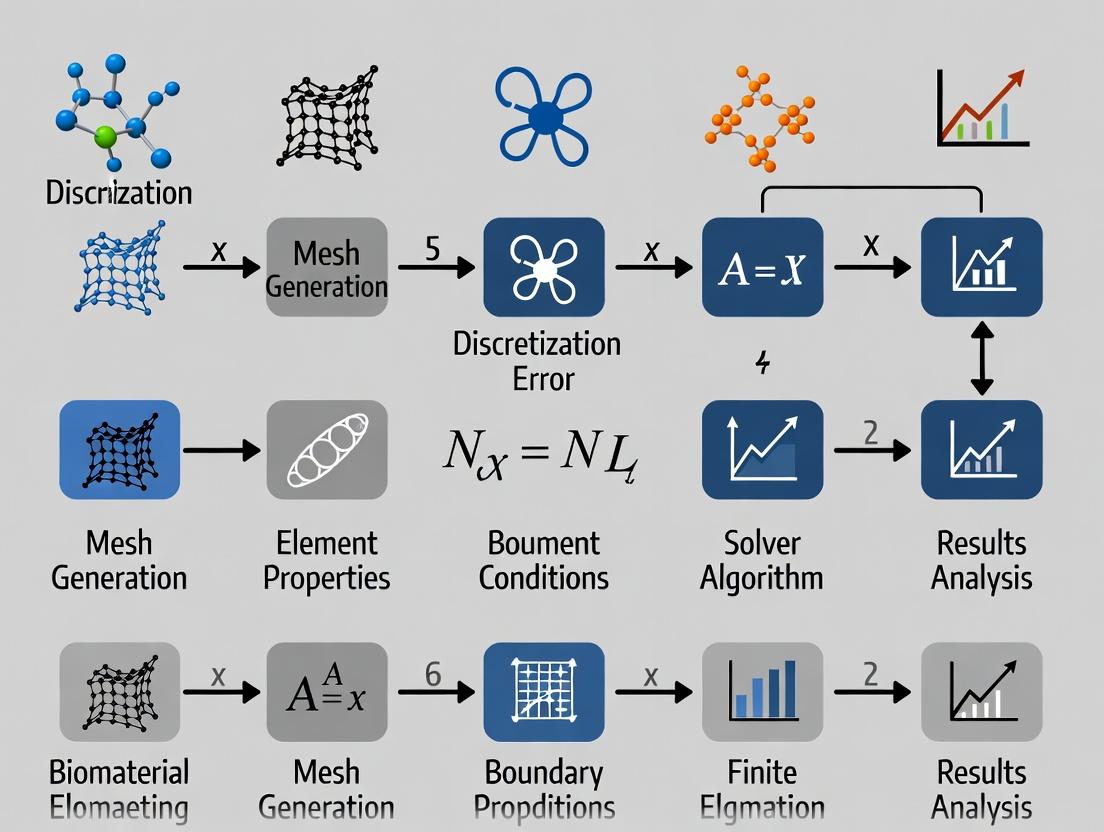
This article provides researchers, scientists, and drug development professionals with a systematic framework for addressing discretization error in finite element biomechanics.
Beyond the Mesh: A Comprehensive Guide to Understanding, Managing, and Minimizing Discretization Error in Finite Element Biomechanics
Abstract
This article provides researchers, scientists, and drug development professionals with a systematic framework for addressing discretization error in finite element biomechanics. We explore the fundamental sources of error, including geometric approximation and numerical integration, and their impact on predictions of stress, strain, and failure in biological tissues. Methodological strategies such as adaptive mesh refinement (h, p, and r-methods) and advanced element technologies are detailed. The guide further covers practical troubleshooting, error quantification techniques (e.g., a posteriori error estimation), and comparative validation against analytical solutions and experimental data. The goal is to equip practitioners with the knowledge to improve model reliability for applications in medical device design, surgical planning, and mechanobiology.
The Inevitable Approximation: Understanding the Core Sources of Discretization Error in Biomechanical Models
Technical Support Center
Troubleshooting Guide: Common Discretization Error Symptoms in Biomechanical Simulations
| Symptom | Potential Cause | Diagnostic Check |
|---|---|---|
| Solution Oscillations ("Checkerboarding" stresses) | Inadequate element integration, overly coarse mesh for high stress gradients. | Run a patch test. Increase mesh density in high-strain regions and/or use higher-order elements. |
| Mesh Locking (Artificially stiff response) | Use of full-integration elements for incompressible/ nearly incompressible materials (e.g., soft tissue). | Switch to hybrid elements (u-P formulation) or use reduced integration with hourglass control. |
| Poor Stress/Strain Recovery | Discontinuous derivative fields at nodes; stress averaging errors. | Perform stress recovery at Gauss points. Use nodal averaging with caution and inspect convergence. |
| Lack of Convergence | Solution does not approach true value with mesh refinement. | Check model formulation (boundary conditions, material laws). Ensure error decreases monotonically with h- or p-refinement. |
| Volume Loss in Large Deformation | Excessive numerical damping, inaccurate integration in finite strain formulations. | Audit time-step size (for dynamics) and use appropriate finite strain measures (e.g., Neo-Hookean with proper volumetric term). |
Frequently Asked Questions (FAQs)
Q1: How do I know if my mesh is "fine enough" for my bone-implant interface simulation? A: Perform a mesh convergence study. Monitor a key output metric (e.g., peak von Mises stress at the interface) while systematically refining the mesh globally or in regions of interest. Convergence is typically achieved when the change in the metric between successive refinements is below a predetermined threshold (e.g., <2-5%). Document the final mesh density used.
Q2: What is the practical difference between h-refinement and p-refinement for modeling arterial wall mechanics? A: h-refinement subdivides existing elements (increases number of elements), effectively reducing element size (h). p-refinement increases the polynomial order of the shape functions within elements. For complex, nonlinear soft tissue, a combination (hp-refinement) is often most efficient: use h-refinement near geometric features and p-refinement in smooth, high-gradient regions.
Q3: My tumor growth model results vary drastically with different time-step sizes. How do I manage this temporal discretization error? A: You must conduct a time-step convergence study. Run your simulation with progressively smaller time steps (Δt, Δt/2, Δt/4...). Plot your outcome variable against time step size. The converged solution is approached as the curve asymptotes. Use the largest time step that remains within an acceptable error tolerance for computational efficiency.
Q4: Are there quantitative benchmarks for acceptable discretization error in biomechanics? A: While field-specific benchmarks exist (e.g., FEBio benchmark problems), acceptable error is problem-dependent. A common quantitative measure is the energy norm error or relative error in a primary variable. For peer-reviewed publication, demonstrating mesh and time-step independence through convergence studies is the standard practice.
Experimental Protocols & Data
Protocol 1: Mesh Convergence Study for Stent Deployment in a Idealized Artery
- Geometry: Create a simplified cylindrical artery model with atherosclerotic plaque.
- Material: Assign hyperelastic (e.g., Ogden) models to artery/plaque and elasto-plastic model to stent.
- Mesh: Generate a sequence of 4-5 meshes with increasing global element density (e.g., 50%, 100%, 200%, 400% of baseline count).
- Analysis: Run identical stent expansion simulations for each mesh.
- Metric: Extract maximum principal stress in the plaque and lumen gain.
- Convergence Criterion: Refine until the change in maximum plaque stress is <3% between successive meshes.
Table 1: Sample Results from a Mesh Convergence Study
| Mesh ID | Elements (approx.) | Max Plaque Stress (MPa) | % Change from Previous | Lumen Gain (mm²) |
|---|---|---|---|---|
| Coarse | 25,000 | 0.85 | -- | 5.10 |
| Medium | 60,000 | 0.92 | 8.2% | 5.32 |
| Fine | 150,000 | 0.94 | 2.2% | 5.38 |
| Very Fine | 400,000 | 0.945 | 0.5% | 5.39 |
Protocol 2: Time-Step Independence Study for Knee Ligament Dynamics
- Model: Develop a finite element model of a knee joint under impact loading.
- Simulation: Perform an explicit dynamic analysis.
- Time-Steps: Run the simulation with time steps derived from the Courant condition: Δt, 0.8Δt, 0.5Δt, 0.2*Δt.
- Metric: Record the peak force in the Anterior Cruciate Ligament (ACL).
- Analysis: Plot peak ACL force vs. time-step size. Select a time step in the asymptotic region.
Visualizations
Title: The Origin of Discretization Error
Title: Discretization Error Troubleshooting Flow
The Scientist's Toolkit: Research Reagent Solutions
| Item | Function in Addressing Discretization Error |
|---|---|
| High-Performance Computing (HPC) Cluster | Enables computationally expensive convergence studies (fine meshes, small time steps) within feasible timeframes. |
| Adaptive Mesh Refinement (AMR) Software | Automatically refines the mesh in regions of high error during simulation, optimizing accuracy vs. computational cost. |
| Commercial FEA Solver with Verification Benchmarks (e.g., FEBio, Abaqus) | Provides robust, tested element libraries and solvers for nonlinear biomechanics, establishing a trusted baseline. |
| Scientific Python/Matlab Toolkits (e.g., FEniCS, SciPy) | Allows for custom implementation of novel elements or solvers to test specific discretization methods. |
| Reference Analytic/Numerical Benchmark Solutions | Serves as the "ground truth" for calculating the exact discretization error in simplified model problems. |
| Visualization & Post-Processing Suite (e.g., Paraview) | Critical for identifying spatial patterns of error, such as stress oscillations or localized deformation artifacts. |
Technical Support Center
Troubleshooting Guides & FAQs
Q1: During finite element analysis (FEA) of a femur, my stress results show unrealistic, highly localized "hot spots" at the lesser trochanter. What is the likely cause and how can I resolve it? A: This is a classic symptom of geometric approximation error due to insufficient mesh refinement at complex curvatures. The lesser trochanter's sharp geometric feature is not captured by the element size, leading to artificially high stress concentrations.
- Solution: Implement a local mesh refinement protocol. Increase element density specifically around the trochanteric region. Use curvature-based mesh sizing algorithms available in most pre-processing software (e.g., ANSYS, Abaqus, FEBio). Validate by performing a mesh convergence study: sequentially refine the mesh and monitor the maximum principal stress at the hot spot until the change between simulations is <5%.
Q2: My simulation of arterial wall stress under hypertension is highly sensitive to the initial mesh generation seed, producing significantly different strain energy results. Why does this happen? A: This indicates that your mesh is likely under-resolved, and the solution has not converged. Complex, multi-branching vascular anatomy leads to non-unique, poor-quality tetrahedral elements (e.g., high aspect ratios, low dihedral angles) depending on the initial seed, especially with automated algorithms.
- Solution: First, enforce stricter mesh quality metrics. Set a minimum allowable dihedral angle >10° and a maximum aspect ratio <20. For critical regions, consider using structured or semi-structured hexahedral meshes, which are more robust but require more manual effort. Always report mesh quality metrics alongside your results.
Q3: When simulating soft tissue contact (e.g., cartilage-cartilage interaction), the solution fails to converge, or contact forces oscillate wildly. Could mesh geometry be a factor? A: Absolutely. Faceted ("stair-stepped") surfaces from coarse meshes create discontinuous surface normals, preventing stable contact detection and force transmission. This geometric error is severe in contact mechanics.
- Solution: Utilize surface smoothing or subdivision techniques to create a C1-continuous surface from the mesh before defining the contact pair. Increase the mesh density of the contacting surfaces and employ a finer integration scheme (e.g., more Gauss points) for contact elements. Verify that the initial distance between surfaces is greater than the geometric approximation error of the meshes.
Q4: How do I quantitatively report geometric discretization error in my manuscript, as it cannot be eliminated? A: Best practice is to perform and report a formal mesh convergence study for your key output metrics (e.g., peak stress, strain energy, displacement).
- Protocol:
- Generate at least 3-4 meshes with progressively increasing global element density (e.g., 2x, 4x elements).
- Run the identical simulation on each mesh.
- Plot your key metric against a measure of element size (e.g., mean edge length, number of degrees of freedom).
- Determine the point where the metric changes less than an acceptable tolerance (e.g., 2-5%). The mesh prior to this is your "converged" mesh.
- Report the results in a table and figure.
Table 1: Impact of Mesh Density on FEA Results for a Lumbar Vertebra
| Mesh Variant | Elements (Count) | Mean Element Size (mm) | Max. Principal Stress (MPa) | Comp. Runtime (min) | % Δ Stress from Finest Mesh |
|---|---|---|---|---|---|
| Coarse | 45,200 | 2.5 | 84.7 | 12 | +18.5% |
| Medium | 187,500 | 1.2 | 73.2 | 47 | +2.5% |
| Fine (Ref) | 725,000 | 0.6 | 71.4 | 185 | 0.0% |
Table 2: Mesh Quality Metrics and Solution Stability
| Metric | Recommended Range | Poor Mesh Effect on Solution |
|---|---|---|
| Aspect Ratio | < 20 for 95% of elements | Increased interpolation error, stiffness matrix ill-conditioning. |
| Dihedral Angle (Tetra) | 10° < θ < 165° | Shear locking, poor convergence in plasticity/contact. |
| Jacobian Ratio | > 0.6 for all elements | Integration error, potential simulation failure. |
| Skewness | < 0.8 (0 is perfect) | Reduced accuracy, especially in transient dynamics. |
Experimental Protocols
Protocol 1: Mesh Convergence Study for Biomechanical Structures
- Image Segmentation: Segment your anatomical geometry (e.g., from µCT/MRI) using validated software (Mimics, Simpleware) with consistent thresholding.
- Surface Generation: Generate a smooth, watertight surface (STL file). Apply conservative smoothing to reduce imaging noise while preserving anatomy.
- Mesh Generation Series: Using your FEA pre-processor (e.g., ANSYS ICEM, FEBioStudio), create a series of volumetric meshes:
- Start with a globally coarse mesh set by an absolute element size.
- Generate 3-4 subsequent meshes by reducing the global element size by a factor of ~1.5-2 each time.
- Apply local refinement at regions of interest (e.g., fillets, foramina, contact surfaces) based on curvature.
- Simulation: Apply identical material properties, boundary conditions, and loads to each mesh. Use the same solver settings.
- Analysis: Extract key quantitative outcomes (peak stress/strain, displacement, strain energy). Plot results vs. element size/number of nodes. Determine the convergence threshold.
Protocol 2: Evaluating Geometric Fidelity via Surface Distance Mapping
- Reference Surface: Obtain a high-resolution reference surface, either from an extremely fine (>>10M elements) computational mesh or a scanned physical model.
- Test Meshes: Generate the candidate meshes you wish to evaluate (e.g., standard tetrahedral vs. advanced hex-dominant).
- Distance Calculation: Use a tool like MeshLab or PyMesh to compute the Hausdorff distance or root-mean-square (RMS) distance from each test mesh to the reference surface.
- Visualization & Quantification: Map the distance error onto the test mesh surface as a color plot. Calculate the average and maximum distance error for quantitative comparison.
Visualizations
Title: Workflow Impact of Mesh Choice on FEA Results
Title: Consequences of Mesh Geometric Error in Biomechanics
The Scientist's Toolkit: Research Reagent Solutions
Table 3: Essential Tools for Managing Geometric Discretization Error
| Item/Category | Example Software/Package | Primary Function in Addressing Geometric Error |
|---|---|---|
| Advanced Meshing Suite | ANSYS ICEM CFD, Simulia/ABAQUS CAE, FEBioStudio, MeshLab | Generate high-quality, geometry-conforming volume meshes (hexahedral, tetrahedral) with local refinement and smoothing controls. |
| Image-Based Modeling | Materialise Mimics, Synopsys Simpleware ScanIP, 3D Slicer | Convert medical images to accurate 3D surface models, enabling precise capture of anatomical geometry before meshing. |
| Mesh Quality Analyzer | Verdict Library (integrated), MeshLab, CGAL | Quantify element quality metrics (aspect ratio, skewness, Jacobian) to identify poorly shaped elements causing error. |
| Surface & Mesh Comparison | MeshLab, CloudCompare, Paraview | Compute Hausdorff distance between meshes to quantitatively assess geometric fidelity to a reference. |
| Automated Scripting | Python (with PyVista, GMSH API), MATLAB | Batch process mesh generation and convergence studies, ensuring reproducibility and systematic refinement. |
| High-Performance Computing (HPC) | Local clusters, Cloud computing (AWS, Azure) | Provide necessary computational power for running multiple high-resolution, converged mesh simulations. |
Technical Support Center
Troubleshooting Guides
Issue: Spurious Stress Oscillations at Material Boundaries Symptoms: Unphysical stress peaks or oscillations appear at interfaces between materials (e.g., bone-implant, soft tissue-hard tissue) in biomechanical models, even under smooth loading conditions. Diagnosis: This is often caused by the inability of standard C0-continuous shape functions (e.g., linear Lagrange) to accurately represent the kink (C1 discontinuity) in the strain field at a bi-material interface. The shape function over-smoothes the true solution. Solution Steps:
- Mesh Refinement: Locally refine the mesh around the interface. This reduces the interpolation error but increases computational cost.
- Higher-Order Elements: Switch to higher-order elements (e.g., quadratic) in the interface region. This improves gradient representation but may introduce other artifacts.
- Interface Elements: Implement specialized cohesive or interface elements with their own kinematic description.
- Gradient Recovery/Smoothing: Use a post-processing technique (e.g., Zienkiewicz-Zhu patch recovery) to compute smoothed, more accurate stress gradients.
Issue: Inaccurate Strain Gradient Prediction in Strain Gradient Elasticity Models Symptoms: When modeling small-scale biomechanical phenomena (e.g., cellular mechanics, bone lamellae behavior) using strain gradient theory, results are mesh-sensitive and fail to converge. Diagnosis: Strain gradient theories require the computation of second derivatives of displacement (strain gradients). Standard C0 shape functions have discontinuous first derivatives across element boundaries, making second derivatives unreliable or zero within elements. Solution Steps:
- C1-Continuous Elements: Utilize elements with inherently continuous first derivatives (e.g., Hermite, NURBS in isogeometric analysis). These are complex to implement.
- Mixed Formulations: Reformulate the problem using a mixed finite element method with independent interpolations for strain and strain gradients.
- Nonlocal Models: Consider integral-type nonlocal models that avoid the need for higher-order derivatives.
Issue: Volumetric Locking in Nearly Incompressible Soft Tissue Symptoms: Elements exhibit artificially stiff behavior when modeling nearly incompressible materials like muscle, cartilage, or intervertebral discs. Diagnosis: Standard displacement-based elements struggle to satisfy the incompressibility constraint, as low-order shape functions cannot simultaneously interpolate displacements and the hydrostatic pressure field accurately. This is a specific manifestation of interpolation error for the volumetric strain gradient. Solution Steps:
- Mixed u-p Formulations: Use elements with separate interpolations for displacement (u) and pressure (p), such as Taylor-Hood elements.
- Selective Reduced Integration: Use reduced integration for the volumetric stiffness term only.
- Enhanced Assumed Strain (EAS) Methods: Introduce additional strain modes to improve the element's response to incompressibility.
Frequently Asked Questions (FAQs)
Q1: I am using linear tetrahedral elements for a complex bone scaffold simulation. My stress results are very mesh-dependent. Should I just keep refining the mesh? A: While uniform h-refinement (making the mesh smaller everywhere) will eventually reduce error, it is computationally inefficient. For stress and strain gradients, consider:
- Local Refinement (h-adaptivity): Refine only in high-stress gradient regions.
- Element Order Increase (p-adaptivity): Switching to quadratic tetrahedra (p-refinement) in critical areas often provides a much greater accuracy gain per degree-of-freedom increase than simple h-refinement for smooth problems.
- Error Estimation: Use an a posteriori error estimator (e.g., based on stress discontinuity across elements) to guide where to refine.
Q2: How do shape function limitations directly impact drug development research in biomechanics? A: Inaccurate stress/strain gradients can mislead critical analyses:
- Mechanobiology: Incorrect gradients at a cell-scaffold interface can invalidate predictions of cell differentiation or migration driven by mechanical stimuli.
- Drug Delivery Device Design: Over- or under-estimated stress peaks in a biodegradable polymer implant can lead to faulty predictions of failure timing and drug release profiles.
- Bone Remodeling Simulations: Algorithms often use strain energy density (derived from stresses/strains) as a stimulus. Interpolation errors can corrupt the stimulus field, leading to non-physical predicted bone growth or resorption.
Q3: What is the most practical first step to diagnose interpolation error in my model? A: Perform a convergence study. Run your analysis with at least three systematically refined meshes (or increasing element orders). Plot your quantity of interest (e.g., max principal stress at a critical point) against mesh density. If the result does not approach a stable asymptotic value, your model is likely contaminated by significant discretization error, for which shape function limitations are a primary cause. Non-convergence is a clear diagnostic signal.
Q4: Are there modern FEM techniques that inherently reduce these interpolation errors? A: Yes. Isogeometric Analysis (IGA) uses NURBS or other smooth basis functions as shape functions. These offer higher-order continuity (C1, C2, etc.) across element boundaries, providing a more natural framework for approximating gradients and is particularly promising for strain gradient problems in biomechanics.
Table 1: Comparison of Element Performance for Gradient Quantities
| Element Type | Shape Function Order | Continuity (Displacement) | Continuity (Strain) | Suitable for Stress/Strain Gradients? | Common Use in Biomechanics |
|---|---|---|---|---|---|
| Linear Tetrahedron (T4) | C0 Linear | C0 | Discontinuous | Poor | Initial meshing, large deformation contact |
| Quadratic Tetrahedron (T10) | C0 Quadratic | C0 | Discontinuous | Moderate (Better than T4) | General purpose, curved boundaries |
| Tri-linear Hexahedron (H8) | C0 Linear | C0 | Discontinuous | Poor | Simple soft tissue blocks |
| Tri-quadratic Hexahedron (H20) | C0 Quadratic | C0 | Discontinuous | Good | Accurate stress analysis |
| Hermite Hexahedron | C1 Cubic | C1 | Continuous | Excellent | Plate/shell models, strain gradient elasticity |
| NURBS (IGA) | Variable (k-refinement) | Cp-1 | Continuous | Excellent | Vascular stents, smooth tissues, phase-field fractures |
Table 2: Error Reduction Rates for Different Refinement Strategies
| Refinement Strategy | Theoretical Convergence Rate for Displacement | Theoretical Convergence Rate for Stress (Gradient) | Practical Implication |
|---|---|---|---|
| h-refinement (halving element size with linear elements) | O(h²) | O(h) | To halve the stress error, you must quarter the element size (8x elements in 3D). |
| p-refinement (increasing from linear to quadratic order) | O(hp+1) | O(hp) | Increasing p gives a faster error reduction for the same number of new DOFs if the solution is smooth. |
| hp-refinement (combined) | Exponential | Exponential | Optimal strategy: use h-refinement near singularities (cracks) and p-refinement in smooth regions. |
Experimental Protocol: Assessing Interpolation Error in a Biphasic Tissue Model
Objective: To quantify the error in fluid pressure gradients within a finite element model of articular cartilage using linear vs. quadratic elements.
- Problem Definition: Create a simplified 2D axisymmetric model of an osteochondral plug under confined compression.
- Material Model: Assign a biphasic (solid-fluid) constitutive law to the cartilage region. Bone is modeled as linear elastic.
- Mesh Generation:
- Generate three meshes for linear quadrilateral elements (coarse, medium, fine).
- Generate three corresponding meshes (similar node count) using quadratic quadrilateral elements.
- Boundary Conditions: Apply a constant ramp displacement to the top surface. Allow fluid flow only at the free surface.
- Simulation: Run a transient consolidation analysis for all six models.
- Data Extraction: At a fixed time point, extract the fluid pressure gradient magnitude (||∇p||) along a vertical path through the cartilage depth.
- Reference Solution: Use the results from the finest quadratic mesh as the "reference" solution.
- Error Calculation: Compute the L2 norm of the error in the pressure gradient field for each model relative to the reference solution:
Error = √( ∫ (∇p_model - ∇p_ref)² dΩ ) - Analysis: Plot error vs. degrees of freedom for both element types. The steeper slope for quadratic elements demonstrates superior efficiency for capturing gradients.
Visualization: Workflow & Relationships
Title: Interpolation Error Impact & Mitigation Workflow
Title: Gradient Error Assessment Protocol
The Scientist's Toolkit: Research Reagent Solutions
Table 3: Essential Computational Tools for Addressing Gradient Interpolation Error
| Item / Solution | Function / Purpose | Example Software/Toolkit |
|---|---|---|
| A Posteriori Error Estimator | Automatically identifies regions of high discretization error (typically where stress jumps are large) to guide adaptive mesh refinement. | deal.II, libMesh, FEniCS, Abaqus (Z-Z estimator) |
| Isogeometric Analysis (IGA) Solver | Provides a framework using NURBS basis functions, offering higher-order continuity for more accurate gradient computation. | FEBio (IGA plug-in), GeoPDEs, Gismo, Analysa |
| Mixed Element Formulation Library | Enables the use of elements with independent fields (e.g., displacement-pressure, displacement-strain) to overcome locking and gradient issues. | FEniCS (UFL), MOOSE Framework, Code_Aster |
| High-Performance Computing (HPC) Cluster Access | Enables practical use of hp-adaptivity and 3D high-fidelity models, which are computationally expensive. | Local university clusters, cloud HPC (AWS, Azure), commercial solvers with parallel processing. |
| Scientific Visualization Suite | Critical for inspecting and comparing gradient fields (vector plots, contours) to identify spurious oscillations. | ParaView, VisIt, MATLAB with FE post-processing. |
Troubleshooting & FAQs
Q1: Why does my FE model of tendon tissue show unrealistic stress concentrations at element boundaries when using reduced integration? A1: This is a classic symptom of hourglassing or zero-energy modes, common with 1-point Gauss quadrature in soft, nearly incompressible materials. The single integration point cannot adequately capture the stress gradients, leading to spurious deformation modes. Solution: Switch to a full or selective integration scheme (e.g., 2x2x2 for hexahedra) for stiffness calculations. Alternatively, implement an hourglass control algorithm to stabilize the simulation without significantly increasing computational cost.
Q2: How do I choose the optimal Gauss quadrature order for a hyperelastic material model (e.g., Ogden model)? A2: The required order depends on the polynomial degree of the stress-strain response. For standard Ogden models (N=3), numerical tests are essential. Perform a quadrature convergence study:
- Run your simulation with increasing quadrature points (e.g., from 2 to 6 points per direction).
- Plot a key output (e.g., max principal stress at a point) against the number of points.
- The "optimal" order is the point where the output change falls below your tolerance (e.g., 1%). For many soft tissues, 3rd or 4th order is often sufficient.
Q3: My simulation of arterial wall failure shows significant variation in predicted rupture location when I refine the mesh. Is this an integration error? A3: Yes, this can be linked to integration error interacting with material instability. Under-integration can artificially stiffen elements, shifting failure locations. Troubleshooting Protocol:
- Step 1: Ensure you are using a sufficiently high quadrature rule (see Q2).
- Step 2: Perform a mesh objectivity study: Refine the mesh globally while holding the integration order constant. The failure location should converge.
- Step 3: If instability persists, examine the strain state at the integration points. The use of a F-bar or average-strain method can help mitigate volumetric locking in incompressible materials, providing more reliable failure prediction.
Q4: What is the impact of Gauss quadrature on the computational cost of a large-scale organ model (e.g., liver)? A4: The cost scales linearly with the number of integration points per element. Doubling the points in 3D (e.g., from 1 to 8) roughly doubles the element stiffness calculation time. See the table below for a quantitative comparison.
Table 1: Cost-Accuracy Trade-off for 3D Hexahedral Elements
| Integration Scheme | Points per Element | Relative Assembly Time | Typical Use Case |
|---|---|---|---|
| Reduced (1-point) | 1 | 1.0 (Baseline) | Fast, rough deformation; requires stabilization. |
| Full (Gauss) | 8 (2x2x2) | ~3.5 - 4.5 | Standard for nonlinear hyperelasticity. |
| High-Order (Gauss) | 27 (3x3x3) | ~10.0 - 12.0 | For high-order elements or complex material responses. |
Q5: How can I verify that my integration scheme is accurate for a user-defined material subroutine (UMAT)? A5: Implement a patch test. Create a small mesh of distorted elements and apply a uniform strain state (e.g., uniaxial stretch). The stress should be uniform at all integration points to within machine precision. A failed patch test indicates an error in either the constitutive model Jacobian or the integration mapping.
Experimental Protocol: Quadrature Convergence Study for a Biaxial Test Simulation
Objective: To determine the appropriate Gauss quadrature order for a planar biaxial test simulation of skin tissue modeled with a Holzapfel-Gasser-Ogden (HGO) constitutive law.
Materials & Software:
- Finite element software (e.g., Abaqus, FEBio, custom code).
- Scripting interface for automated parameter variation.
- HGO material parameters from published literature for human dermis.
Procedure:
- Model Setup: Create a square planar membrane mesh of quadrilateral elements. Apply biaxial displacement boundary conditions to replicate a standard biaxial test protocol (10% stretch).
- Parameter Sweep: Execute a series of simulations. In each run, change only the number of Gauss integration points in-plane (from 1x1 to 5x5). Maintain full integration through the thickness.
- Data Extraction: For each run, record the reaction force at the loaded edges and the maximum fiber-direction stress (σ₄₄) in the central element at the final strain.
- Convergence Analysis: Calculate the percentage difference in reaction force and σ₄₄ between successive quadrature orders. Define convergence when the difference is < 0.5%.
- Validation: Compare the converged stress field against an analytical solution for a simplified case (e.g., Neo-Hookean material under pure shear).
Research Reagent Solutions
Table 2: Essential Toolkit for FE Biomechanics Integration Studies
| Item | Function & Rationale |
|---|---|
| Abaqus/Standard or FEBio | Industry-standard FE platforms with robust hyperelastic material libraries and explicit user control over element formulation and integration. |
| Python with SciPy/NumPy | For scripting automated convergence studies, post-processing results, and implementing custom quadrature rules or patch tests. |
| ParaView | Open-source visualization tool to critically examine field variables (stress, strain) at integration points, not just at nodes. |
| MATLAB or Octave | For rapid prototyping of constitutive models and calculating their theoretical polynomial order to inform quadrature choice. |
| Reference Analytic Solutions (e.g., Cook's membrane, 3D cantilever beam) | Benchmarks to verify that your model+integration combination solves basic continuum mechanics problems correctly. |
Visualizations
Diagram 1: Workflow for Diagnosing Integration Error
Diagram 2: Integration Points & Error in an Element
Troubleshooting Guides & FAQs
Q1: My simulation of myocardial contraction fails with excessive penetration errors when the ventricular walls contact. The error amplifies over time, causing the solution to diverge. What could be the cause and how can I resolve it?
A: This is a classic issue where material nonlinearity (the hyperelastic, anisotropic myocardium) interacts with contact constraints. The discretization error from the finite element formulation is amplified at the contact interface. To resolve:
- Refine the Mesh at Contact Interfaces: Implement local mesh refinement along the endocardial surfaces where contact is expected. This reduces geometric discretization error.
- Use a Softer Penalty Method or Augmented Lagrangian: Avoid overly stiff penalty parameters which can cause instability. Gradually increase the penalty parameter or use an augmented Lagrangian method for more stable enforcement.
- Verify Material Tangent Consistency: Ensure the consistent linearization (algorithmic tangent) of your constitutive model for cardiac tissue is perfectly accurate. An inconsistent tangent can cause quadratic convergence loss and error growth.
- Reduce Time Step: Use adaptive time stepping to decrease the step size automatically during the contact phase.
Q2: When simulating stent deployment in a calcified artery, the results show high sensitivity to mesh density and element type. How can I establish a mesh-independent reference solution?
A: The contact between the rigid, complex stent geometry and the brittle, nonlinear calcified plaque is highly stress-concentrated. Follow this protocol:
- Perform a Systematic Mesh Convergence Study: Run the simulation with at least 4 progressively finer global mesh densities. Use p-refinement (increasing element order) if possible.
- Extrapolate to Zero Element Size: Plot your Quantity of Interest (QoI), e.g., maximum plaque stress, against average element size (h). Use Richardson extrapolation to estimate the h=0 value.
- Use Adaptive Remeshing: Configure your solver to trigger remeshing based on contact pressure or stress gradient error estimators. This creates a solution-aware mesh.
Q3: In a synovial joint contact simulation, how do I choose between kinematic (node-to-surface) and penalty-based contact algorithms to minimize error?
A: The choice depends on your QoI and computational resources. See the comparison table below.
Table 1: Contact Algorithm Comparison for Physiological Soft Tissues
| Algorithm | Primary Use Case | Key Advantage | Key Disadvantage | Recommended for |
|---|---|---|---|---|
| Kinematic (Node-to-Surface) | Accurate stress/strain in the slave surface (e.g., cartilage). | Enforces contact constraints exactly (within numerical tolerance). | Can be computationally expensive; may cause "locking". | Stress analysis in a specific, deformable tissue layer. |
| Penalty Method | General contact, large sliding, complex geometries. | Robust, easier to implement, computationally efficient. | Allows for small penetrations; accuracy depends on penalty stiffness. | Global joint kinematics, pressure distribution studies. |
| Augmented Lagrangian | When penalty method penetrations are unacceptable. | Reduces penetration vs. penalty method without extreme stiffness. | Requires additional iterations for constraint convergence. | Most applications requiring a balance of accuracy and robustness. |
Q4: The constitutive model for liver tissue involves complex visco-hyperelasticity. How can I verify that my implementation is not introducing numerical dissipation that masks or distorts contact behavior?
A: Implement the following verification protocol:
- Run a Single-Element Test: Subject a single element to homogeneous strain paths (shear, compression) and compare the stress output with analytical results or a trusted reference code.
- Energy Balance Check: For a dynamic contact simulation (e.g., impact), monitor the total energy (strain + kinetic + dissipated). In a closed system (no external forces post-impact), the total energy should be non-increasing. A sharp increase indicates numerical instability; an unrealistic decrease indicates excessive algorithmic dissipation.
- Rate-Convergence Test: Run the simulation at multiple, progressively smaller time steps. The QoI (e.g., contact force peak) should converge to a stable value.
Experimental Protocols
Protocol 1: Mesh Convergence Study for Contact Stress Objective: To determine the mesh density required for a contact stress solution within 5% of the extrapolated continuum value.
- Geometry: Prepare your contact geometry (e.g., two articular cartilage surfaces).
- Meshing: Generate 4 distinct meshes with global element sizes reduced by a factor of ~1.5 each step (e.g., 1.0 mm, 0.67 mm, 0.45 mm, 0.3 mm).
- Simulation: Run an identical loading/unloading compression simulation for each mesh.
- Post-Processing: Extract the maximum contact pressure (
P_max) and the contact area at peak load for each mesh. - Analysis: Plot
P_maxvs. element size (h). Perform Richardson extrapolation using the two finest meshes to estimateP_maxat h=0. Calculate the relative error for each mesh against this extrapolated value.
Protocol 2: Verification of Consistent Linearization for a Nonlinear Material in Contact Objective: To confirm that the finite element solver achieves asymptotic quadratic convergence, ensuring minimal error propagation.
- Setup: Create a simple model where a block of your nonlinear material (e.g., aorta with Holzapfel-Gasser-Ogden model) contacts a rigid plane.
- Solver Monitoring: Activate the solver's detailed iteration output (Newton-Raphson residuals).
- Run a Static Step: Apply a displacement to induce large strain and contact.
- Data Collection: Record the normalized residual (e.g.,
R) for each iteration within the first critical load step. - Verification: Plot
log(R)vs. iteration number. A straight line with a slope of approximately 2 indicates quadratic convergence and correct tangent implementation. A slope of 1 indicates only linear convergence, signaling an error that will amplify.
Visualizations
Title: How Material & Contact Amplify Discretization Error
Title: Mesh Convergence Study Workflow
The Scientist's Toolkit: Research Reagent Solutions
Table 2: Essential Computational Tools for Mitigating Nonlinear Contact Error
| Tool / "Reagent" | Function & Purpose | Example / Note |
|---|---|---|
| Adaptive Mesh Refinement (AMR) | Dynamically refines the mesh in regions of high error (e.g., stress gradient, contact interface). | Crucial for managing computational cost while achieving accuracy in unknown contact zones. |
| Consistent Algorithmic Tangent | The exact linearization of the material model's stress update algorithm. | Required for quadratic convergence of Newton-Raphson solver. Must be derived and coded meticulously. |
| High-Order Finite Elements | Uses higher-order polynomial shape functions (e.g., quadratic, cubic) to reduce interpolation error. | p-refinement can be more efficient than h-refinement for smooth solutions. |
| Error Estimator | Quantifies the local numerical error in the solution field to guide AMR. | Can be based on stress recovery (Zienkiewicz-Zhu) or solution residuals. |
| Robust Contact Search | Algorithm that reliably detects which slave nodes interact with the master surface. | Uses techniques like bucket sorting. Failure causes non-physical penetrations or rejection. |
| Augmented Lagrangian Contact | A numerical method to enforce contact constraints with minimal penetration and stable numerics. | Prevents the "over-stiffness" of pure penalty methods which can destabilize nonlinear solvers. |
Troubleshooting Guides & FAQs
FAQ 1: My simulation of a stent deployment shows unrealistic stress concentrations at the stent-strut junctions, which affects my fatigue life prediction. Could this be a discretization issue?
Answer: Yes, this is a classic symptom of under-resolved geometry. The sharp corners and complex curvature of stent struts require a sufficiently fine mesh to capture stress gradients accurately.
- Solution: Perform a mesh convergence study. Refine the mesh locally at the strut junctions and globally. Monitor the maximum principal stress at your regions of interest. The solution is considered converged when the change in stress value between successive refinements is below a pre-defined threshold (e.g., <2%). Use higher-order elements (e.g., quadratic tetrahedral) if available.
- Protocol for Mesh Convergence:
- Create an initial baseline mesh.
- Solve the simulation and record key outputs (e.g., max stress, strain energy).
- Systematically refine the mesh (e.g., reduce global element size by 25% or apply local refinement).
- Re-solve and record outputs.
- Repeat steps 3-4 until the relative change in outputs between two successive meshes is below your acceptance criterion.
- Use the second-to-last (converged) mesh for your final analysis.
FAQ 2: My finite element model of bone-implant micromotion yields different results when I switch from hexahedral to tetrahedral elements, leading to conflicting conclusions about osseointegration potential. Which result should I trust?
Answer: This discrepancy highlights element-type-dependent discretization error. Hexahedral elements often exhibit superior performance in contact and near-incompressibility scenarios but are difficult to apply to complex geometries. Tetrahedral elements are more versatile but can be too stiff (locking) if linear formulations are used.
- Solution: Do not trust a single model in isolation. For a given geometry, create the best possible mesh for both element types. For tetrahedra, always use quadratic (second-order) elements to mitigate volumetric locking. Perform a convergence study for each element type independently. The converged solutions from both high-quality meshes should be close. If a significant discrepancy remains, investigate the model's assumptions and material properties.
FAQ 3: In simulating soft tissue indentation for a drug delivery device, the force-displacement curve is highly sensitive to the mesh density in the contact region. How do I determine an acceptable mesh without excessive computational cost?
Answer: You need to balance accuracy and resources by employing adaptive or targeted refinement.
- Solution: Implement a multi-stage protocol. First, run a coarse-mesh simulation to identify the zone of maximum deformation and stress. Then, define a sub-domain encompassing this zone (e.g., the region 3x the indenter's radius). Re-mesh only this sub-domain with a fine mesh, while keeping a coarser mesh elsewhere. This "submodeling" or "zone-based refinement" approach ensures accuracy where it matters most while conserving elements.
FAQ 4: How can discretization error in calculating wall shear stress (WSS) in a coronary artery model lead to incorrect research conclusions about plaque rupture risk?
Answer: Low spatial resolution smooths out high WSS gradients, which are critical indicators. Under-resolved meshes near the vessel wall can underestimate peak WSS magnitude and misrepresent its spatial distribution. This may cause a high-risk plaque (with locally elevated WSS) to be misclassified as low-risk.
- Solution: Use boundary layer mesh inflation. Insert 5-10 prism layers with a high aspect ratio near the arterial wall. Ensure the height of the first layer is small enough to resolve the viscous sublayer (often requiring a dimensionless wall distance y+ < 1 for accurate WSS). A convergence study on WSS vector magnitude and direction is mandatory.
Data Presentation
Table 1: Impact of Mesh Refinement on Key Outputs in a Vertebral Body Compression Simulation
| Mesh Density (Elements) | Max Principal Stress (MPa) | % Change from Previous | Compressive Stiffness (N/mm) | Compute Time (min) |
|---|---|---|---|---|
| Coarse (12,540) | 48.7 | -- | 1850 | 4 |
| Medium (58,920) | 62.3 | +27.9% | 2110 | 21 |
| Fine (254,800) | 67.1 | +7.7% | 2185 | 97 |
| Extra Fine (1.1M) | 67.9 | +1.2% | 2195 | 412 |
Conclusion: The solution converges between Fine and Extra Fine meshes. The Medium mesh, while faster, introduces a >7% error in critical stress.
Table 2: Discretization Error in Drug Eluting Stent Drug Concentration Analysis
| Analysis Type | Mesh Element Size at Coating (µm) | Peak Drug Concentration (µg/mm³) | Time to 50% Release (days) | Notes |
|---|---|---|---|---|
| Coarse Mesh | 10.0 | 15.2 | 4.5 | Unrealistic, "blocky" concentration profile. |
| Recommended | 2.5 | 22.7 | 6.8 | Resolves coating thickness; converged solution. |
| Over-Resolved | 0.5 | 23.1 | 7.0 | <1% change from recommended; high computational cost. |
Experimental Protocols
Protocol: Mesh Convergence Study for Implant Fatigue Analysis
- Geometry Preparation: Clean CAD geometry of the implant (e.g., orthopedic screw). Define key volumes for local refinement (thread roots, fillets).
- Baseline Mesh Generation: Generate an initial tetrahedral mesh with global element size set to 10% of the part's largest dimension.
- Simulation Setup: Apply boundary conditions (fixed distal end) and load (cyclic torque/bending moment at proximal end). Define steel alloy material model with cyclic plasticity.
- Solving & Data Extraction: Solve for stresses. Extract the 10 highest von Mises stress values from the implant body.
- Iterative Refinement: Refine the mesh globally by reducing element size by 30%. Apply local sizing in critical volumes at 50% of the global size. Repeat step 4.
- Convergence Criterion: Calculate the relative difference in the mean of the top 10 stress values between iterations. Stop when ∆ < 5% for three consecutive iterations. The final reported stress should be from the iteration prior to the last one.
Protocol: Boundary Layer Meshing for Arterial Wall Shear Stress (WSS) Accuracy
- Lumen Surface Extraction: From segmented medical imaging (CT/MRI), extract a smooth, watertight surface of the arterial lumen.
- Initial Surface Meshing: Create a surface mesh with triangle elements no larger than 10% of the vessel diameter.
- Inflation Layer Setup: Configure 7-10 inflation layers with a first layer height calculated to achieve y+ ≈ 1. Use a growth rate of 1.2.
- Volume Meshing: Fill the remaining core volume with tetrahedral elements.
- CFD Setup: Apply pulsatile velocity inlet, pressure outlet, and no-slip wall conditions. Use a transient solver.
- Verification: Post-process to confirm y+ values are near 1. Extract WSS at peak systole. Perform one level of global refinement and confirm WSS metrics change by <3%.
Mandatory Visualization
Title: Mesh Convergence Study Workflow
Title: How Discretization Error Propagates to Conclusions
The Scientist's Toolkit: Research Reagent Solutions
Table 3: Essential Resources for Robust Finite Element Analysis in Biomechanics
| Item | Function & Rationale |
|---|---|
| Commercial FEA Software (e.g., Abaqus, ANSYS, FEBio) | Provides robust solvers, element libraries, and contact algorithms specifically validated for nonlinear, large-strain biomechanics problems. |
| Open-Source Meshing Tools (e.g., Gmsh, MeshLab) | Allows for precise control over mesh generation parameters and scripting of automated convergence studies, independent of solver. |
| ISO/ASTM Standard Geometries (e.g., ASTM F2996-13) | Standardized test models (e.g., femoral stem, spinal rod) enable benchmarking of mesh and solver settings against community-agreed results. |
| High-Performance Computing (HPC) Cluster Access | Enables the practical execution of high-fidelity, converged mesh models and complex multiphysics simulations (e.g., fluid-structure interaction). |
| Python/Matlab Scripting | Critical for automating pre-processing, batch submission of convergence studies, and post-processing of results to calculate error metrics. |
| Experimental Validation Dataset (e.g., digital image correlation strain maps, cadaveric load-displacement) | Provides ground-truth data to quantify the total error in a simulation, helping to contextualize the contribution of discretization error. |
Strategies for Refinement: Proven Methodologies to Reduce and Control Mesh-Induced Error
Troubleshooting & FAQs
Q1: During h-refinement of a soft tissue model, my solver fails with a "Jacobian matrix is singular" error. What is the cause and solution? A: This commonly occurs when new nodes are inserted, creating elements with poor aspect ratios or near-zero volumes in complex geometries. Ensure your refinement criterion (e.g., gradient-based error estimator) is applied smoothly. Solution: Implement a "green refinement" step to handle hanging nodes properly. Check the mesh smoothing step post-refinement. In biomechanics, material incompressibility can exacerbate this; consider a mixed u-P formulation.
Q2: After p-refinement (increasing element order), my stress concentrations at bone-implant interfaces become less accurate. Why? A: This is likely Gibb's phenomenon (oscillations near discontinuities). Polynomial enrichment struggles with singularities. Solution: Switch to local h-refinement at the interface or use a combined hp-refinement strategy that geometrically grades elements toward the singularity.
Q3: My r-refinement (node relocation) for a growing tumor boundary causes mesh tangling. How can I prevent this? A: Tangling happens when node movement exceeds the element's deformation capacity. Solution: Implement a monitor function (e.g., based on stress error density) that controls movement velocity. Couple r-refinement with selective h-refinement in high-deformation zones. Use a robust spring analogy or Laplacian smoothing with quality constraints.
Q4: How do I choose between h-, p-, and r-refinement for a specific biomechanics problem? A: See the decision table below.
Q5: In dynamic simulation (e.g., heart cycle), adaptive remeshing causes loss of solution history variables (e.g., plastic strain). How to transfer data? A: This is a key challenge. Solution: Use a consistent projection method (L2 projection) to map state variables from the old to the new mesh. Validate by checking energy conservation before/after remeshing. For complex histories, consider the "superconvergent patch recovery" technique.
Quantitative Comparison of AMR Types
Table 1: Characteristics of AMR Methods for Biomechanics
| Aspect | h-refinement | p-refinement | r-refinement |
|---|---|---|---|
| Primary Action | Splits existing elements into smaller ones. | Increases polynomial order of shape functions. | Relocates nodes; number & connectivity fixed. |
| Convergence Rate | Algebraic (e.g., O(h²) for linear elastostatics). | Exponential for smooth problems. | Depends on smoothness of mapping. |
| Best For | Singularities, sharp gradients, complex geometry. | Smooth solutions, wave propagation, high regularity. | Boundary evolution, large deformations. |
| Comp. Cost per Iter | High (remeshing, projection). | Low (same mesh). | Moderate (solving mesh motion PDE). |
| Data Transfer Need | High (between meshes). | None. | Moderate (interpolation). |
| Mesh Quality Concern | Hanging nodes, aspect ratio. | Conditioning of stiffness matrix. | Tangling, inversion. |
Experimental Protocols for Validating AMR in Biomechanics
Protocol 1: Benchmarking Discretization Error Reduction
- Objective: Quantify the efficacy of each AMR strategy in reducing error for a known solution.
- Method:
- Model Setup: Create a 2D finite element model of a linear elastic arterial wall with a predefined micro-calcification inclusion.
- Analytic Solution: Use a simplified Kirsch solution (stress around a hole in a plate) as a reference for the stress concentration.
- Uniform Refinement: Run simulations with globally uniform h-, p-, and r-refinement. Calculate the L2 norm of the stress error against the analytic solution for each refinement level.
- Adaptive Refinement: Implement an a posteriori error estimator (e.g., Zienkiewicz-Zhu) to guide local adaptive refinement for each method.
- Comparison: Plot error vs. degrees of freedom (DoF) for all six cases. The most efficient method yields the steepest error reduction curve.
Protocol 2: Dynamic Simulation of Ventricular Filling
- Objective: Assess stability and conservation properties of AMR during a transient, large-deformation problem.
- Method:
- Model: Construct a 3D anisotropic hyperelastic model of a left ventricle.
- Loading: Apply a time-varying pressure load to simulate diastolic filling.
- Adaptive Strategy: Trigger h- or r-refinement based on the gradient of strain energy density at each time step.
- Metrics: Monitor total mass, volume, and global energy balance before and after each remeshing event. A reliable data transfer scheme will keep drift below 0.1%.
- Validation: Compare end-diastolic strain fields with MRI-derived measurements from an in-vitro phantom.
Diagrams
Title: AMR Method Selection Workflow
Title: Adaptive Mesh Refinement Loop
The Scientist's Toolkit: Research Reagent Solutions
Table 2: Essential Components for an AMR Experiment in Computational Biomechanics
| Item / Software | Function / Purpose |
|---|---|
| FE Solver with AMR API (e.g., FEniCS, deal.II, LibMesh) | Provides core finite element infrastructure and routines for local mesh modification, error estimation, and data projection. |
| A Posteriori Error Estimator (e.g., Zienkiewicz-Zhu, Dual Weighted Residual) | Quantifies local solution error to guide where refinement is needed. Critical for automation. |
| Biomechanical Constitutive Model Library (e.g., Holzapfel-Ogden, Neo-Hookean) | Defines the material behavior of tissues (arteries, myocardium, bone). Accuracy is key for error analysis. |
| Mesh Quality Metrics Tool (e.g, Aspect Ratio, Jacobian, Skewness) | Monitors and constraints mesh quality during refinement to prevent solver failure. |
| Data Projection/Transfer Algorithm (e.g., L2 Projection, Superconvergent Patch Recovery) | Maps history variables (stress, strain, damage) between meshes during refinement, ensuring solution continuity. |
| Visualization & Validation Suite (e.g., Paraview with quantitative comparison plugins) | Compares refined solutions against benchmarks or experimental data to validate error reduction. |
Troubleshooting Guides & FAQs
Q1: In my FE model of a femur, I'm observing unrealistic stress concentrations at the bone surface, even after mesh refinement. Is this a discretization error related to element choice? A1: Yes, this is a classic symptom of using linear tetrahedral elements for modeling complex geometries and stress gradients. Linear elements are often overly stiff (known as volumetric locking or shear locking) and can produce spurious stress concentrations, especially in bending-dominated scenarios like bone. For cortical bone, which experiences high stress gradients, switch to quadratic tetrahedral elements. These elements better approximate curved geometries and complex stress fields, significantly reducing this specific discretization error. Ensure your material model (e.g., anisotropic elasticity for bone) is correctly implemented for the quadratic shape functions.
Q2: When simulating large deformation of liver tissue, my model with quadratic hexahedral elements fails to converge. What could be the issue? A2: This often stems from element distortion during large deformations. While quadratic elements are generally more accurate, 20-node hexahedra (quadratic bricks) can be susceptible to severe distortion under large strains, causing Jacobian determinants to become negative and solver failure. Consider these steps:
- Switch to a mixed formulation (u-P) element designed for incompressible or nearly incompressible materials like soft tissues. This prevents volumetric locking.
- Use quadratic tetrahedral elements (10-node) with a robust mesh quality check. They can handle large distortions better than quadratic hexahedra in some cases.
- Implement an adaptive remeshing protocol if distortions exceed a critical threshold.
Q3: How do I quantitatively decide between linear and quadratic elements for a new composite model of osteochondral tissue? A3: Perform a convergence analysis for your specific output of interest (e.g., peak von Mises stress in subchondral bone, or maximum principal strain in cartilage). Follow this protocol:
Protocol: Mesh Convergence Analysis
- Create a series of at least 4 meshes with increasing density (element count) for both linear and quadratic element types.
- Run the same simulation (e.g., gait loading) on all meshes.
- Plot your output metric against a measure of mesh size (e.g., (1/√(number of elements))).
- Identify the point where the output change between successive meshes is less than a predefined tolerance (e.g., 2-5%). The element type that reaches this asymptotic value with fewer degrees of freedom (DOF) and lower computational cost is optimal for your study.
Table 1: Qualitative Comparison of Linear vs. Quadratic Elements
| Feature | Linear Elements (e.g., 4-node tetra, 8-node brick) | Quadratic Elements (e.g., 10-node tetra, 20-node brick) |
|---|---|---|
| Geometry Approximation | Poor for curved surfaces; requires finer mesh. | Excellent for curved surfaces; coarser mesh may suffice. |
| Stress/Strain Field | Constant strain within element; prone to inaccuracies in gradients. | Linear strain variation; more accurate for stress concentrations. |
| Computational Cost | Lower per element, but often requires more elements. | Higher per element (more nodes/DOF), but may require far fewer elements. |
| Locking Issues | Prone to shear and volumetric locking, especially for incompressible tissues. | Less prone to locking; often superior for incompressible/ bending problems. |
| Recommended Use | Preliminary studies, simple geometries, where strain gradients are low. | Final analyses, complex geometries (bone), incompressible materials (soft tissue), bending, stress concentration regions. |
Q4: My simulation of a stent expanding in a calcified artery is computationally prohibitive with quadratic elements. Any advice? A4: For multi-scale or contact-intensive problems, a mixed-element strategy is effective. Use quadratic elements only in critical regions (e.g., the calcified plaque-bone interface and stent contact points) and linear elements elsewhere. Ensure proper mesh compatibility at the interfaces. This hybrid approach balances accuracy and computational efficiency, directly addressing discretization error where it matters most.
Table 2: Convergence Analysis Results for a Tibial Bone Model Under Axial Load
| Element Type | Mesh Size (mm) | No. of Elements | Peak Stress (MPa) | % Change from Previous | Solve Time (s) |
|---|---|---|---|---|---|
| Linear Tetra | 3.0 | 12,450 | 154.7 | -- | 45 |
| Linear Tetra | 1.5 | 98,760 | 178.3 | 15.2% | 320 |
| Linear Tetra | 1.0 | 335,000 | 189.5 | 6.3% | 1,450 |
| Quadratic Tetra | 3.0 | 12,450 | 192.1 | -- | 180 |
| Quadratic Tetra | 1.5 | 98,760 | 194.8 | 1.4% | 1,105 |
| Quadratic Tetra | 1.0 | 335,000 | 195.2 | 0.2% | 4,892 |
Note: The quadratic elements converge to a stable stress value (~195 MPa) with a coarse mesh, while linear elements show significant variation and have not yet converged at 1.0 mm mesh size.
The Scientist's Toolkit: Research Reagent Solutions
Table 3: Essential Materials for Validating FE Models in Biomechanics
| Item | Function in Experiment |
|---|---|
| Digital Image Correlation (DIC) System | Provides full-field, non-contact experimental strain measurements on tissue surfaces to validate FE model strain predictions. |
| Micro-CT Scanner | Generates high-resolution 3D geometry of bone or tissue scaffolds for creating anatomically accurate FE meshes. |
| Biaxial/Triaxial Mechanical Tester | Characterizes the anisotropic, non-linear material properties of soft tissues (e.g., skin, myocardium) for constitutive model fitting. |
| Polyurethane Foam Phantoms | Manufactured test blocks with known, homogeneous mechanical properties used as benchmarks to isolate discretization error from material model error. |
| Strain Gauges | Provides precise, point-based strain validation data at critical locations on synthetic or ex-vivo tissue samples. |
Visualization: Element Selection & Error Assessment Workflow
Title: Decision Workflow for Linear vs Quadratic Elements
Title: Discretization Error Sources & Element Impact
Technical Support Center
Troubleshooting Guides & FAQs
Q1: My simulation exhibits volumetric locking when modeling nearly incompressible soft tissue. Which element formulation should I use and how do I implement it? A: Volumetric locking is a common issue with standard displacement-based elements. Implement a Hybrid (Mixed) Formulation.
- Root Cause: Standard elements cannot satisfy the incompressibility constraint (J=1) without producing spurious stresses.
- Solution: Use a hybrid element that treats pressure (p) as an independent, interpolated variable, separate from displacement. This decouples the volumetric and deviatoric responses.
- Protocol:
- Add pressure degrees of freedom to your element.
- Select a stable displacement-pressure interpolation pair (e.g., Q2/P1 for hexahedra, Taylor-Hood elements).
- Reformulate your hyperelastic constitutive law (e.g., Neo-Hookean) to use the deviatoric part of the deformation gradient, with pressure contributing to the volumetric stress.
- Solve the coupled displacement-pressure system using a mixed variational principle.
Q2: During large deformation analysis of a muscle group, my simulation crashes due to severe element distortion. What are my options? A: This indicates a mesh distortion failure. Consider switching to a Unified (or Polygonal) Element Formulation.
- Root Cause: Low-order simplex elements (e.g., linear tetrahedra) perform poorly in large strain, suffering from hourglassing and sensitivity to distortion.
- Solution: Use elements with higher nodal counts or natural strain formulations.
- Unified Formulation: Utilizes a single mathematical framework for different element shapes (tri, quad, tet, hex). Look for "Solid-Shell" or "3D continuum" elements that are tolerant to in-plane bending and thickness stretch.
- Polygonal Elements: Use Voronoi-based elements with many nodes per face. They are more resistant to distortion and provide a better approximation of strain fields.
- Protocol for Polygonal Meshes:
- Generate a polygonal mesh from your geometry using Voronoi tessellation.
- Employ "Mean Value Coordinates" or "Wachspress Coordinates" as shape functions to ensure consistency and linear completeness.
- Integrate the weak form using sub-cell quadrature (dividing each polygon into triangles for integration).
- Proceed with your standard non-linear solver (Newton-Raphson).
Q3: How do I choose between Hybrid, Unified, and Polygonal elements for my specific biomechanics problem? A: The choice depends on the material behavior and deformation regime. See the comparison table below.
Data Presentation: Element Formulation Comparison
Table 1: Comparative Analysis of Advanced Element Formulations
| Feature / Challenge | Hybrid (Mixed) Formulation | Unified Formulation (e.g., Solid-Shell) | Polygonal (Voronoi) Elements |
|---|---|---|---|
| Primary Strength | Excellent for incompressible & nearly incompressible materials (J ≈ 1). | Robust under large deformations & complex loading; minimal locking. | Superior for complex geometries, mesh distortion tolerance, crack propagation. |
| Key Limitation | Requires careful selection of stable interpolation pairs; increased DOFs. | Formulation complexity can be higher than standard elements. | Computational cost per element is higher; less common in commercial FE codes. |
| Ideal Use Case | Cardiac tissue, brain matter, hydrogels. | Soft tissue contact, large bending of membranes, composite materials. | Irregular bone structures, tissue with voids/inclusions, adaptive remeshing studies. |
| Typical Convergence Rate | O(h^(k+1)) for displacements, O(h^k) for pressure (with stable pairs). | O(h²) for displacements (with quadratic assumptions). | Between O(h) and O(h²), heavily dependent on quadrature and shape functions. |
| Computational Cost (Relative) | Medium-High (extra pressure DOFs). | Medium. | High (many nodes/element, complex shape functions). |
Experimental Protocols
Protocol 1: Benchmarking Element Performance for Incompressible Rubber Block Objective: Quantify pressure oscillation and displacement error for different elements under confined compression.
- Geometry: Create a 10x10x10 mm cube.
- Material: Assign a nearly incompressible Neo-Hookean model (μ=0.5 MPa, κ >> μ, e.g., κ=50 MPa).
- Mesh: Generate meshes with (a) Linear Tetrahedra, (b) Hybrid Tetrahedra (e.g., P2-P1), (c) Linear Hexahedra, (d) Hybrid Hexahedra (e.g., Q2-P1).
- Boundary Condition: Fully fix the bottom face. Apply a 20% compressive displacement to the top face. Confine lateral expansion.
- Analysis: Run a static, large deformation simulation.
- Metrics: Compare the simulated reaction force against the analytical solution (if available). Plot the pressure field contour to check for oscillations. Calculate the L2 error norm of displacement.
Protocol 2: Large Bending of a Cantilever Beam (Patch Test) Objective: Assess sensitivity to mesh distortion and bending locking.
- Geometry: Create a 100x10x1 mm thin beam.
- Material: Assign a St. Venant-Kirchhoff model (E=10 MPa, ν=0.3).
- Mesh: Create a regular and a severely distorted mesh (skewed interior nodes) for: (a) Linear Quadrilaterals, (b) Unified solid-shell quadrilaterals, (c) Polygonal elements.
- Boundary Condition: Clamp one short end. Apply a pure bending moment or a shear load at the free end.
- Analysis: Run a large deformation static simulation.
- Metrics: Compare the tip displacement and final deformed shape with beam theory. Monitor the convergence of strain energy.
Visualizations
Diagram 1: Hybrid Element Formulation Workflow
Diagram 2: Polygonal FE Solution Path for Large Strain
The Scientist's Toolkit
Table 2: Essential Research Reagent Solutions for Computational Experiments
| Item | Function in Computational Experiment |
|---|---|
| FE Software with UEL/UMAT Support (e.g., Abaqus, FEBio) | Allows implementation of custom hybrid/polygonal element formulations via user subroutines. |
| Polygonal Mesh Generator (e.g., PolyMesher, Voro++) | Creates Voronoi-based or centroidal polygonal meshes from initial geometry for polygonal FE studies. |
| Non-linear Solver Library (e.g., PETSc, NLopt) | Provides robust algorithms (Newton-Raphson, Arc-length) for solving large deformation, non-linear systems. |
| Hyperelastic Constitutive Model Library | Provides stress/strain routines for incompressible materials (e.g., Neo-Hookean, Mooney-Rivlin, Ogden). |
| Visualization Tool (e.g., Paraview, Visit) | Post-processes results to visualize stress fields, detect locking, and compare deformation patterns. |
| Benchmark Problem Database | Contains analytical or trusted numerical solutions for classic problems (e.g., Cook's membrane, patch test) to validate new elements. |
Technical Support Center
Troubleshooting Guides
Issue 1: Mesh Contains Non-Manifold Edges or Vertices
- Problem: The generated 3D mesh has edges shared by more than two faces or vertices where fans of faces are not connected, causing solver failures in finite element analysis (FEA).
- Root Cause: Often originates from segmentation errors (thresholding, region growing) in the original medical image (CT/MRI), leading to topological inconsistencies in the label map.
- Solution Workflow:
- Pre-processing: Apply a slight Gaussian blur (σ=0.5-1.0 voxel) to the raw image data before segmentation to reduce noise.
- Segmentation Check: Use
mtools(e.g.,mcheck) or MeshLab'sCheck Non Manifold Edgesfilter on the preliminary surface. - Remediation: Execute a morphological closing operation (dilation followed by erosion) on the binary segmentation to close small holes. Re-mesh.
- Post-processing: Use automated repair functions in software like MeshLab (
Filters -> Cleaning and Repairing) or CGAL's polygon mesh processing library to delete non-manifold elements and re-triangulate.
Issue 2: Stair-Step Artifacts from Voxel Data
- Problem: The mesh surface exhibits a blocky, stair-stepped appearance, not reflecting the true anatomical smoothness, which introduces discretization error in stress concentration zones.
- Root Cause: Direct triangulation of voxelated binary masks without smoothing or adequate resolution.
- Solution Workflow:
- Isosurface Smoothing: When using Marching Cubes, apply Laplacian smoothing iteratively and with caution (e.g., 5-10 iterations, lambda=0.5). Over-smoothing erodes geometric accuracy.
- Subvoxel Refinement: Employ algorithms like Marching Cubes 33 or Dual Contouring that can generate surfaces passing through points other than voxel corners, capturing subvoxel precision.
- Mesh Refinement: Use a local remeshing algorithm (e.g., in MeshLab) to subdivide and smooth the mesh isotropically in regions of high curvature.
Issue 3: Inadequate Mesh Quality Metrics Causing Solver Divergence
- Problem: FEA solver (e.g., Abaqus, FEBio) fails due to poor element quality, even if the mesh is topologically correct.
- Root Cause: Elements with high aspect ratio, excessive skew, or very small dihedral angles (sliver elements).
- Solution Workflow:
- Metric Analysis: Calculate mesh quality metrics (See Table 1).
- Targeted Improvement: Use mesh optimization (e.g., NetGen's
OptimizeMeshor ANSA's quality optimizer) targeting the specific failed metric. Implement boundary-preserving smoothing. - Multi-Resolution Approach: Generate a coarse, high-quality mesh first, then apply controlled refinement in areas of interest.
Frequently Asked Questions (FAQs)
Q1: What is the recommended workflow to minimize discretization error from imaging to simulation? A1: Follow a validated, multi-stage pipeline: 1) Image Acquisition & Denoising (Non-Local Means filter), 2) Segmentation (Level-Set methods preferred over simple thresholding), 3) Surface Generation (Marching Cubes 33 with 5 iterations of Laplacian smoothing), 4) Mesh Repair & Quality Check (see Table 1), 5) Boundary Condition Mapping, 6) Convergent Analysis (perform a mesh convergence study).
Q2: How do I choose between tetrahedral and hexahedral meshes for biomechanical models? A2: The choice involves a trade-off between automation and accuracy. Tetrahedral meshes are easier to generate automatically for complex anatomy but may exhibit "locking" behavior for incompressible materials (like soft tissue). Hexahedral meshes generally provide higher accuracy per degree of freedom but require more manual effort or advanced multi-block sweeping algorithms. For patient-specific models from imaging, tetrahedral meshes with quadratic elements are often a pragmatic starting point.
Q3: What are the critical mesh quality metrics I must check before running an FEA? A3: The essential metrics depend on your solver but universally include: Aspect Ratio (should be < 5 for tetrahedra in soft tissue analysis), Jacobian (must be positive at all integration points), Skewness (should be < 0.7), and Minimal Dihedral Angle (should be > 10° for tetrahedra). See Table 1 for benchmarks.
Q4: How can I preserve small but anatomically critical features (e.g., thin trabeculae, vessel walls) during meshing?
A4: Use image-based mesh sizing fields. Derive a local element size from the distance map of the segmentation. This allows for smaller elements near thin surfaces and larger elements in voluminous regions, balancing detail and computational cost. Software: vgStudio, Simpleware ScanIP, or the MMG platform.
Q5: My simulation results are sensitive to mesh density. How do I perform a proper convergence study? A5: Systematically refine your global mesh size (or local sizing field) by a factor (e.g., 1.5) to create 3-4 mesh variants. Run the same simulation on each. Plot your Quantity of Interest (QoI - e.g., max principal stress) against mesh density or degrees of freedom. Convergence is achieved when the change in QoI falls below an acceptable threshold (e.g., 2-5%).
Data Presentation
Table 1: Key Mesh Quality Metrics and Recommended Thresholds for Tetrahedral Biomechanical FE Meshes
| Metric | Definition | Ideal Range (Tetrahedron) | Critical Threshold | Tool for Calculation |
|---|---|---|---|---|
| Aspect Ratio | Ratio of longest edge to shortest altitude. | 1.0 - 3.0 | < 5.0 | ANSYS Meshing, NetGen, FEBio Mesh |
| Jacobian | Determinant of the Jacobian matrix at integration points. | > 0.6 | > 0.0 | Abaqus, FEBio |
| Skewness | Measure of angular deviation from ideal shape. | 0.0 - 0.5 | < 0.7 | ANSYS, CGAL |
| Min Dihedral Angle | Smallest angle between two faces. | > 20° | > 10° | MeshLab, Paraview |
| Max Dihedral Angle | Largest angle between two faces. | < 130° | < 160° | MeshLab, Paraview |
| Volume Change | Ratio of element volume to avg. volume of surrounding elements. | 0.8 - 1.2 | > 0.1 | Custom Scripts |
Table 2: Comparison of Surface Extraction Algorithms
| Algorithm | Pros | Cons | Best Use Case |
|---|---|---|---|
| Marching Cubes (MC) | Simple, fast, robust. | Staircase artifacts, ambiguous cases. | Initial prototype, less curved surfaces. |
| Marching Cubes 33 (MC33) | Resolves ambiguities, smoother than MC. | Slightly more complex. | General-purpose medical data. |
| Dual Contouring (DC) | Captures sharp features, sub-voxel accuracy. | More complex, can produce non-manifold meshes. | CAD-based data, bones with sharp edges. |
| Level-Set Methods | Very smooth, intrinsic sub-voxel accuracy. | Computationally intensive, parameter tuning. | Soft tissue with smooth contours (organs). |
Experimental Protocols
Protocol 1: Mesh Convergence Study for a Tibial Bone Model Objective: Determine the mesh density required for a convergent solution in von Mises stress under compressive loading. Materials: Segmented Tibia CT scan (DICOM), Simpleware ScanIP/+, FEBio/ANSYS.
- Base Mesh Generation: In ScanIP, generate a quality tetrahedral mesh using the "Adaptive Remesher" with target Aspect Ratio = 3. Use a global element size of 1.5mm. Export as
.inpor.feb. - Refinement Series: Repeat Step 1, changing the global element size to 1.0mm, 0.75mm, and 0.5mm. Keep all other parameters (smoothing, quality targets) identical.
- FE Simulation Setup: Import each mesh into FEBio. Assign homogeneous linear elastic properties (E=10 GPa, ν=0.3). Apply a fixed constraint on the distal end and a 1000N compressive load on the proximal plateau.
- Execution & Analysis: Run each simulation. Extract the maximum von Mises stress from the proximal metaphyseal region. Plot this value against the number of elements/nodes.
- Convergence Criterion: Identify the mesh density at which a further 30% increase in element count changes the max stress by < 2%.
Protocol 2: Evaluating Smoothing Impact on Geometric Error Objective: Quantify the trade-off between surface smoothness and anatomical accuracy. Materials: Segmented Femur CT, high-resolution optical scan of 3D printed femur (ground truth), MeshLab, CloudCompare.
- Ground Truth Acquisition: 3D print the segmented femur. Scan it with a high-accuracy structured light scanner (e.g., ATOS Core) to obtain a reference mesh (M_ref).
- Test Mesh Generation: Generate 5 surface meshes from the same CT segmentation using Marching Cubes 33 in ScanIP. Apply 0, 3, 5, 10, and 15 iterations of Laplacian smoothing (lambda=0.5).
- Alignment: In CloudCompare, use the "Fine Registration (ICP)" tool to align each test mesh to M_ref.
- Distance Calculation: Compute the Hausdorff distance between each aligned test mesh and M_ref. Use CloudCompare's "Cloud/Mesh Distances" tool.
- Analysis: Plot smoothing iterations vs. Mean and 90th percentile Hausdorff distance. The optimal iteration minimizes distance while improving visual smoothness.
Mandatory Visualization
Title: Mesh Generation and Validation Workflow
Title: Sources of Discretization Error
The Scientist's Toolkit: Research Reagent Solutions
Table 3: Essential Software Tools for High-Accuracy Mesh Generation
| Tool Name | Category | Primary Function in Pipeline | Key Feature for Accuracy |
|---|---|---|---|
| 3D Slicer | Open-Source Platform | Segmentation, Initial Surface Gen. | Extensive module library (e.g., Segment Editor). |
| Simpleware ScanIP (Synopsys) | Commercial Software | Integrated Seg-to-Mesh | Reliable FE-ready mesh generation with quality control. |
| MeshLab | Open-Source Processing | Mesh Repair, Cleaning, Analysis | Powerful filters for non-manifold repair and smoothing. |
| CGAL Library | Open-Source C++ Library | Advanced Algorithms | Robust algorithms for mesh generation and optimization. |
| MMG Platform | Open-Source Remesher | Adaptive Mesh Refinement | Anisotropic remeshing based on local sizing fields. |
| FEBio Studio | Free Integrated Suite | Pre-processing, Simulation, Check | Built-in mesh quality analyzer and FE solver. |
| CloudCompare | Open-Source 3D Analysis | Geometric Validation | Compute Hausdorff distance vs. ground truth scans. |
Technical Support & Troubleshooting Center
Troubleshooting Guide & FAQ
Q1: My simulation of stent deployment shows unrealistic vessel tearing or excessive mesh distortion. What steps should I take to resolve this?
A: This is a classic sign of excessive discretization error under large deformations.
- Primary Check - Element Formulation: Ensure you are using advanced element formulations suitable for large strains. Avoid using standard linear elements. Switch to elements with hybrid formulation (for incompressible/ nearly incompressible material behavior) and enhanced strain technology.
- Protocol for Mesh Convergence: Perform a mesh convergence study specifically at the point of maximum expansion.
- Create 3-5 mesh refinements, focusing on the stent-vessel contact region.
- Monitor key outputs: Maximum Principal Stress in the vessel wall and contact pressure.
- Run the simulation for each mesh. When the change in these outputs between successive refinements is <5%, convergence is likely achieved.
- Material Model Calibration: Verify that the hyperelastic model for the vessel (e.g., Ogden, Yeoh) is calibrated with experimental data spanning the expected strain range. An inaccurate material model will amplify discretization error.
Q2: How can I minimize integration error at the bone-implant interface, which is affecting my micromotion and strain energy density results?
A: Integration error at this bi-material interface is critical for predicting osseointegration.
- Solution: Adaptive Integration & Submodeling.
- Global Model: Use a relatively coarse mesh for the full bone-implant system.
- Interface Submodel: Create a submodel (cut-boundary or driven by nodal displacements) of the immediate interface region.
- Protocol: In the submodel, apply a significantly refined mesh (element size ~50-100 µm). Use higher-order integration schemes (e.g., second-order elements with full integration) specifically within this region.
- Contact Definition: Use a surface-to-surface discretization method with a fine adjustment tolerance. Ensure contact properties (friction coefficient) are based on experimental literature.
Q3: My fluid-structure interaction (FSI) simulation of heart valve closure produces spurious oscillations in leaflet stress and incomplete coaptation. How do I address this?
A: These issues often stem from coupled spatial and temporal discretization errors.
- Spatial Stabilization: For the fluid domain, consider using stabilized finite element methods (e.g., SUPG/PSPG) to handle advection-dominated flows and satisfy the inf-sup condition for velocity-pressure.
- Temporal Refinement Protocol:
- Start with a coarse time step (Δt = 1e-3 s).
- Sequentially reduce the time step (e.g., 5e-4 s, 1e-4 s) while monitoring the peak diastolic stress on the leaflet and the coaptation area.
- The solution is temporally converged when these values change by <2-3% between steps.
- Mesh Motion: Use a robust mesh smoothing technique (e.g., Laplacian smoothing with adaptive stiffening) for the fluid domain around the moving leaflet to prevent negative volumes.
Summarized Data from Recent Studies
Table 1: Impact of Mesh Refinement on Key Outputs in Critical Scenarios
| Scenario | Coarse Mesh Result | Refined Mesh Result | % Change | Converged Element Size | Key Metric |
|---|---|---|---|---|---|
| Coronary Stent Deployment | Vessel Max Stress: 4.2 MPa | Vessel Max Stress: 5.8 MPa | +38% | 0.05 mm | Peak Principal Stress |
| Tibial Implant Micromotion | Interface Micromotion: 150 µm | Interface Micromotion: 85 µm | -43% | 0.1 mm | Relative Sliding |
| Aortic Valve Closure (FSI) | Leaflet Coaptation Area: 12.1 mm² | Leaflet Coaptation Area: 15.7 mm² | +30% | 0.02 mm (Leaflet) | Diastolic Coaptation |
Table 2: Recommended Solver and Element Settings for Error Minimization
| Scenario | Recommended Element Type | Integration Scheme | Time Stepping Advise | Critical Solver Setting |
|---|---|---|---|---|
| Stent Deployment | Hybrid, Quadratic (C3D10H) | Full Integration | Static, General with NLgeom ON | Stabilize dissipative contact |
| Bone-Implant Interface | Quadratic (C3D20) for bone | Reduced Integration with Hourglass Control | Static, Implicit | Increase hard contact stiffness scale factor |
| Heart Valve Closure (FSI) | Shell (S4) for leaflet | Full Integration | Dynamic, Explicit (small Δt) | Use incompressible fluid formulation |
Experimental Protocols for Validation
Protocol 1: Validating Stent Deployment Model via Digital Image Correlation (DIC)
- Setup: Deploy a stent in a transparent arterial phantom with a speckle pattern.
- Data Acquisition: Use a high-speed stereo camera system to capture images during expansion.
- Measurement: Process images with DIC software to obtain full-field surface strains.
- Comparison: Correlate the experimental strain maps with FE-predicted surface strains at equivalent pressure stages. Calculate the correlation coefficient (R²) to quantify model accuracy.
Protocol 2: Measuring Bone-Implant Micromotion Using Extensometers
- Implantation: Insert a metallic implant into a synthetic or cadaveric bone block under controlled conditions.
- Instrumentation: Attach high-precision extensometers or linear variable differential transformers (LVDTs) between the implant and bone at critical interface points.
- Loading: Apply cyclic physiological loading (e.g., sinusoidal compression-shear) using a material testing system.
- Data Analysis: Record relative displacement (micromotion) vs. load. Compare the amplitude and phase with FE predictions from a submodel of the instrumented region.
Visualizations
Title: Workflow for Mesh Convergence in Stent Deployment
Title: Submodeling Protocol for Bone-Implant Interface
Title: Troubleshooting FSI for Heart Valve Closure
The Scientist's Toolkit: Research Reagent Solutions
Table 3: Essential Materials for Experimental Validation
| Item | Function in Validation | Example/Notes |
|---|---|---|
| Polyurethane Vascular Phantom | Mimics arterial mechanical properties for stent deployment testing. Allows for optical measurement. | Custom-molded tubes with tunable Shore hardness. |
| Synthetic Bone Blocks | Provides consistent, repeatable material properties for bone-implant interface studies. | Sawbones composites (e.g., #1522-01 for cancellous bone). |
| High-Speed Stereo Camera System | Captures dynamic deformation for DIC analysis in stent and valve experiments. | Required for 3D full-field strain mapping. |
| Bi-axial Material Testing System | Characterizes anisotropic, nonlinear material properties of soft tissues (valve leaflets, arteries). | Essential for calibrating accurate constitutive models. |
| Radio-Opaque Marker Beads | Used for tracking discrete points in fluoroscopy or micro-CT during dynamic implant tests. | Tantalum beads (~0.5 mm) for implant motion tracking. |
| Physiological Saline at 37°C | Maintains tissue viability and correct mechanical behavior during ex vivo testing. | Must be used in heart valve and soft tissue experiments. |
Technical Support Center
Troubleshooting Guides & FAQs
Q1: In Abaqus/ANSYS, my h-refinement (mesh convergence) study fails to converge. The error norms oscillate or diverge after a certain element count. What are the primary causes and solutions?
A: This is often caused by geometric singularities, material model instability, or contact definition issues. First, isolate the problem by running a linear elastic simulation on a simplified geometry. Ensure your material model parameters are physically plausible and yield stresses are not exceeded unintentionally in earlier refinement steps. For contact, verify that slave and master surface definitions are consistent across meshes. Use the software's built-in convergence monitoring tools (like Abaqus' CONTROLS parameters) to stabilize the solution. A pragmatic approach is to implement an adaptive mesh refinement (AMR) strategy targeting only regions of high stress gradients, rather than globally refining the mesh.
Q2: When implementing p-refinement in FEBio or Code_Aster, how do I handle increased computational cost and potential ill-conditioning of the stiffness matrix?
A: p-refinement exponentially increases degrees of freedom. Mitigation strategies include:
- Use of Hierarchical Shape Functions: Employ p-version elements that use hierarchical shape functions (available in Code_Aster and through user elements in FEBio) to improve condition numbers.
- Preconditioners: Utilize advanced iterative solvers (e.g., Conjugate Gradient) with appropriate preconditioners (e.g., ILU, AMG). In FEBio, switch from the default direct sparse solver to the iterative Pardiso or GMRES solvers for high p-levels.
- Selective Refinement: Apply p-refinement only in domains with smooth solution fields (away from geometric discontinuities). Combine with h-refinement near corners (hp-refinement).
Q3: My adaptive refinement workflow in a commercial platform (e.g., ANSYS Workbench) is not triggering refinements in the correct regions despite high error estimator values. How do I validate and correct the error estimator?
A: The error estimator may be based on a recovery method (like Zienkiewicz-Zhu) sensitive to your specific field variable. Perform the following diagnostic:
- Manual Override: Manually create a mesh with refinement in the suspect region and compare the solution. If the solution changes significantly, the estimator may be flawed.
- Benchmark: Run a classic benchmark problem (e.g., L-shaped domain stress singularity) to calibrate the estimator's parameters (convergence tolerance, smoothing type) within your software.
- Check Field Selection: Ensure the adaptive procedure is set to track the correct field variable (e.g., von Mises stress for plasticity, principal strain for growth models). The default may be strain energy, which might not highlight your region of interest.
Q4: When exporting refined meshes and results from open-source (e.g., FEBio) to commercial (e.g., COMSOL) platforms for multi-physics coupling, data alignment and node matching fails. What is a robust protocol?
A: This is a common interoperability issue. Follow this protocol:
- Use Neutral Formats: Export the refined mesh from the source platform in a widely supported format like NASTRAN (.bdf/.dat) or VTK Unstructured Grid (.vtu). These formats preserve node/element IDs and results better than STL or STP.
- Result Mapping: Use dedicated data mapping tools. The precice library (www.precice.org) is an open-source coupling library that can handle data mapping between non-matching meshes via consistent interpolation. Implement it as an intermediary.
- Validation Step: Always perform a validation step on a simple coupled problem (e.g., thermal expansion) to quantify the interpolation error introduced during transfer.
Table 1: Comparison of Refinement Strategy Performance in a Standard Neo-Hookean Cube under 20% Compression
| Platform & Strategy | Initial Elements | Final Elements | Max Stress Error (%) | Solve Time (s) | Memory Use (GB) |
|---|---|---|---|---|---|
| Abaqus (h-adaptive) | 1,000 | 15,550 | 2.1 | 142 | 1.8 |
| ANSYS (h-adaptive) | 1,000 | 12,800 | 2.8 | 165 | 2.1 |
| FEBio (Uniform h) | 1,000 | 64,000 | 1.5 | 89 | 1.2 |
| Code_Aster (p=2) | 216 | 216 | 4.3 | 73 | 0.9 |
| CalculiX (Manual r) | 1,000 | 8,000 | 5.7 | 210 | 1.5 |
Note: Error calculated vs. analytical Ogden model solution for a homogeneous block. Hardware: 8-core CPU, 32GB RAM. r = refinement.
Table 2: Recommended Solvers for High-Order/Refined Meshes in Common Platforms
| Platform | Refinement Type | Recommended Solver | Key Parameter Tuning |
|---|---|---|---|
| Abaqus/Standard | h-adaptive | Direct Sparse | Increase memory parameter by 50% |
| ANSYS Mechanical | p-refinement | PCG Solver | Set PRECISION to DOUBLE |
| FEBio | hp-adaptive | Pardiso (Iterative) | Reduce max_refs to 5, increase lstol |
| COMSOL | Adaptive h | MUMPS | Set pivot perturbation to 1e-8 |
| Code_Aster | p-refinement | LDLT | Use RENUM=MULTIFRONT |
Experimental Protocols
Protocol 1: Mesh Convergence Study for Ligament Insertion Site Stress Objective: Determine the mesh density required for discretization-error-independent stress results at a bone-ligament interface.
- Geometry: Reconstruct a tibia-ACL insertion site from µCT data (threshold 800 HU).
- Meshing (ANSYS): Generate 5 sequential tetrahedral meshes with global element sizes: 1.0mm, 0.5mm, 0.25mm, 0.125mm, 0.0625mm. Apply a sphere of influence local refinement (0.05mm) at the insertion site for meshes 2-5.
- Simulation: Apply a 100N tensile load to the ligament. Use a transversely isotropic hyperelastic material model.
- Analysis: Extract maximum principal stress in a 0.1mm³ region of interest (ROI) at the insertion. Plot stress vs. (1/element size). Convergence is achieved when the change in stress is <5% between two successive refinements.
- Output: The converged mesh parameters and the final stress value.
Protocol 2: Adaptive p-Refinement for Smooth Muscle Contraction Objective: Efficiently capture the smooth gradient of contractile strain in a vessel wall using FEBio.
- Model: Create a 2D axisymmetric cylinder representing an arterial segment.
- Initial Mesh: Use quad elements with polynomial order p=1 (linear).
- Simulation Step 1: Apply a user-defined active contraction strain of 0.15.
- Error Estimation: Use the built-in
FEBiostress error estimator (<error_norm type="stress">in the control section). - Adaptation: Set a target error of 3%. Elements where the error exceeds this threshold are flagged for p-refinement, increasing their order to p=2.
- Iteration: Re-run the analysis on the updated model. Repeat for a maximum of 4 adaptation cycles or until the global error is below the target.
- Validation: Compare the final strain field against a highly refined (h) uniform mesh solution using a normalized cross-correlation metric.
Visualizations
Title: Adaptive Mesh Refinement Workflow Logic
Title: Refinement Strategy Selection Framework
The Scientist's Toolkit: Research Reagent Solutions
Table 3: Essential Materials & Tools for FEA Refinement Studies in Biomechanics
| Item | Function & Relevance | Example/Supplier |
|---|---|---|
| µCT/MRI Data | Provides high-resolution 3D anatomy for creating accurate, patient-specific geometries requiring refinement. | Scanco Medical µCT, Bruker BioSpec MRI |
| Segmentation Software | Converts imaging data into smooth CAD/NURBS surfaces; poor segmentation creates artifacts that hinder refinement. | Simpleware ScanIP, Mimics, 3D Slicer |
| Hyperelastic Material Plugin | Implements advanced, stable tissue constitutive laws (e.g., Holzapfel-Gasser-Ogden) necessary for convergent analyses. | FEBio febio3 plugins, Abaqus UMAT |
| Neutral Mesh/Result Format | Enables workflow integration and data transfer between platforms for multi-stage refinement studies. | VTK (.vtu), NASTRAN (.bdf) |
| High-Performance Computing (HPC) License | Enables rapid iteration of adaptive refinement cycles and high-p/h simulations. | ANSYS HPC Pack, Abaqus Parallel Tokens |
| Python/Matlab API | Automates pre/post-processing, batch runs convergence studies, and extracts error metrics from result files. | Abaqus Python Scripting, FEBioPy, PyANSYS |
Diagnosis and Resolution: A Practical Guide to Quantifying and Mitigating Discretization Issues
Technical Support Center
Frequently Asked Questions (FAQs)
Q1: When solving a finite element model of arterial wall mechanics, my goal-oriented error estimate for wall stress is zero, but the solution clearly has discretization error. What is wrong? A: This is often caused by using the primal solution (the computed displacement field) to evaluate both the goal quantity and its associated adjoint load. The error estimator becomes "blind" because the same approximation is used for both the primal and adjoint problems. You must compute a recovered or reconstructed stress field (e.g., using a superconvergent patch recovery or L2-projection) to evaluate the goal functional for the error estimation. The adjoint problem should be solved using a globally smoother field or a higher-order approximation.
Q2: My energy norm error estimator shows high error in a small region of my bone implant model. Should I refine the entire mesh or just that region? A: Perform local adaptive refinement only. Use the error estimator as an error indicator to flag elements with error above a defined threshold (e.g., the top 30%). Most modern FE software (FEniCS, deal.II, Abaqus) supports mesh adaptation based on such indicators. Refining the entire mesh is computationally inefficient. Ensure you enforce a smooth transition between refined and coarse regions to maintain mesh quality.
Q3: How do I choose between the energy norm and a goal-oriented measure for my drug delivery model simulating nanoparticle transport? A: The choice depends on your research question.
- Use the Energy Norm if you need a global measure of solution accuracy for all field variables (e.g., ensuring overall convergence of the coupled fluid-structure-interaction system).
- Use a Goal-Oriented Measure if you care about the accuracy of a specific Quantity of Interest (QoI), such as the average drug concentration in a target tissue region or the total shear stress on a vascular wall. This targets computational effort to improve the accuracy of what matters most for your conclusions.
Q4: After adaptive mesh refinement based on my error estimate, the error in my QoI increased. How is this possible? A: This counter-intuitive result can occur due to pollution error: errors from a distant, under-resolved part of the domain (e.g., a stress concentration at a ligament insertion point) can propagate and degrade the accuracy of your local QoI (e.g., strain in the mid-substance). A strictly local refinement strategy may miss these "far-field" error sources. Consider using a goal-oriented estimator that accounts for error propagation via the adjoint solution, which weights local residuals by their influence on the QoI.
Troubleshooting Guides
Issue: Oscillatory or "Checkerboard" Patterns in Recovered Stress for Error Estimation
- Symptoms: The reconstructed stress field used in the error estimator shows non-physical oscillations, leading to spurious error indicators.
- Diagnosis: This is common when using simple averaging or local differentiation of displacement gradients in low-order elements (e.g., linear triangles/tetrahedra).
- Resolution Protocol:
- Implement a Superconvergent Patch Recovery (SPR) technique. Fit a higher-order polynomial (e.g., quadratic) to stresses at superconvergent points within a patch of elements.
- Alternatively, solve a global L2-projection problem to obtain a smoothed stress field. This is more expensive but robust.
- For fluid problems, consider gradient recovery operators or use a mixed formulation that computes stresses directly as independent variables.
Issue: The Adjoint Solution for Goal-Oriented Error is Computationally Expensive
- Symptoms: Solving the adjoint problem doubles the computational cost, making adaptive procedures prohibitively slow.
- Diagnosis: You are likely solving the adjoint problem on the same fine mesh as the primal problem.
- Resolution Protocol:
- Use a Hierarchical Approach: Solve the adjoint problem on a coarser mesh (the previous adaptive cycle's mesh) and interpolate. The adjoint solution is often smoother and tolerates this well.
- Employ a Reduced-Order Model (ROM): For many-query contexts (e.g., parameter studies), construct a ROM (e.g., Proper Orthogonal Decomposition) for the adjoint problem to drastically reduce solve times.
- Check Solver Efficiency: Ensure you are reusing the factorized stiffness matrix from the primal solve (if linear), as the adjoint problem often uses the same operator.
Issue: Error Estimator Shows Negligible Error Despite Obvious Solution Inaccuracy
- Symptoms: The estimated error is orders of magnitude smaller than the true error, verified against an analytical solution or a highly refined reference solution.
- Diagnosis: The error estimator may be lacking effectivity due to missed error components (e.g., boundary approximation error, time discretization error in a dynamic problem, or geometry representation error).
- Resolution Protocol:
- Verify Geometry: In biomechanics, discretization of complex organ geometries (e.g., from CT scans) introduces error. Ensure your estimator accounts for geometric approximation error or use isogeometric analysis (IGA).
- Check Problem Type: For nonlinear problems (hyperelasticity, contact), standard residual-based estimators for linear problems are not directly applicable. Use techniques based on dual-weighted residuals or constitutive relation error.
- Include All Terms: For time-dependent drug transport, ensure your estimator includes the temporal residual and the error from time-integration schemes.
Experimental & Computational Protocols
Protocol 1: Implementing Dual-Weighted Residual (Goal-Oriented) Error Estimation for Soft Tissue Strain Analysis
Objective: Accurately estimate the discretization error in the average principal strain within a region of interest (ROI) in a liver capsule under pressure.
- Primal Solve: Compute the finite element solution u_h for the hyperelastic tissue mechanics problem.
- Quantity of Interest (QoI) Definition: Define the functional J(u) = (1/|ΩROI|) ∫ΩROI εprincipal(u) dΩ.
- Adjoint Load Computation: Compute the sensitivity of J with respect to the solution. For strain-based QoIs, this requires the Gâteaux derivative, leading to an adjoint load vector f_adj applied in the ROI.
- Adjoint Solve: Solve the linearized adjoint problem KT * z = fadj, where K_T is the tangent stiffness matrix from the last Newton iteration of the primal solve. The solution z is the adjoint state.
- Error Estimation: Compute the dual-weighted residual for each element τ: ητ = | R(uh) · (z - zh) |τ where R is the element residual and zh is the projection of the adjoint solution onto the primal FE space. The global error estimate for J is Στ η_τ.
- Mesh Adaptation: Mark elements with ητ > γ * max(ητ) for refinement (γ ~ 0.5-0.7). Generate a new adapted mesh and repeat from step 1 until |Στ ητ| < TOL.
Protocol 2: Zienkiewicz-Zhu (ZZ) Error Estimator in the Energy Norm for Bone Implant Stability
Objective: Obtain a global measure of error in stress for a femoral bone with a titanium implant under gait loading to guide uniform h-refinement.
- Standard FE Solution: Solve the linear elastic bone-implant system to obtain nodal displacements u_h.
- Stress Recovery: At each node, recover a smoothed stress σ* by averaging the stresses from all elements sharing that node. For better accuracy, use SPR.
- Error Computation per Element: For each element, compute the error in energy norm: ||e||τ = [ ∫τ (σ* - σh)^T D^{-1} (σ* - σh) dΩ ]^{1/2} where σ_h is the directly computed FE stress, and D is the constitutive matrix.
- Global Error Estimate: The total estimated error is ||e|| = [ Στ ||e||τ^2 ]^{1/2}. The relative error percentage is η = (||e|| / ||u||) * 100%, where ||u|| is the global energy norm of the solution.
- Refinement Decision: If the global η > target error (e.g., 5%), uniformly refine the mesh (decrease element size h) and repeat.
Data Presentation
Table 1: Comparison of A Posteriori Error Estimation Methods for Biomechanics
| Method | Error Measure | Primary Use Case | Computational Cost | Key Advantage | Key Limitation |
|---|---|---|---|---|---|
| Residual-Based | Energy Norm | Global accuracy verification for linear/elliptic problems. | Low (local residuals) | Strong theoretical bounds. | Can be overly conservative; less effective for nonlinear/local QoIs. |
| Recovery-Based (e.g., ZZ) | Energy Norm | Smooth problems for adaptive refinement (e.g., linear elastic bone). | Very Low (post-processing) | Simple, robust, widely implemented. | No strict bounds; performance depends on recovery technique. |
| Dual-Weighted Residual | Goal-Oriented | Accuracy of specific QoIs (e.g., stress at a point, average flow rate). | High (requires adjoint solve) | Directly targets relevant output; efficient adaptation. | Costly for nonlinear problems; requires derivation of adjoint. |
| Constitutive Relation Error | Energy Norm | Nonlinear problems (hyperelasticity, plasticity). | Medium (solves local problems) | Frame-invariant, good for material nonlinearity. | Complex to implement; not common in commercial software. |
Table 2: Example Error Estimation Results in a Vertekbral Body Compression Model
| Refinement Cycle | Number of Elements | Global Energy Norm Error (η%) | QoI Error: Avg. Trabecular Stress (MPa) | Adj.-Based Error Estimate for QoI (MPa) | Effectivity Index (θ) |
|---|---|---|---|---|---|
| Initial Mesh | 12,450 | 9.7 | 0.85 (Reference) | 0.72 | 0.85 |
| 1st Adaptation | 28,111 | 5.1 | 0.41 | 0.38 | 0.93 |
| 2nd Adaptation | 65,892 | 2.3 | 0.18 | 0.17 | 0.94 |
| Uniform Refinement | 98,600 | 2.5 | 0.20 | N/A | N/A |
Note: Effectivity Index θ = (Estimated Error) / (True Error). Ideal value is 1.0. Goal-oriented adaptation is more efficient than uniform refinement.
Mandatory Visualization
Title: Goal-Oriented Adaptive Mesh Refinement Workflow
Title: Relationship Between Error Measures & Refinement Strategies
The Scientist's Toolkit: Research Reagent Solutions
Table 3: Essential Computational Tools for A Posteriori Error Estimation in Biomechanics
| Tool / Reagent | Function / Purpose | Example (Non-Commercial) | Example (Commercial) |
|---|---|---|---|
| Finite Element Core Library | Provides core FE assembly, solvers, and mesh data structures. | FEniCS, deal.II, libMesh | Abaqus/Standard, ANSYS Mechanical |
| Mesh Adaptation Module | Refines/coarsens mesh based on error indicators. | MAdLib, MMG, deal.II adaptivity classes | Abaqus/CAE (manual), ANSYS Adapt |
| Adjoint Solver Toolkit | Solves the dual/adjoint problem; may require manual derivation. | dolfin-adjoint (FEniCS), Sacado (Trilinos) | ANSYS Adjoint Solver, COMSOL |
| High-Order/IGA Library | Reduces geometry approximation error; higher solution continuity. | IGATools, Gismo, Nutils | LS-DYNA (IGA), COMSOL (NURBS) |
| Visualization & Analysis | Post-processes solutions and error fields for interpretation. | ParaView, VisIt | Abaqus/Viewer, ANSYS CFD-Post |
| Verified Reference Solution | "Truth" solution to compute true error for validation. | Method of Manufactured Solutions (MMS), Overkill Mesh Solution | High-fidelity run on extreme mesh (if feasible). |
Troubleshooting Guides & FAQs
Q1: My solution appears to have converged, but the key output metric (e.g., peak stress) is still changing slightly. When can I stop refining the mesh? A: In biomechanics, a common stopping criterion is when the relative change in your Quantity of Interest (QoI) between two consecutive mesh refinements is less than a pre-defined threshold (e.g., 2-5%). However, you must also consider the physiological or experimental uncertainty in your system. If the change is within the noise level of your input material properties or experimental validation data, further refinement may be unjustified. Always perform a sensitivity analysis on the convergence threshold.
Q2: During h-refinement, my solution becomes unstable or fails to solve. What could be the cause? A: This often indicates issues with element quality that become critical at finer scales. Common causes in biomechanics include:
- Excessively distorted elements in complex geometries (e.g., around bone trabeculae or vascular bifurcations).
- Material model instability (e.g., near-incompressibility in soft tissues) exacerbated by poor element aspect ratios.
- Contact definition problems that are mesh-dependent.
- Troubleshooting Step: Implement an adaptive refinement strategy instead of global uniform refinement, targeting areas of high error. Check and repair the CAD geometry before meshing. For incompressible materials, switch to elements formulated for mixed formulations (e.g., F-bar, Q1/P0).
Q3: How do I choose between h-refinement, p-refinement, and r-refinement for a biomechanics problem? A: The choice depends on your geometry and solution field:
- h-refinement (reduce element size): Best for problems with stress concentrations, singularities, or complex, irregular geometries (e.g., implant-bone interface, cartilage defects). Most widely used in biomechanics.
- p-refinement (increase element order): Efficient for smooth solution fields (e.g., pressure in fluid flow, diffusion). Can be problematic for contact or materials with sharp property gradients.
- r-refinement (reposition nodes): Useful for problems involving large deformations or moving boundaries (e.g., muscle contraction, heart valve dynamics) to maintain element quality.
- Recommendation: For most nonlinear, heterogeneous biomechanics models, disciplined h-refinement is the standard starting point.
Q4: What is the most robust method to estimate discretization error when an exact solution is unknown? A: The Richardson Extrapolation (RE) method is the gold standard for error estimation in mesh convergence studies. It uses solutions from three systematically refined meshes (fine, medium, coarse) to estimate the exact solution and the error. A key requirement is that the meshes are in the asymptotic convergence range, which must be verified by calculating the observed order of convergence.
Key Experimental Protocols
Protocol 1: Conducting a Systematic h-Refinement Study
- Define QoI: Identify 1-3 critical outputs (e.g., max principal stress at a ligament insertion, stent recoil, fluid pressure drop).
- Generate Mesh Sequence: Create 4-5 meshes with a systematic refinement ratio, r (e.g., 1.5 or 2). Ensure element quality metrics (Jacobian, aspect ratio, skew) are acceptable and improve or remain constant with refinement.
- Run Simulations: Execute the FE analysis for each mesh. Record the QoIs and computational time/resources.
- Calculate Convergence Metrics: Compute the relative difference between successive meshes. Perform Richardson Extrapolation if monotonic convergence is observed.
- Determine Discretization Error: Estimate the error relative to the extrapolated "exact" value. Select a mesh where this error is acceptable (e.g., < 5%) for your research question.
Protocol 2: Richardson Extrapolation for Error Estimation Given solutions f1 (fine mesh, size h1), f2 (medium mesh, h2), and f3 (coarse mesh, h3), with constant refinement ratio r = h2/h1 = h3/h2.
- Calculate Observed Order of Convergence (p):
p = ln((f3 - f2) / (f2 - f1)) / ln(r) - Check Asymptotic Range: p should be close to the theoretical order of the FE formulation. If not, solutions are not in the asymptotic range; refine further.
- Estimate Exact Solution (f_exact):
f_exact = f1 + (f1 - f2) / (r^p - 1) - Calculate Approximate Relative Error (ε_a) for the finest mesh:
ε_a = | (f_exact - f1) / f_exact | * 100% - Calculate Grid Convergence Index (GCI): A more conservative error measure.
GCI_fine = (F_s * | (f1 - f2) / f1 |) / (r^p - 1) * 100%, where F_s is a safety factor (1.25 for 3+ meshes).
Data Presentation
Table 1: Sample Results from a Convergence Study on Femoral Stem Implant Micromotion
| Mesh ID | Element Size (mm) | No. of Elements | Peak Micromotion (µm) | Relative Change (%) | Comp. Time (min) | GCI (%) |
|---|---|---|---|---|---|---|
| M1 (Coarse) | 2.0 | 45,120 | 58.7 | -- | 12 | 12.4 |
| M2 | 1.4 | 92,850 | 64.2 | 9.4 | 28 | 6.1 |
| M3 | 1.0 | 255,600 | 66.5 | 3.6 | 79 | 2.8 |
| M4 (Fine) | 0.7 | 748,300 | 67.4 | 1.4 | 245 | -- |
| RE Estimate | 0.0 | ∞ | 67.9 | 0.7 | ∞ | -- |
Observed Order of Convergence (p) = 1.92 (Theoretical = 2 for linear elements). Conclusion: Mesh M3 provides a solution with an estimated error below 3% and is recommended for this study.
Visualizations
Title: Mesh Convergence Analysis Workflow
Title: Richardson Extrapolation Error Estimation Logic
The Scientist's Toolkit: Research Reagent Solutions
Table 2: Essential Tools for a Robust Mesh Convergence Study
| Item / Solution | Function in Convergence Studies | Example/Note |
|---|---|---|
| High-Quality CAD Geometry | The foundation of the mesh. Imperfections lead to poor element quality and spurious stresses. | Use µCT segmentation software (e.g., Mimics, Simpleware) with smoothing and defect repair. |
| Scriptable Meshing Software | Enables batch generation of meshes with controlled, systematic refinement ratios. | Abaqus/Python, FEBio/PreView, Gmsh with scripting. |
| Element Quality Metrics Dashboard | Monitors Jacobian, aspect ratio, skew, and warping to ensure refinement improves or maintains quality. | Built-in tools in ANSYS, COMSOL, or open-source like meshio for post-processing. |
| Automated QoI Extraction Script | Precisely reads results from output files across all mesh trials to avoid manual error. | Python scripts using libraries like pyNastran, VTK, or commercial solver APIs. |
| Convergence Metric Calculator | Automates calculation of relative change, observed order (p), and Grid Convergence Index (GCI). | Custom spreadsheet or script (e.g., MATLAB, Python). |
| High-Performance Computing (HPC) Access | Allows feasible computation of 4-5 high-resolution 3D biomechanical models in a reasonable time. | Cluster or cloud-based solutions. |
Technical Support Center
Troubleshooting Guides
Issue 1: Spurious Stress Results Near Re-entrant Corners or Point Loads
- Problem: Your simulation shows unrealistically high, non-converging stress values at sharp corners or under point loads.
- Diagnosis: This is a classic stress singularity, an artifact of the mathematical model where the continuum assumption breaks down, not a real physical stress. The FEM solution will not converge with mesh refinement at that point.
- Solution:
- Physically Justified Blunting: Round the sharp corner with a small, physiologically realistic fillet radius.
- Load Distribution: Apply point loads over a small, finite area.
- Focus Away from Singularity: Evaluate stresses at a small, consistent distance from the theoretical singularity (e.g., use a circle of elements around a point load).
- Energy-Based Criteria: Use strain energy or averaged nodal stress as a convergence criterion instead of point stress.
Issue 2: Poor Resolution of Rapid Stress Changes Near Boundaries or Interfaces
- Problem: Stresses or strains change extremely rapidly over a very small region (e.g., near a bone-implant interface, cartilage surface, or in a localized plasticity zone), but your results appear overly smooth or "smeared."
- Diagnosis: Inadequate mesh resolution within a boundary layer or high-gradient region.
- Solution:
- A Priori Mesh Grading: Implement a geometrically graded mesh, with very small elements in the high-gradient region and progressively larger elements away from it.
- A Posteriori Adaptive Refinement: Use an error estimator (e.g., based on strain energy density gradient) to automatically refine the mesh in high-error regions. Perform multiple adaptive refinement cycles.
- Use Specialized Elements: Consider higher-order elements (e.g., quadratic, p-refinement) to better capture gradients within a coarser mesh.
Issue 3: Oscillations in Contact Pressure or Traction Forces
- Problem: Contact pressure results show non-physical oscillations, especially with node-to-surface contact formulations.
- Diagnosis: This is often related to the "over-constraint" phenomenon and spatial locking in the contact interface, a form of numerical boundary layer.
- Solution:
- Switch Contact Formulation: Change from node-to-surface to a more robust surface-to-surface (or mortar) contact formulation if available.
- Soften Contact: Use a penalized or "softened" contact formulation with an optimized penalty stiffness.
- Refine Contact Surface Mesh: Ensure the slave and master surfaces have comparable mesh densities.
FAQs
Q1: How do I know if my stress result is a real concentration or a numerical singularity? A: Perform a mesh convergence study. If the peak stress value increases without bound as you refine the mesh specifically at that point, it is a numerical singularity. A true stress concentration will converge to a finite value.
Q2: What is a practical rule of thumb for mesh size in a suspected boundary layer? A: As a starting point, ensure at least 5-10 elements span the estimated boundary layer thickness. For example, if the decay length of a stress field from an interface is estimated at 0.1 mm, your element size in that zone should be ~0.01-0.02 mm.
Q3: Can advanced material models reduce these issues? A: Yes, to an extent. Using gradient-enhanced or non-local continuum models (e.g., for damage or plasticity) can regularize solutions and mitigate mesh dependency in high-gradient regions like strain localization zones. However, they do not eliminate the need for proper mesh design.
Q4: Are singularities always bad? A: Not always. They correctly indicate locations of probable failure initiation (e.g., crack growth from a notch). The key is to interpret them correctly—not as a precise stress value, but as a qualitative indicator of a critical zone.
Table 1: Impact of Mesh Refinement on Stress Results at Different Features
| Feature Type | Mesh Strategy | Peak Stress (MPa) | Converged? | Relative Error vs. Fine Mesh |
|---|---|---|---|---|
| Re-entrant Corner | Uniform Coarse | 452 | No | +∞ |
| Re-entrant Corner | Uniform Fine | 689 | No | +∞ |
| Re-entrant Corner | Localized Refinement | 105 (at radius) | Yes | < 2% |
| Contact Interface | Coarse Mesh | 23.5 | No | 15% |
| Contact Interface | Graded Mesh (5 layers) | 27.8 | Yes | < 1% |
| Soft Tissue Gradient | Linear Elements | 8.3 | No | 12% |
| Soft Tissue Gradient | Quadratic Elements | 9.4 | Yes | < 1% |
Table 2: Recommended Element Types for Problematic Zones
| Zone Type | Recommended Element Type | Key Advantage | Caveat |
|---|---|---|---|
| General Stress Gradient | 2nd Order (Quadratic) Tetra/Hex | Better strain field approximation | More DOFs, higher compute cost |
| Contact Interfaces | Quadratic with Mid-side Nodes | Improved pressure distribution, less oscillation | |
| Incompressible Materials | Hybrid/Q1P0 Elements | Avoids volumetric locking (e.g., in liver, brain) | |
| Thin Structures/Bending | Shells or Solid-Shell Elements | Efficiently captures through-thickness gradients | Requires correct offset definition |
Experimental Protocols
Protocol 1: Mesh Convergence Study for Singularity Identification
- Construct a baseline FE model of your geometry.
- Solve the model and record the quantity of interest (QoI), e.g., max principal stress at point P.
- Refine the mesh globally by reducing the global element size by a factor (e.g., 1.5x).
- Re-solve and record the new QoI.
- Repeat Steps 3 & 4 for at least 4-5 refinement levels.
- Plot the QoI vs. a measure of element size (h) or number of degrees of freedom (DOF).
- Analyze: If the QoI diverges (increases indefinitely), a singularity is present. If it plateaus, it is converging.
Protocol 2: Adaptive Mesh Refinement for High-Gradient Regions
- Solve an initial, relatively coarse FE model.
- Compute an a posteriori error estimator field (e.g., based on the recovery of strain energy density or stress jumps across elements).
- Flag all elements where the error exceeds a user-defined tolerance (e.g., top 20%).
- Subdivide (h-refinement) or increase the polynomial order (p-refinement) of the flagged elements.
- Re-solve the model on the new, adapted mesh.
- Repeat Steps 2-5 until the global error estimate falls below a target threshold or a maximum number of cycles is reached.
Visualizations
Title: FEM Workflow for Problematic Zones
Title: Mesh Strategy Decision Tree
The Scientist's Toolkit: Research Reagent Solutions
Table 3: Essential Computational Tools for Addressing Discretization Error
| Tool/Reagent | Function/Purpose | Example/Note |
|---|---|---|
| FE Software with Adaptive Meshing | Automatically refines mesh based on solution error estimates. | Abaqus, ANSYS, FEBio (with plugins), COMSOL. |
| Higher-Order Element Library | Provides quadratic, cubic, or hybrid elements to better capture gradients. | Q2, P2 elements; Q1P0 elements for incompressibility. |
| Geometry Smoothing/Healing Tools | Adds micro-fillets or corrects imperfections to remove artificial singularities. | Built-in CAD tools, MeshLab, Blender. |
| Error Estimation Module | Calculates solution error metrics (e.g., energy norm, stress jump) to guide refinement. | Essential for adaptive protocols. |
| Non-Local/Gradient Material Model | Regularizes material response to reduce mesh sensitivity in localization problems. | Gradient-enhanced damage models, non-local plasticity. |
| Scripting Interface (Python, MATLAB) | Automates convergence studies, batch meshing, and post-processing. | For custom protocols and data extraction from multiple simulations. |
Troubleshooting Guides & FAQs
Q1: My Finite Element Analysis (FEA) results show unphysical stress concentrations at specific locations, regardless of mesh refinement. What is the likely cause and how can I resolve it? A: This is typically a geometry issue, not a discretization error. Sharp re-entrant corners, cracks, or imperfect geometry tessellation from CAD to mesh create singularities where stress theoretically approaches infinity. Mesh refinement will not converge to a finite value.
- Solution: Apply a small geometric fillet (rounding) to sharp interior corners in your CAD model before meshing. This mimics real-world material behavior and allows the solution to converge. For cracks, use specialized fracture mechanics approaches like the J-integral.
Q2: When performing a mesh convergence study on a biomechanical model (e.g., arterial wall), how do I quantitatively know when the solution has converged? A: You must track a key Quantity of Interest (QoI) across multiple, progressively finer meshes. Create a table as below and apply the Grid Convergence Index (GCI) method.
Table 1: Example Mesh Convergence Study for Maximum Principal Stress in an Arterial Wall
| Mesh ID | Element Size (mm) | Degrees of Freedom (DoF) | Max. Principal Stress (MPa) | % Change from Previous Mesh |
|---|---|---|---|---|
| Coarse | 0.5 | 45,200 | 2.85 | - |
| Medium | 0.25 | 321,500 | 3.12 | 9.47% |
| Fine | 0.125 | 2,450,000 | 3.21 | 2.88% |
| Extra Fine | 0.0625 | 18,900,000 | 3.23 | 0.62% |
Protocol: 1. Generate at least 3 systematically refined meshes (global or local). 2. Run the identical simulation on each. 3. Calculate the relative difference between successive meshes for your QoI. Convergence is often accepted when the change is <2-5%. The "Medium" mesh may be sufficient for some studies, but the data suggests the "Fine" mesh is needed for <3% change.
Q3: What are practical heuristics for assigning different mesh densities to a complex, multi-part biomechanical assembly (e.g., bone-implant-soft tissue)? A: Use a physics- and geometry-informed approach. Implement local mesh refinement guided by these rules:
- High Stress/Strain Gradient Regions: Automatically refine mesh in areas where preliminary coarse-mesh results indicate rapidly changing stress fields.
- Critical Interfaces: Apply high-density meshes at contact surfaces (e.g., implant-bone, cartilage-bone).
- Geometric Features: Refine around small holes, fillets, and curvature.
- Solution-Adaptive Refinement (Advanced): Use FEA software tools that automatically refine the mesh based on an error estimator computed from an initial solution.
Diagram: Workflow for Adaptive Mesh Refinement
Q4: Are tetrahedral (Tet) or hexahedral (Hex) elements better for soft tissue biomechanics simulations? A: The choice involves a direct trade-off between accuracy, cost, and meshing ease. See the comparison table below.
Table 2: Tetrahedral vs. Hexahedral Elements for Biomechanics
| Feature | Tetrahedral Elements (Tets) | Hexahedral Elements (Hexes) |
|---|---|---|
| Automatic Meshing | Excellent. Can mesh almost any complex geometry (e.g., organ morphologies) automatically. | Poor. Complex geometries often require manual decomposition into mappable blocks, which is time-consuming. |
| Accuracy per DoF | Lower. Prone to "locking" (overly stiff behavior) for incompressible materials like soft tissue unless specialized formulations are used. | Higher. Generally provide greater accuracy with fewer elements, especially for contact and plasticity. |
| Computational Cost | Higher element count needed for accuracy, increasing solve time. | Lower element count for same accuracy, reducing solve time, but longer pre-processing. |
| Recommended Use Case | Initial studies, extremely complex anatomical geometries, rapid prototyping. | High-accuracy studies of structured tissues (e.g., muscle fibers, arterial layers), where geometry can be swept or mapped. |
Q5: How can I reduce the computational cost of a contact analysis in a joint model without sacrificing necessary accuracy? A: Employ strategic simplifications and solver controls.
- Simplify Contact Definition: Use a penalty-based method instead of a Lagrange multiplier method for initial explorations; it is more computationally efficient.
- Adjust Surface Discretization: Ensure the contact mesh resolution is comparable to, but not excessively finer than, the underlying solid mesh.
- Use Symmetry: If the model and loading are symmetrical, model only one half.
- Solver Settings: Increase the allowed penetration tolerance slightly for the initial contact step to aid convergence, then tighten it for the final load step.
The Scientist's Toolkit: Research Reagent Solutions
Table 3: Essential Computational Tools for Efficient Mesh Design
| Item / Software | Function in the Context of Discretization Error |
|---|---|
| Mesh Convergence Study Script (Python/MATLAB) | Automates the process of running simulations across multiple mesh sizes and calculates QoIs and GCI to objectively determine mesh adequacy. |
| Geometry Clean-up Tool (e.g., CAD software, MeshLab) | Removes artifacts, heals gaps, and creates fillets in imported anatomical geometries (from MRI/CT) to prevent singularities and improve mesh quality. |
| High-Quality Volume Mesher (e.g., CGAL, Netgen) | Generates tetrahedral meshes with guaranteed quality metrics (aspect ratio, Jacobian), reducing solver convergence issues. |
| Solution-Adaptive Refinement Module (in FEA packages) | Automatically refines the mesh in regions of high numerical error, optimizing the balance of accuracy and cost. |
| Element Quality Dashboard (in Pre-processors) | Provides statistical metrics (skewness, warpage) to assess mesh quality before running costly simulations, preventing garbage-in-garbage-out scenarios. |
Diagram: Logical Decision Tree for Initial Mesh Strategy
Technical Support Center
Troubleshooting Guide
Q1: What is "checkerboarding" in soft tissue FEA and how do I diagnose it? A: Checkerboarding is an instability in pressure/stress fields, presenting as an oscillatory pattern. It occurs with fully integrated, low-order (linear) elements in nearly incompressible materials like hydrated tissues.
- Diagnosis:
- Visualize the pressure or mean stress contour plot. A high-contrast, alternating pattern across adjacent elements is the hallmark.
- Check for spuriously high or low pressures at integration points with no physical correlation to the load.
- Solution: Use a mixed (displacement-pressure) formulation (e.g., Q1P0, Q1Q1 with stabilization) or higher-order elements. For hypoelastic models, ensure the tangent modulus matrix is correctly derived.
Q2: My simulation shows severe, unnatural distortion ("hourglassing") even under small loads. What causes this? A: Hourglassing is a zero-energy mode instability characteristic of under-integrated (e.g., reduced-integration) elements. The element deforms without generating internal strain energy, making it unstable.
- Diagnosis: Look for characteristic "zig-zag" patterns in the mesh or deformation where elements collapse or shear illogically. Monitor artificial (hourglass) energy; it should be a small fraction (<1-5%) of internal energy.
- Solution:
- Primary: Apply hourglass control/stiffness (most FEA software includes this for under-integrated elements). Tune the control parameter carefully—too high induces locking.
- Alternative: Switch to fully integrated elements (may induce locking or checkerboarding for incompressible materials).
Q3: My model of bone or stiff tissue is far too rigid ("locking"). Which type is this and how do I fix it? A: You are likely experiencing volumetric locking due to the (near) incompressibility of the tissue under certain constitutive assumptions (e.g., Poisson's ratio > 0.49). Shear locking can also occur with certain element geometries under bending.
- Diagnosis: The model exhibits anomalously high stiffness, poor strain distribution, and poor convergence upon mesh refinement. Reaction forces are excessively high.
- Solution: Implement a mixed u-P (displacement-pressure) formulation to decouple volumetric and deviatoric responses. For bending, use elements suitable for the application (e.g., avoid linear tetrahedra for bending). Selective/reduced integration can help but may introduce hourglassing.
Q4: How do I choose the right element formulation to avoid all these artifacts for a liver parenchyma model? A: Liver tissue is nearly incompressible and soft, making it prone to locking and checkerboarding.
- Recommended Protocol: Use a mixed formulation hexahedral element (e.g., C3D8H in Abaqus, SOLID285 in ANSYS). These elements use an independent pressure field.
- Workflow:
- Start with a medium-density mesh of mixed hexahedral elements.
- Run a benchmark test (e.g., unconfined compression).
- Verify that the pressure field is smooth (no checkerboarding) and the deformation is stable (no hourglassing).
- Perform a mesh convergence study to ensure results are independent of discretization.
Frequently Asked Questions (FAQs)
Q: What is the single most important step during model setup to prevent these artifacts? A: The critical step is the informed selection of element type and integration scheme based on your material's compressibility and the dominant deformation mode. Never rely on default settings.
Q: Can mesh refinement solve hourglassing or locking? A: No. Mesh refinement often exacerbates hourglassing and does not resolve volumetric locking (it may even worsen it). Refinement is a tool for convergence studies, not a fix for fundamental element formulation issues.
Q: Are tetrahedral elements inherently problematic? A: Linear tetrahedra (C3D4) are notoriously prone to both shear and volumetric locking ("over-stiff") and should be avoided for modeling incompressible soft tissues or bending. Quadratic tetrahedra (C3D10) perform significantly better but are computationally more expensive.
Q: How can I quantify the discretization error in my results? A: Perform a mesh convergence study. Run your simulation with at least 3 progressively finer mesh densities. Plot your key output variable (e.g., max stress, reaction force) against element size or number of degrees of freedom. The region where the curve asymptotically flattens indicates mesh-independent results.
Experimental & Numerical Validation Protocols
Protocol 1: Benchmarking for Volumetric Locking
- Objective: Validate that your element/formulation does not exhibit excessive stiffness in near-incompressible deformation.
- Method:
- Create a simple cube of your tissue material model.
- Apply a prescribed displacement to one face while fully constraining the opposite face.
- Measure the reaction force on the constrained face.
- Repeat with a mesh of mixed u-P elements.
- Expected Outcome: The reaction force from the standard displacement element will be orders of magnitude higher than the mixed element result, which aligns with theoretical expectations.
Protocol 2: Patch Test for Stability
- Objective: Check for hourglassing and checkerboarding tendencies.
- Method:
- Create a simple mesh (a cube) with a single perturbed internal node.
- Apply a uniform stress or displacement boundary condition.
- Run the analysis and visualize the stress/pressure contour and element deformation.
- Expected Outcome: A stable formulation will produce a uniform, non-oscillatory stress field and no irregular element distortions.
Table 1: Common Element Types and Associated Artifact Risks
| Element Type (Example) | Integration Scheme | Key Strengths | Primary Artifact Risk | Best For |
|---|---|---|---|---|
| Linear Hexahedron (C3D8) | Full | Efficiency, Accuracy in Compression | Volumetric Locking, Shear Locking | Compressible Solids, Simple States |
| Linear Hexahedron (C3D8R) | Reduced | Speed, Avoids Locking | Severe Hourglassing | Not recommended for tissues |
| Linear Hexahedron, Mixed (C3D8H) | Hybrid (Mixed u-P) | Handles Incompressibility | Minimal (if well-formulated) | Soft, Hydrated Tissues (e.g., Liver, Brain) |
| Linear Tetrahedron (C3D4) | Full | Complex Geometry Meshing | Severe Volumetric & Shear Locking | Avoid for biomechanics |
| Quadratic Tetrahedron (C3D10) | Full | Accuracy in Complex Geometry | Less Locking, Higher Cost | Detailed Anatomical Structures |
Table 2: Troubleshooting Decision Matrix
| Observed Artifact | Immediate Check | Short-term Mitigation | Long-term Solution |
|---|---|---|---|
| Checkerboarding | Pressure/Stress Contour Plot | Increase mesh density (may help slightly) | Switch to a mixed u-P element formulation |
| Hourglassing | Hourglass Energy / Deformation Plot | Increase hourglass control stiffness | Switch to fully integrated or hybrid elements |
| Volumetric Locking | Load-Displacement Curve vs. Theory | Use selective reduced integration | Adopt a mixed u-P formulation |
| Shear Locking | Bending Response | Apply incompatible mode element (if avail.) | Use quadratic elements or shell elements |
The Scientist's Toolkit: Research Reagent Solutions
| Item/Software | Function in FEA of Tissues |
|---|---|
| Abaqus/ANSYS/COMSOL | Commercial FEA platforms with robust material libraries and element formulations. |
| FEBio | Open-source FEA software specifically designed for biomechanics and biophysics. |
| Mixed u-P Formulation | The essential mathematical framework to model incompressibility without locking. |
| Hyperelastic Constitutive Model (e.g., Neo-Hookean, Ogden) | Defines the stress-strain relationship for large-deformation, nonlinear tissues. |
| Mesh Convergence Study | The critical protocol to quantify and minimize discretization error. |
| Hourglass Energy Monitor | A diagnostic output to quantify the stability of under-integrated elements. |
Visualization: Troubleshooting Workflow
Title: Artifact Diagnosis and Solution Workflow
Visualization: Element Selection Logic
Title: Finite Element Selection for Tissue Models
Troubleshooting Guides & FAQs
Q1: My simulation results change significantly when I refine the mesh. How do I determine if my mesh is fine enough? A: This indicates strong mesh dependency. You must perform a formal mesh convergence study. A common practice is to monitor key output quantities of interest (e.g., peak stress, strain energy, displacement) across at least three mesh refinement levels. Convergence is typically demonstrated when the relative difference between the results from the two finest meshes falls below an acceptable threshold (e.g., <5%). The results should be reported from the finest mesh used or via extrapolation to the continuum solution.
Q2: What is the difference between h-refinement and p-refinement, and which should I use? A:
- h-refinement: Reduces the element size (
h) while keeping the polynomial order of the shape functions constant. It is the most common method in biomechanics for complex geometries. - p-refinement: Increases the polynomial order (
p) of the shape functions while keeping the element size roughly constant. It can offer faster convergence for smooth solutions. For most nonlinear, heterogeneous biomechanics problems (e.g., soft tissues), h-refinement is standard. Your methodology section must state which type was used.
Q3: How should I report error bounds or uncertainty from discretization in my publication?
A: Discretization error should be quantified and presented alongside key results. The recommended method is to use Richardson Extrapolation to estimate the error. A practical reporting format is: Result = X ± Y%, where X is the result from your finest mesh or extrapolated value, and Y% is the estimated discretization error bound based on the convergence trend. A table summarizing results across mesh densities is essential.
Q4: My geometry is very complex (e.g., from medical imaging). How can I ensure mesh quality? A: For image-based geometries, always report key mesh quality metrics. These should be presented in a table for the mesh used for final results.
Table 1: Essential Mesh Quality Metrics for Publication
| Metric | Target Value | Function |
|---|---|---|
| Aspect Ratio | < 10 (prefer < 5) | Measures element stretch. High ratios can cause stiffness matrix ill-conditioning. |
| Jacobian / Skewness | > 0.6 (Positive) | Checks for element distortion. Negative Jacobian causes fatal errors. |
| Min/Max Dihedral Angle | Report Range | Identifies overly flat or degenerate tetrahedra (in 3D). |
Q5: What are the minimal details about the mesh that must be included in a methods section? A:
- Software & Algorithm: Name and version of meshing software/algorithm (e.g., ANSYS ICEM, SimVascular, Gmsh, built-in ABAQUS mesher).
- Element Type: Specific formulation (e.g., C3D8H for an 8-node linear brick with hybrid formulation, C3D10 for a 10-node quadratic tetrahedron).
- Mesh Statistics: Total number of nodes and elements. For multi-part models, break this down by region.
- Convergence Study Data: As summarized in Table 2.
- Quality Metrics: As per Table 1.
Experimental Protocols & Data Presentation
Protocol: Conducting a Mesh Convergence Study
- Define Quantities of Interest (QOIs): Select 3-5 critical outputs (e.g., maximum principal stress in region R, total reaction force at boundary B).
- Generate Mesh Sequence: Create 3-5 meshes with systematically increasing element density. A common rule is to double the number of elements in each direction between consecutive meshes.
- Run Simulations: Execute the same boundary value problem on all meshes.
- Analyze Convergence: Calculate the relative difference between successive meshes for each QOI. Plot QOI vs. a measure of element size (e.g.,
h = 1 / N^(1/3)for 3D, where N is element count). - Determine Error Bound: Use Richardson Extrapolation or observe the asymptotic trend to estimate the error in the finest mesh solution.
Table 2: Example Reporting Table for Mesh Convergence Study (Peak von Mises Stress)
| Mesh ID | Elements (N) | Characteristic Length (h) | Peak Stress (MPa) | Relative Diff. to Finer Mesh (%) |
|---|---|---|---|---|
| Coarse | 12,540 | 1.00 | 4.21 | 12.5 |
| Medium | 95,800 | 0.50 | 4.72 | 4.8 |
| Fine | 758,000 | 0.25 | 4.95 | 1.2 |
| Extra Fine | 5,980,000 | 0.125 | 5.01 | -- |
| Extrapolated (h→0) | -- | 0 | 5.07 | -- |
Reported Value from this study: 5.01 MPa, with an estimated discretization error bound of ~1.2% (relative to extrapolated value).
Visualizations
Title: Mesh Convergence Analysis Workflow
Title: Discretization Error and Extrapolation Concept
The Scientist's Toolkit: Research Reagent Solutions
Table 3: Essential Computational Tools for Discretization Error Analysis
| Item / Software | Primary Function in Context |
|---|---|
| Mesh Generation (e.g., Gmsh, ANSYS Meshing, Simvascular) | Creates the finite element discretization (mesh) from the geometric model. Critical for controlling initial element size and quality. |
| FEA Solver with Scripting (e.g., FEBio, ABAQUS Python, COMSOL LiveLink) | Executes the biomechanical simulation. Scripting allows for automated batch processing of multiple mesh models. |
| Convergence Analysis Script (Custom Python/MATLAB) | Automates the calculation of relative differences, Richardson extrapolation, and generation of convergence plots from raw solver output. |
| Mesh Quality Checker (e.g., Verdict Library, internal solver tools) | Quantifies metrics like aspect ratio, Jacobian, and skewness to ensure numerical stability. |
| Scientific Visualization (e.g., Paraview, Tecplot) | Enables visual comparison of solution fields (stress, strain) across different meshes to identify localized sensitivity. |
Benchmarks and Confidence: Validating Model Accuracy Against Analytical and Experimental Standards
Technical Support Center: Troubleshooting Guides & FAQs
FAQ 1: What are the most common sources of error when comparing FE results to an analytical solution, and how do I diagnose them?
Answer: The primary sources are discretization error, geometric approximation error, and implementation/equation error. To diagnose, follow this systematic workflow:
- Perform a Mesh Convergence Study: Systematically refine your mesh and plot the key output metric (e.g., maximum principal stress, displacement) against element size or degrees of freedom. The solution should asymptotically approach a constant value.
- Check Analytical Solution Inputs: Ensure the parameters (Young's modulus, Poisson's ratio, load magnitude, geometry) used in your FE model exactly match those in the analytical derivation.
- Verify Boundary Conditions: Analytically solved problems often have specific, idealized boundary conditions (e.g., perfectly fixed, frictionless). Ensure your FE model replicates these precisely. A 1% deviation in applied load or constraint can lead to significant error.
- Examine Element Choice & Integration: For problems with bending, ensure you use appropriate elements (e.g., 2nd order tetrahedral elements). Check full vs. reduced integration schemes.
Table 1: Common Error Sources and Diagnostic Metrics
| Error Source | Primary Diagnostic | Target Metric (Typical Acceptable Range) |
|---|---|---|
| Discretization | Mesh Convergence Study | Relative Error < 2% between finest meshes |
| Geometric Approximation | Comparison to Exact Geometry | Root Mean Square Error (RMSE) < 1% |
| Boundary Condition | Reaction Force/Energy Check | Sum of Reactions = Applied Load (±0.5%) |
| Solver/Integration | Energy Balance (Internal vs. External) | Energy Error < 0.1% |
FAQ 2: My finite element model of a pressurized thick-walled cylinder does not converge to the Lamé solution. Where should I look first?
Answer: This is a classic benchmark. Follow this experimental protocol:
Experimental Protocol: Pressurized Thick-Walled Cylinder
- Geometry: Create a 2D axisymmetric or 3D quarter-symmetry model. Inner radius (a) = 5 mm, Outer radius (b) = 10 mm.
- Material: Linear elastic, isotropic. Set E = 10 MPa, ν = 0.45 (to test near-incompressibility handling).
- Boundary Conditions: Apply symmetry BCs on cut planes. Apply a pressure (P = 0.1 MPa) on the inner surface. Fix outer surface (zero pressure).
- Mesh: Use a structured mesh of quadrilateral (2D) or hexahedral (3D) elements if possible. Begin with a coarse mesh (e.g., 5 elements through-thickness).
- Analysis: Run a static, linear analysis.
- Validation Metric: Extract radial and hoop stress (σr, σθ) along a radial path. Compare to Lamé solutions:
- σr(r) = (P a² / (b² - a²)) * (1 - b²/r²)
- σθ(r) = (P a² / (b² - a²)) * (1 + b²/r²)
Troubleshooting Steps:
- First Check: Ensure you are using the correct stress component. For a cylinder, the "hoop" or "circumferential" stress is the critical tensile component.
- Check Element Type: For 3D models, use second-order elements (e.g., C3D20R). For near-incompressible materials (ν > 0.4), consider hybrid elements (e.g., C3D20RH) to avoid volumetric locking.
- Path Location: Extract results along a path at the model's symmetry plane, not near edge artifacts.
Diagram: Workflow for Cylinder Validation
FAQ 3: How do I validate a hyperelastic material model implementation (e.g., Neo-Hookean) using a simple test?
Answer: Use the uniaxial tension test with an analytical solution for verification.
Experimental Protocol: Hyperelastic Uniaxial Tension
- Model: A single 3D cube element (1x1x1 mm) to eliminate geometric discretization error.
- Material: Neo-Hookean model with parameters: Shear modulus μ = 0.5 MPa, Bulk modulus K = 1.67 MPa (derived for incompressibility).
- Boundary Conditions: Fully fix one face. Apply a prescribed displacement (e.g., 0.5 mm, λ=1.5 stretch) on the opposite face. Apply zero lateral traction.
- Analysis: Run a static, large-strain (nonlinear geometric) analysis.
- Validation: The nominal (engineering) stress P is given by: P = μ (λ - 1/λ²), where λ = 1 + strain. Compare the FE reaction force (divided by original area) to this analytical value.
Table 2: Research Reagent Solutions & Essential Materials
| Item | Function in Validation Study | Example/Note |
|---|---|---|
| FE Software | Platform for implementing numerical model. | Abaqus, FEBio, ANSYS, COMSOL. |
| Mesh Generator | Creates finite element discretization. | Built-in tools, Gmsh, ANSA. |
| Scripting Interface (Python/Matlab) | Automates convergence studies, parameter sweeps, and error calculation. | Essential for batch processing. |
| Analytical Solution Reference | The "gold standard" for comparison. | Derived from theory (e.g., Lamé, Timoshenko beam). |
| High-Performance Computing (HPC) Cluster | Runs large, high-fidelity 3D convergence studies. | Needed for complex models. |
| Visualization & Post-Processing Tool | Extracts data and creates comparative plots. | Paraview, Tecplot, FE software post-processor. |
Diagram: Hyperelastic Validation Logic
FAQ 4: When validating a beam bending problem against the Euler-Bernoulli solution, my error is high even with a fine mesh. What could be wrong?
Answer: This often indicates a mismatch in boundary conditions or load application.
Experimental Protocol: Cantilever Beam Bending
- Geometry: A 3D rectangular beam. Length L = 100 mm, Height H = 10 mm, Width W = 10 mm.
- Material: Linear Elastic, E = 2000 MPa, ν = 0.3.
- Boundary Conditions: Fully fix (encastre) one end (all displacements and rotations = 0). This is critical.
- Loading: Apply a pure bending moment (M = 100 N·mm) at the free end OR a shear force (P = 1 N). For a moment, use a coupled kinematic constraint or apply a pair of opposing forces.
- Mesh: Use hexahedral elements. Ensure at least 4 elements through the beam height.
- Validation: For an end moment, the analytical deflection is v(x) = (M x²) / (2 E I). For an end force, v(x) = (P x²) / (6 E I) (3L - x). Compare vertical displacement along the neutral axis.
Key Check: The Euler-Bernoulli theory assumes pure bending with plane sections remaining plane. Ensure your loading and constraints do not introduce local indentation or shear locking. Use elements suitable for bending (e.g., not first-order reduced-integration bricks).
Technical Support Center: Troubleshooting Discretization Errors in Biomechanical Simulations
This support center provides targeted guidance for researchers performing comparative benchmarking on cardiac, musculoskeletal, and vascular mechanics problems. The FAQs and guides are structured to help diagnose and resolve common issues stemming from discretization choices, directly supporting the thesis on mitigating discretization error in finite element biomechanics research.
FAQs & Troubleshooting Guides
Q1: During the cardiac mechanics benchmark (e.g., the "Living Heart Project" LV model), my simulation shows unphysiological oscillations in stress-strain curves near the endocardium. What could be causing this? A: This is a classic symptom of volumetric locking, often due to using standard displacement-based elements with nearly incompressible material models (e.g., myocardium). To resolve this:
- Switch Element Formulation: Use a mixed u-P formulation (displacement-pressure) or a hybrid element designed for incompressibility.
- Refine Mesh Selectively: Apply local mesh refinement in the endocardial region, but this is computationally expensive and may not fully resolve the issue.
- Check Material Integration: Use a higher-order integration scheme (e.g., Gaussian quadrature) to avoid hourglassing and integration errors that compound locking.
Q2: When running the "hip joint contact force" benchmark, my computed contact pressures are highly mesh-sensitive, varying significantly with each refinement. How do I achieve convergence? A: Mesh sensitivity in contact problems indicates inadequate resolution of the contact surface and stress gradients.
- Consistent Surface Discretization: Ensure the mesh density on the contacting surfaces (acetabulum and femoral head) is comparable and sufficiently fine. Use a bias to refine the expected contact zone.
- Contact Algorithm: Use a penalty method with a carefully tuned penalty parameter. Too low a value causes penetration; too high causes ill-conditioning. Consider a Lagrange multiplier method for exact enforcement, though it increases computational cost.
- Verify Sliding Formulation: For finite sliding, use an "finite-sliding, surface-to-surface" formulation instead of node-to-surface for better stress accuracy.
Q3: In the vascular "pressure-wave propagation" benchmark, my results show numerical dissipation, damping the wave amplitude as it travels along the artery. What settings should I check? A: This is often due to artificial numerical damping from the time integration scheme and/or overly diffusive advective formulations in fluid-structure interaction (FSI).
- Time Integration: For transient dynamics, use a second-order accurate, implicit scheme like Hilber-Hughes-Taylor (HMT) with minimal numerical dissipation (alpha parameter ~0). Avoid using the default "automatic" stabilization if it adds excessive damping.
- Spatial Discretization: For the fluid domain in FSI, ensure you are using spatially higher-order elements (e.g., quadratic for velocity) to reduce artificial viscosity.
- Coupling Scheme: A strongly-coupled (monolithic or iterative) FSI scheme is less prone to added numerical damping compared to a loosely-coupled (partitioned) scheme with simple fixed-point iteration.
Q4: My benchmark solution for a tendon uniaxial extension test exhibits "checkerboarding" patterns in the stress field. What does this indicate and how do I fix it? A: Checkerboarding is a tell-tale sign of an under-integrated element formulation suffering from hourglass modes or a violation of the inf-sup condition in mixed formulations.
- Full Integration: Change element integration from "reduced" to "full" Gaussian integration. This eliminates hourglass modes at the cost of increased runtime.
- Stabilization: If using reduced integration for efficiency, apply hourglass control or artificial stiffness stabilization, but calibrate it carefully against a known analytical solution.
- Element Choice: Avoid using linear tetrahedral elements (C3D4) for soft tissue mechanics. Prefer quadratic tetrahedra (C3D10) or hexahedral elements (C3D8R or C3D8H) where possible.
Q5: How do I quantitatively report discretization error for my benchmark study to align with the thesis objectives? A: Follow a standardized verification protocol:
- Perform a Mesh Convergence Study: Run the benchmark on 3-5 systematically refined meshes (global h-refinement).
- Calculate Key Quantities of Interest (QoIs): For each mesh, compute specific outputs (e.g., peak wall stress, ejection fraction, contact force at a specific time).
- Use Richardson Extrapolation: Assume the QoI converges as ( Q = Q_{exact} + C h^p ), where ( h ) is element size, ( p ) is the observed order of convergence. Estimate the "exact" solution and compute the relative error for each mesh.
- Report in a Table (see below).
Experimental Protocols & Data Presentation
Protocol: Mesh Convergence Study for a Cardiac LV Twisting Motion Benchmark
- Model Acquisition: Download the standardized "LV Twist" benchmark geometry from a public repository (e.g., https://simvascular.github.io/).
- Mesh Generation: Create 4 consecutive meshes with global refinement ratios of ~1.5. Tag Mesh 1 as coarsest, Mesh 4 as finest. Record average element size (h).
- Simulation Setup: Apply identical boundary conditions (fixed base, physiological pressure loading) and material model (Guccione transversely isotropic) on all meshes.
- QoI Extraction: Calculate the peak apical twist angle (degrees) and endocardial peak fiber stress (kPa) for each simulation.
- Error Analysis: Use results from Meshes 3 & 4 to estimate the "exact" solution via Richardson extrapolation. Compute relative error for each mesh.
Quantitative Data Summary: Cardiac LV Twist Convergence
| Mesh ID | Avg. Elem Size, h (mm) | Peak Apical Twist (deg) | Rel. Error (Twist) | Peak Fiber Stress (kPa) | Rel. Error (Stress) | Solver Wall Time (s) |
|---|---|---|---|---|---|---|
| 1 (Coarse) | 3.5 | 14.2 | 12.5% | 8.9 | 25.7% | 342 |
| 2 | 2.3 | 15.8 | 2.7% | 10.5 | 12.3% | 1,845 |
| 3 | 1.5 | 16.1 | 0.8% | 11.7 | 2.4% | 9,210 |
| 4 (Fine) | 1.0 | 16.2 | (Reference) | 11.9 | (Reference) | 52,447 |
| Extrapolated | 0.0 | 16.3 | - | 12.0 | - | - |
Protocol: Verification of Contact Pressure in a Tibiofemoral Joint Benchmark
- Geometry: Use the standardized open-source knee model from the "Grand Challenge Competition on Knee Mechanics."
- Mesh Refinement Strategy: Apply selective refinement only in the contact regions of the tibial and femoral cartilage layers. Define 3 refinement levels.
- Contact Setup: Define frictionless, finite-sliding, surface-to-surface contact between cartilage layers. Apply a compressive load.
- QoI: Compute the maximum contact pressure (MPa) and the total contact force (N).
- Convergence Criterion: Solution is considered mesh-convergent when the change in max contact pressure is <5% between two successive refinements.
The Scientist's Toolkit: Research Reagent Solutions
| Item | Function in Benchmarking Studies |
|---|---|
| FEBio Studio | Open-source FE software specializing in biomechanics. Ideal for running standardized benchmarks and testing new constitutive models with minimal black-box processes. |
| Abaqus UMAT Interface | Allows implementation of custom, user-defined material models (e.g., anisotropic cardiac tissue) into a commercial, robust FE solver for verification. |
| svFSI (SimVascular FSI) | Open-source solver for cardiovascular FSI benchmarks. Essential for testing discretization schemes for fully-coupled blood flow and vessel wall interaction. |
| libMesh/FinEtools | Finite element libraries enabling advanced discretization control (hp-adaptivity) for targeted error reduction studies in complex geometries. |
| ISO/ASTM Benchmarks | Standardized geometry and load case documents (e.g., ASTM F3164 for spinal implants) providing the "ground truth" experimental data for computational model validation. |
Mandatory Visualizations
Technical Support Center: Troubleshooting & FAQs
Frequently Asked Questions
Q1: During DIC measurement on soft tissue, my correlation fails after large deformation. What could be the cause and solution? A: This is often due to excessive speckle pattern degradation or insufficient subset size. First, ensure your speckle pattern is applied using a flexible, biocompatible paint (e.g., non-toxic acrylic) that cures to a matte finish. If the pattern cracks, consider a higher pigment-to-binder ratio. Second, increase the subset size in your DIC software to accommodate larger strains, but be aware this reduces spatial resolution. A pragmatic solution is to use a multi-step analysis where the reference image is updated (re-correlated) at intermediate load stages.
Q2: How do I best register 2D surface DIC data with 3D volumetric MRI data, and what is a typical target registration error (TRE)? A: Registration requires fiducial markers visible in both modalities. Use custom gelatin-based fiducials doped with both MRI contrast agent (e.g., Gadolinium) and a titanium dioxide speckle for DIC. Physically embed them around the specimen's region of interest. Use a rigid-body point-based registration algorithm (e.g., Iterative Closest Point) in software like 3D Slicer or Elastix. A well-executed protocol can achieve a TRE of 0.5-0.7 voxel dimensions of your MRI scan. For a typical high-resolution scan at 0.3mm isotropic voxels, expect a TRE of 0.15-0.21 mm.
Q3: My finite element (FE) model predictions diverge from the combined DIC-MRI experimental strain field. How do I isolate if the error is from data integration or model discretization? A: Implement a step-wise validation protocol: 1. Compare at the Interface: Extract the model-predicted surface strains at the exact nodes corresponding to the DIC measurement plane. Calculate the root-mean-square error (RMSE). 2. Perform a Mesh Convergence Study: Refine your FE mesh globally and in regions of high strain gradient. If the RMSE decreases and plateaus with refinement, the initial error was largely discretization error. 3. Use Synthetic Data: Generate a simulated "perfect" displacement field from a hyper-refined FE model, sample it at the DIC/MRI spatial resolution, add Gaussian noise, and re-integrate it. The error in this process quantifies the spatial error intrinsic to your data integration method.
Q4: What are the key specifications for an MRI sequence intended for deformation measurement in hydrated soft tissues? A: The sequence must prioritize a high signal-to-noise ratio (SNR) and spatial resolution balanced with acceptable scan time to minimize drift. A 3D balanced Steady-State Free Precession (bSSFP) or Fast Spin Echo (FSE) sequence is often used. Key parameters are: * Voxel Size: Isotropic ≤ 0.4 mm for organ-scale (e.g., heart, liver) studies. * Scan Time: < 20 minutes per loaded state to reduce specimen dehydration and creep. * Contrast: Sufficient to differentiate tissue boundaries and fiducial markers. * Gating: If applicable, use respiratory or cardiac gating for in-vivo studies to eliminate motion artifact.
Troubleshooting Guides
Issue: Low Contrast-to-Noise Ratio (CNR) in MRI of Ex-Vivo Soft Tissue
- Symptoms: Poor boundary definition, difficulty in automatic segmentation, high noise in derived strain fields.
- Potential Causes & Solutions:
- Cause 1: Tissue dehydration during long scan times.
- Solution: Immerse specimen in a perfluorocarbon solution or phosphate-buffered saline within a sealed, MRI-compatible container. Use a quick localizer scan to plan geometry, then only acquire high-resolution sequences for necessary load states.
- Cause 2: Suboptimal choice of MRI coil.
- Solution: Use a dedicated small-bore or surface coil with a high fill factor for ex-vivo specimens to maximize SNR, rather than a standard body coil.
- Cause 3: Incorrect sequence parameters (e.g., TE, TR).
- Solution: Perform a parameter scout scan. For T2-weighted imaging of hydrated tissue, aim for a TE near the T2 relaxation time of the tissue (e.g., ~40-60ms for muscle).
- Cause 1: Tissue dehydration during long scan times.
Issue: Drift or Creep in DIC Measurement During Long-Hold Mechanical Tests
- Symptoms: Apparent strain appears to increase over time under fixed displacement, confounding elastic strain measurement.
- Potential Causes & Solutions:
- Cause 1: Viscoelastic material behavior of the biological specimen.
- Solution: Implement a standardized pre-conditioning protocol (e.g., 10 cycles of loading to the target load/strain) prior to data acquisition. Allow for a stress-relaxation hold period before capturing the "loaded" DIC image set.
- Cause 2: Thermal drift in the testing frame or camera mount.
- Solution: Enclose the testing system, allow thermal equilibrium (1-2 hours), and use a temperature-stable environment. Consider using a digital image correlation system with active temperature control for its components.
- Cause 1: Viscoelastic material behavior of the biological specimen.
Issue: Significant Discrepancy Between Surface (DIC) and Subsurface (MRI) Strain Measurements
- Symptoms: Strain magnitudes or patterns from DIC do not match those extracted from corresponding MRI slice near the surface.
- Potential Causes & Solutions:
- Cause 1: Boundary effect and surface stress state differ from internal stress state.
- Solution: This may be real physics. Use the FE model as an interpreter. Apply the experimentally measured displacement boundary conditions from DIC to the FE model and compare the model's predicted subsurface strain to the MRI data. This bypasses the assumption of strain continuity.
- Cause 2: Misregistration between DIC and MRI coordinate systems.
- Solution: Revisit fiducial marker placement and registration. Calculate the residual error per fiducial post-registration to identify outliers.
- Cause 1: Boundary effect and surface stress state differ from internal stress state.
Table 1: Typical Spatial Resolution and Error Metrics for DIC & MRI in Soft Tissue Biomechanics
| Modality | Typical In-Plane Resolution | Out-of-Plane Resolution | Strain Accuracy (ε) | Spatial Error (vs. Physical Coordinate) | Key Limiting Factor |
|---|---|---|---|---|---|
| 2D/3D DIC | 5-50 pixels/mm (0.02-0.2 mm) | N/A (2D) or ~0.1 mm (3D) | ±50-100 µε | 0.01-0.05 pixels (sub-pixel) | Speckle pattern quality, camera noise |
| Clinical MRI | 1-2 mm | 2-5 mm | ±0.5-1% strain | ~0.5-1.0 mm | Scan time, SNR, physiological motion |
| High-Res ex-vivo MRI | 0.3-0.5 mm | 0.3-0.5 mm | ±100-200 µε | 0.15-0.25 mm | Specimen lifetime, magnet strength |
Table 2: Registration Error Analysis for Multi-Modal Data Fusion
| Registration Method | Fiducial Type | Target Registration Error (TRE) | Primary Error Source | Suitable for Live Tissue? |
|---|---|---|---|---|
| Point-based (Rigid) | Beads (TiO₂/Gadolinium) | 0.15 - 0.25 mm | Fiducial localization error in MRI | No (ex-vivo only) |
| Surface-based (Rigid) | Anatomical landmarks | 0.5 - 2.0 mm | Landmark identification subjectivity | Yes |
| Intensity-based (Non-rigid) | Image intensity alone | 1.0 - 3.0 mm (highly variable) | Material deformation between scans | Potentially, with careful tuning |
Experimental Protocols
Protocol 1: Co-Registration of ex-vivo DIC and MRI Data for Error Quantification
Objective: To spatially align 3D strain fields from DIC and MRI and quantify the integrated spatial error. Materials: Biaxial tensile testing system, 3D DIC system (2+ cameras), high-field small-bore MRI, specimen, custom fiducial markers. Steps:
- Specimen Preparation: Prepare a planar soft tissue specimen (e.g., pericardium, arterial wall). Apply a high-contrast speckle pattern for DIC on one surface.
- Fiducial Placement: Securely attach at least four non-coplanar gelatin fiducial markers, doped for both DIC and MRI visibility, to the specimen edges.
- MRI Scanning: Mount the specimen in a MRI-compatible loading device at a reference load (e.g., 0.1N pre-tension). Acquire a high-resolution 3D structural scan.
- DIC Measurement: Without moving the specimen from the loading device, transfer the entire apparatus to the tensile tester under the DIC cameras. Ensure identical load conditions. Capture the reference 3D DIC image set.
- Mechanical Testing: Apply a prescribed displacement. Capture loaded-state images for both DIC and MRI (repeat step 3 & 4 for each load state).
- Data Processing: Compute 3D displacement/strain fields from DIC. Segment MRI volumes and compute displacement fields using deformable image registration or tagged MRI analysis.
- Co-Registration: Isolate the 3D coordinates of fiducial centroids from both modalities. Compute the optimal rigid transformation matrix to align DIC coordinates to MRI space. Apply this transformation to the full DIC displacement field.
- Error Quantification: At corresponding spatial points, calculate the vector difference between the DIC-measured displacement and the MRI-derived displacement. Report this as the integrated spatial error vector field.
Protocol 2: Discretization Error Isolation via Synthetic Data Pipeline
Objective: To decouple experimental spatial error from finite element discretization error. Materials: High-performance computing cluster, FE software (e.g., FEBio, Abaqus), MATLAB/Python for data analysis. Steps:
- Generate Ground Truth Model: Create a highly refined ("overkill") FE model of the experiment with known, complex material properties.
- Simulate Experiment: Run a simulation to generate a synthetic, full-field "ground truth" displacement solution (U_gt).
- Create Synthetic Data: Sample Ugt at the spatial resolution and specific voxel/grid locations matching your *actual* DIC and MRI protocols. Add Gaussian noise representative of your instruments' noise floor to create Usynth_exp.
- Integrate Synthetic Data: Process Usynthexp using your identical DIC/MRI integration and registration pipeline to produce an estimated displacement field U_integrated.
- Quantify Spatial Error: Calculate Espatial = Uintegrated - Usynthexp. This is the error attributable solely to data resolution, noise, and integration methods.
- Compare to Model Error: Solve the same boundary value problem using your standard (coarser) FE mesh to get Ufe. Calculate Ediscretization = Ufe - Ugt.
- Isolate Contributions: The total error (Ufe - Uintegrated) in a real experiment can now be understood as a combination of Espatial and Ediscretization.
Visualization Diagrams
The Scientist's Toolkit: Research Reagent Solutions
Table 3: Essential Materials for Integrated DIC-MRI Biomechanics Experiments
| Item Name | Function/Benefit | Key Specification/Example |
|---|---|---|
| Biocompatible Speckle Paint | Creates a high-contrast, flexible pattern for DIC on hydrated tissue without toxic leaching. | Non-toxic white acrylic base mixed with matte medium; black pigment applied via airbrush. |
| Multi-Modal Fiducial Markers | Provides common spatial landmarks visible in both optical (DIC) and MRI systems for accurate registration. | Custom gelatin or agarose beads doped with TiO₂ (for DIC contrast) and Gadolinium-based contrast agent (for MRI). |
| MRI-Compatible Loading Device | Applies controlled mechanical loads (tension/compression) to a specimen inside the MRI bore. | Constructed from PEEK, ULTEM, or polycarbonate; uses ceramic or plastic actuators/screws. |
| Tissue Hydration Chamber | Maintains specimen hydration and physiological ionic balance during long ex-vivo scans/tests. | Sealed chamber with perfluorocarbon immersion fluid or phosphate-buffered saline mist system. |
| Deformable Image Registration Software | Calculates full-volume 3D displacement fields from a series of MRI images under different loads. | Elastix, ANTs, or DIRTlib; uses B-spline or demons algorithms for non-rigid registration. |
| Multi-Modal Data Fusion Platform | A common software environment to visualize, register, and quantitatively compare DIC and MRI datasets. | 3D Slicer (custom module), MATLAB with Image Processing & Curve Fitting Toolboxes, or Python (SciPy, NumPy, VTK). |
Troubleshooting Guides & FAQs
Q1: My finite element (FE) simulation of an aortic aneurysm shows unrealistic stress concentrations at mesh element boundaries. What is the likely cause and how can I resolve it?
A1: This is a classic sign of discretization error due to an insufficiently refined mesh, particularly in regions of high geometric curvature or material heterogeneity.
- Solution: Perform a mesh convergence study. Gradually increase mesh density (decrease element size) in the problematic region and monitor the peak stress value. The solution is considered converged when the change in peak stress between successive refinements is below a predetermined threshold (e.g., <2%). Use adaptive mesh refinement (AMR) tools if available in your solver (e.g., Abaqus, FEBio) to target refinement automatically.
Q2: How do I choose between linear tetrahedral (T4) and quadratic tetrahedral (T10) elements for modeling the aneurysm wall?
A2: The choice significantly impacts discretization error.
- Guideline: For soft tissue undergoing large deformations, quadratic elements (T10) are generally preferred. They better capture strain gradients and bending, reducing the tendency for "mesh locking" and providing more accurate stresses with a coarser mesh compared to linear T4 elements. However, T10 elements require more computational resources. We recommend a comparative study as part of your protocol.
Q3: When importing patient-specific geometry from medical images, my surface is jagged, leading to poor-quality meshes. How should I pre-process the geometry?
A3: Image segmentation artifacts and stairstep surfaces introduce error before meshing.
- Solution: Implement a controlled smoothing and geometry repair protocol.
- Apply a non-shrinking smoothing algorithm (e.g., Taubin smoothing) to the segmented surface.
- Use a surface wrapping/re-meshing tool (e.g., in MeshLab, 3D Slicer) to create a clean, watertight manifold.
- Check for and repair self-intersections.
- Critical Step: Quantify the geometric deviation (e.g., Hausdorff distance) between the original and smoothed surfaces to ensure clinical fidelity is maintained. Keep smoothing within imaging resolution limits.
Q4: How can I quantify the total discretization error in my aneurysm rupture risk index calculation?
A4: Discretization error has spatial and value components. A robust quantification method is recommended.
- Methodology:
- Generate a sequence of at least three globally refined meshes (coarse, medium, fine).
- Run the full FE analysis (pre-stressing + blood pressure loading) for each mesh.
- For the output field of interest (e.g., Peak Wall Stress - PWS), use Richardson Extrapolation to estimate the exact solution.
- Calculate the relative error for each mesh solution against the extrapolated value.
- Plot error vs. element size (or degrees of freedom) on a log-log scale to determine convergence rate.
Q5: My fluid-structure interaction (FSI) simulation of blood flow in the aneurysm is computationally expensive. Can I reduce mesh density in the fluid domain?
A5: Yes, but carefully. Discretization error in FSI couples both domains.
- Guidance: A common strategy is to use a finer mesh in the arterial wall and near-wall boundary layer of the fluid, and a coarser mesh in the bulk flow. Ensure the mesh interface resolution is compatible. Perform a separate convergence study for the fluid domain pressure and wall shear stress outputs while keeping the solid mesh constant.
Experimental Protocols & Data
Protocol 1: Mesh Convergence Study for Peak Wall Stress
Objective: Determine the mesh density required for a converged PWS solution in an aortic aneurysm FE model.
- Start with a baseline tetrahedral mesh (average edge length ~1.5mm).
- Run the static stress analysis with patient-specific pressure boundary conditions.
- Record the computed Peak Wall Stress (PWS in kPa) and location.
- Globally refine the mesh by approximately 30% (reduce edge length).
- Repeat steps 2-4 until three successive refinements are completed.
- Apply Richardson Extrapolation to the PWS values to estimate the exact solution.
- Calculate the relative error for each mesh.
Table 1: Sample Mesh Convergence Study Results
| Mesh ID | Avg. Element Size (mm) | Degrees of Freedom | Peak Wall Stress (kPa) | Rel. Error vs. Extrapolated |
|---|---|---|---|---|
| M1 | 1.50 | 85,320 | 325.7 | 12.5% |
| M2 | 1.05 | 248,900 | 358.2 | 3.8% |
| M3 | 0.74 | 712,000 | 368.1 | 1.2% |
| M4 (Extrapolated) | 0.00 | ∞ | 372.5 | 0.0% |
Protocol 2: Geometry Processing and Fidelity Assessment
Objective: Generate a simulation-ready geometry while quantifying introduced geometric error.
- Export segmented lumen surface (STL format).
- Compute initial surface quality metrics (number of triangles, aspect ratio).
- Apply 50 iterations of Taubin smoothing (λ=0.5, μ=-0.53).
- Remesh surface to achieve uniform triangle quality.
- Calculate Hausdorff distance (max surface deviation) between original and processed surfaces.
- Proceed to volume meshing only if max deviation is <0.3mm (typical CT resolution).
Table 2: Geometric Fidelity After Processing
| Metric | Original Segmentation | Processed Surface |
|---|---|---|
| Surface Triangles | 1,245,780 | 312,450 |
| Aspect Ratio (avg) | 4.8 | 1.7 |
| Max Hausdorff Distance | 0 mm | 0.24 mm |
Visualizations
Title: Workflow for Aneurysm FE Modeling with Error Control
Title: Hierarchy of Simulation Error Sources
The Scientist's Toolkit: Research Reagent Solutions
Table 3: Essential Software & Computational Tools
| Tool / Reagent | Category | Primary Function |
|---|---|---|
| 3D Slicer | Image Processing | Open-source platform for medical image segmentation and initial 3D model generation. |
| SimVascular | Modeling Pipeline | Integrated tool for patient-specific blood flow simulation and solid modeling. |
| FEBio | FE Solver | Open-source FE solver specialized in biomechanics (nonlinear, poroelasticity). |
| Abaqus | FE Solver | Industry-standard FE suite with advanced nonlinear and FSI capabilities. |
| MeshLab | Geometry Processing | Open-source system for processing and editing 3D triangular meshes (smoothing, repair). |
| Git / DVC | Data Version Control | Tracks changes to code, models, and data, ensuring reproducible convergence studies. |
| Python (SciPy, NumPy) | Scripting & Analysis | Automates analysis pipelines, error calculation, and data visualization. |
| Hyperelastic Constitutive Models | Material Law | Mathematical models (e.g., Ogden, Holzapfel) defining anisotropic, nonlinear tissue behavior. |
Technical Support Center
FAQs & Troubleshooting Guides
Q1: My tissue-scale FE model converges, but the predicted cellular-scale strains are orders of magnitude off from my experimental measurements. What are the primary sources of this error? A: This is a classic discretization and homogenization error propagation issue. Key sources are:
- FE Mesh Dependency: The tissue-scale mesh is too coarse to capture stress/strain gradients at the cellular scale of interest.
- Inaccurate Homogenization: The constitutive model used at the tissue level (e.g., linear elasticity, hyperelastic) does not properly represent the microstructure's effect on local strain fields.
- Boundary Condition Mismatch: The applied tissue-level loads or constraints do not reflect the actual experimental setup for cellular imaging.
Troubleshooting Protocol:
- Perform a Mesh Convergence Study: Refine your tissue-level FE mesh until key output variables (e.g., max principal strain in the region of interest) change by <2%.
- Implement RVE-based Homogenization: Use a Representative Volume Element of the cellular microstructure to inform the tissue-level constitutive law. Compare the resulting cellular strain distributions to direct numerical simulation of the RVE.
- Validate Boundary Conditions: Use digital image correlation (DIC) on your tissue sample under load to empirically validate the displacement boundaries applied in your FE model.
Q2: When coupling my FE output to a cellular signaling pathway model, how do I quantify and manage the propagation of numerical noise? A: Numerical errors from the FE solution (e.g., stress oscillations) can be misinterpreted by discrete cellular models as mechanobiological signals.
Troubleshooting Protocol:
- Spatial Averaging: Define a physiological "sensing volume" around each computational cell (e.g., a 10µm radius sphere). Average the FE stress/strain tensor components over this volume before passing them as input to the cellular model.
- Temporal Filtering: If using a dynamic FE analysis, apply a low-pass filter (e.g., Butterworth) to the time-history of mechanical stimuli for each cell to remove high-frequency numerical artifacts.
- Error Metric Implementation: Calculate the Coefficient of Variation (CV) of the mechanical stimulus within the defined sensing volume. Flag cells where CV > 15% for results interpretation caution.
Q3: What are the best practices for selecting the scale transition method (e.g., direct projection, agent-based) to minimize error amplification? A: The choice depends on biological question and computational resources, with inherent error trade-offs.
Table 1: Comparison of Scale Transition Methods
| Method | Key Principle | Primary Error Source | Best For |
|---|---|---|---|
| Direct Projection | FE nodal/GP values mapped directly to cell locations. | Aliasing: Missing sub-element strain gradients. | High-resolution FE meshes, initial screening. |
| Spatial Averaging | FE field averaged over a physiological volume. | Averaging Artifacts: Smoothing out real gradients. | Modeling cell clusters, accounting for sensing area. |
| Agent-Based Coupling | Cells as agents responding to local FE field, modifying tissue properties. | Feedback Lag & Complexity: Time-delay in biofeedback loops. | Long-term adaptive remodeling studies. |
Experimental Protocol: Method for Validating Multiscale Predictions Title: In-situ Mechano-Fluorescence Correlation Protocol
- Sample Preparation: Seed fluorescent reporter cells (e.g., YAP/TAZ, NF-κB) in a 3D biomimetic hydrogel (e.g., tunable PA gel).
- Mechanical Loading: Mount sample on a calibrated bioreactor under confocal microscopy. Apply controlled uniaxial strain (ε=5-15%).
- Simultaneous Data Acquisition:
- Acquire time-lapse fluorescence of the mechanosensitive pathway.
- Perform concurrent confocal reflectance imaging or use embedded tracer particles for DIC.
- Correlative Analysis:
- Use DIC to compute experimental cellular strain fields (εexp).
- Input the applied global strain into your validated FE model to predict cellular strains (εFE).
- Correlate εexp and εFE with the quantified nuclear/cytoplasmic fluorescence ratio (R_f) at single-cell resolution.
Key Research Reagent Solutions
Table 2: Essential Materials for Multiscale Mechanobiology Experiments
| Item | Function | Example |
|---|---|---|
| Tunable Hydrogel | Provides a biomimetic, optically clear 3D matrix with definable mechanics. | Polyacrylamide (PA) gels, PEGDA hydrogels. |
| Fluorescent Biosensor | Visualizes activity of specific mechanotransduction pathways in live cells. | FRET-based tension sensors, YAP/TAZ localization reporters. |
| Fiducial Markers | Enables Digital Image Correlation (DIC) for experimental strain mapping. | Fluorescent or reflective microbeads (0.5-1µm). |
| Validated Antibody | For fixed-cell validation of pathway activation from computational predictions. | Phospho-specific antibodies (e.g., p-FAK, p-MLC2). |
| Open-Source FE Code | Allows for customization and implementation of multiscale coupling algorithms. | FEBio, Abaqus UMAT, FEniCS. |
Visualizations
Title: Multiscale Modeling & Validation Workflow
Title: Key Cellular Mechanotransduction Pathways
Technical Support Center: Troubleshooting Discretization Error in Finite Element Biomechanics
Frequently Asked Questions (FAQs)
Q1: My simulation results change significantly with each mesh refinement. How do I know when to stop refining and which results to trust?
A: This indicates a strong mesh dependency. You must perform a formal convergence study. Monitor key output quantities (e.g., peak stress, displacement) across at least 3-4 systematically refined meshes. Plot the results against a mesh density parameter (e.g., element size, number of nodes). The solution is considered converged when the change between successive refinements falls below a predefined threshold (e.g., 2-5%). Use extrapolation techniques like Richardson Extrapolation to estimate the continuum value and establish a confidence interval around it.
Q2: How do I quantitatively establish a confidence interval for my biomechanical prediction, like tissue strain or drug delivery concentration?
A: Confidence intervals (CIs) for FE predictions must account for both discretization error and input parameter variability. A common methodology is:
- Convergence Study: Determine the discretization error bound.
- Sensitivity Analysis/Uncertainty Quantification (UQ): Propagate uncertainties in material properties, boundary conditions, and geometry (e.g., using Monte Carlo simulations or polynomial chaos expansion).
- Combined Uncertainty: Statistically combine the discretization error bound with the UQ-derived variance to construct a total prediction interval. The CI is typically the mean prediction ± 1.96*√(total variance).
Q3: My geometry is complex, and uniform refinement is computationally prohibitive. What are my options?
A: Implement adaptive mesh refinement (AMR). Use an error estimator (e.g., based on strain energy density or solution gradient) to identify regions of high error. Refine the mesh only in these regions. The workflow is iterative: Solve → Estimate Error → Refine High-Error Elements → Repeat until global error is acceptable.
Q4: How do I report mesh sensitivity in a publication to ensure reproducibility and credibility?
A: Always include a mesh convergence table and a statement of the estimated discretization error. The table should list mesh statistics (number of elements, min/max element size) and the key results from each mesh. Below is a standard reporting format.
Table 1: Example Mesh Convergence Study for Femoral Stent Expansion (Peak Von Mises Stress)
| Mesh ID | Number of Elements | Min. Element Size (mm) | Peak Stress (MPa) | % Change from Previous Mesh |
|---|---|---|---|---|
| Coarse | 45,210 | 0.12 | 348.2 | -- |
| Medium | 182,540 | 0.06 | 382.5 | 9.8% |
| Fine | 725,800 | 0.03 | 395.1 | 3.3% |
| Extra Fine | 1,855,000 | 0.015 | 398.3 | 0.8% |
Conclusion: The solution changed by less than 1% between the Fine and Extra Fine meshes. The Fine mesh result (395.1 MPa) is used for analysis, with an estimated discretization error bound of ± 3.2 MPa.
Experimental & Computational Protocols
Protocol 1: Conducting a Mesh Convergence Study
- Geometry Preparation: Start with a validated, watertight CAD geometry.
- Baseline Mesh Generation: Create an initial, reasonably fine mesh (Mesh 1). Record element count, type, and size metrics.
- Simulation: Run the full FE analysis (e.g., nonlinear contact, hyperelastic material).
- Data Extraction: Record the target outputs (Output₁).
- Systematic Refinement: Refine the mesh globally by a factor of ~1.5-2 in element size (Mesh 2). Repeat simulation (Output₂).
- Iteration: Repeat Step 5 to generate Mesh 3 and Mesh 4.
- Analysis: Calculate the relative difference: ε = |Outputₙ - Outputₙ₋₁| / Outputₙ₋₁. Plot ε vs. mesh density.
- Extrapolation: Apply Richardson Extrapolation to estimate the continuum solution (Output_∞) and calculate the Grid Convergence Index (GCI) as a error measure.
Protocol 2: Uncertainty Quantification for Material Properties
- Identify Uncertain Parameters: List all inputs with uncertainty (e.g., Young's modulus E, Poisson's ratio ν, permeability k). Define their statistical distributions (e.g., E ~ Normal(μ=2.5MPa, σ=0.25MPa)).
- Sampling: Use Latin Hypercube Sampling (LHS) to generate 500-1000 sets of input parameters from the defined distributions.
- Propagation: Run the FE simulation (using your converged mesh) for each parameter set.
- Post-Processing: Compile the output distribution (e.g., peak stress). Calculate the mean (μoutput) and standard deviation (σoutput).
- Interval Construction: The 95% confidence interval for the mean prediction is μoutput ± 1.96*(σoutput/√N). The 95% prediction interval for a new observation is μoutput ± 1.96*σoutput.
Visualizations
Title: Workflow for Establishing Confidence Intervals via Mesh Convergence
Title: Uncertainty Quantification (UQ) Workflow for FE Predictions
The Scientist's Toolkit: Research Reagent & Computational Solutions
Table 2: Essential Toolkit for Reliable Finite Element Analysis in Biomechanics
| Item/Solution | Function & Purpose |
|---|---|
| High-Quality Segmentation Software (e.g., 3D Slicer, Mimics) | Converts medical imaging data (CT, MRI) into accurate, watertight 3D surface geometries for simulation. |
| Advanced Meshing Tool (e.g., ANSA, HyperMesh, built-in in FEA suites) | Creates high-quality, controlled volume meshes (tetrahedral/hexahedral) with local refinement capabilities. |
| FE Solver with UQ & AMR (e.g., FEBio with PREDICT, Abaqus, COMSOL) | Performs the biomechanical simulation. Support for Uncertainty Quantification (UQ) and Adaptive Mesh Refinement (AMR) is critical. |
| Convergence Metric Scripts (Python, MATLAB) | Custom scripts to automate the calculation of relative errors, Richardson Extrapolation, and Grid Convergence Index (GCI). |
| Uncertainty Quantification Library (e.g., Chaospy, UQLab, Dakota) | Libraries for advanced sampling (LHS), sensitivity analysis, and stochastic propagation of input parameter variances. |
| Reference Analytical Solutions (e.g., for simple beam, sphere inflation) | Provides a gold-standard benchmark to validate the fundamental accuracy of the FE code and convergence procedure. |
| Statistical Visualization Software (e.g., R, Python Matplotlib/Seaborn) | Creates publication-quality plots of convergence studies and probability distributions of outputs. |
Conclusion
Effectively addressing discretization error is not a final step but a fundamental pillar of credible finite element biomechanics. A systematic approach—spanning from foundational understanding through methodological application, rigorous troubleshooting, and robust validation—is essential to transform qualitative simulations into reliable quantitative tools. The convergence of adaptive algorithms, high-order elements, and enhanced validation with experimental biomechanics is steadily raising the fidelity of in silico models. For the future, embracing uncertainty quantification frameworks that explicitly account for discretization error will be crucial for advancing personalized medicine, regulatory-grade in silico trials, and the discovery of novel biomechanically-driven therapies. By mastering error control, researchers can ensure their computational findings provide a solid foundation for scientific insight and clinical innovation.